Intelligent control panel schematics: symbols, wires that land on pins, numbering, cross-references, PLC I/O, cables, panel layouts and every list the panel builder needs. Domestic consumer units too, as a BS 7671 style design aid.
CP1 control panel, Kiln Lane booster pumping station (fictional)
A complete control panel for a fictional UK booster pumping station: duty and standby pumps on direct-on-line starters, a jockey pump on a variable speed drive, 230 V control, indication and a 21-channel PLC, drawn over six schematic sheets with automatic wire numbers and cross-references. The plugin built the PLC rack, panel layout, parts list from an example catalogue, cable and wire schedules and every report, and numbered a second drawing into the same project.
Made on 12 November 2026 with Stratal CAD 0.1.8 and Electrical Schematics 0.9.0; later versions have changes since.
The job and its names are fictional. Pictures are resized only, not retouched; the figures are the software's own output.
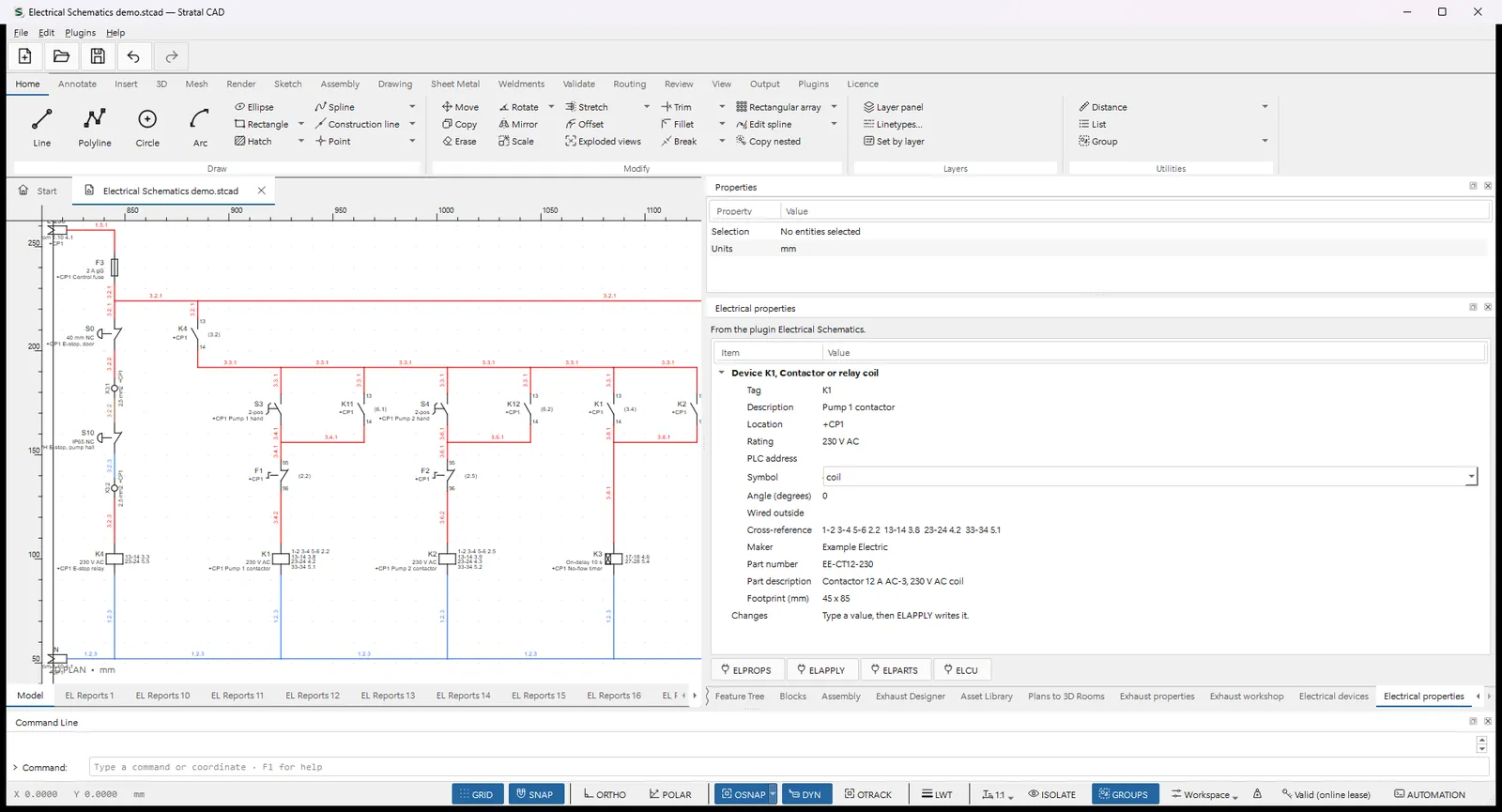
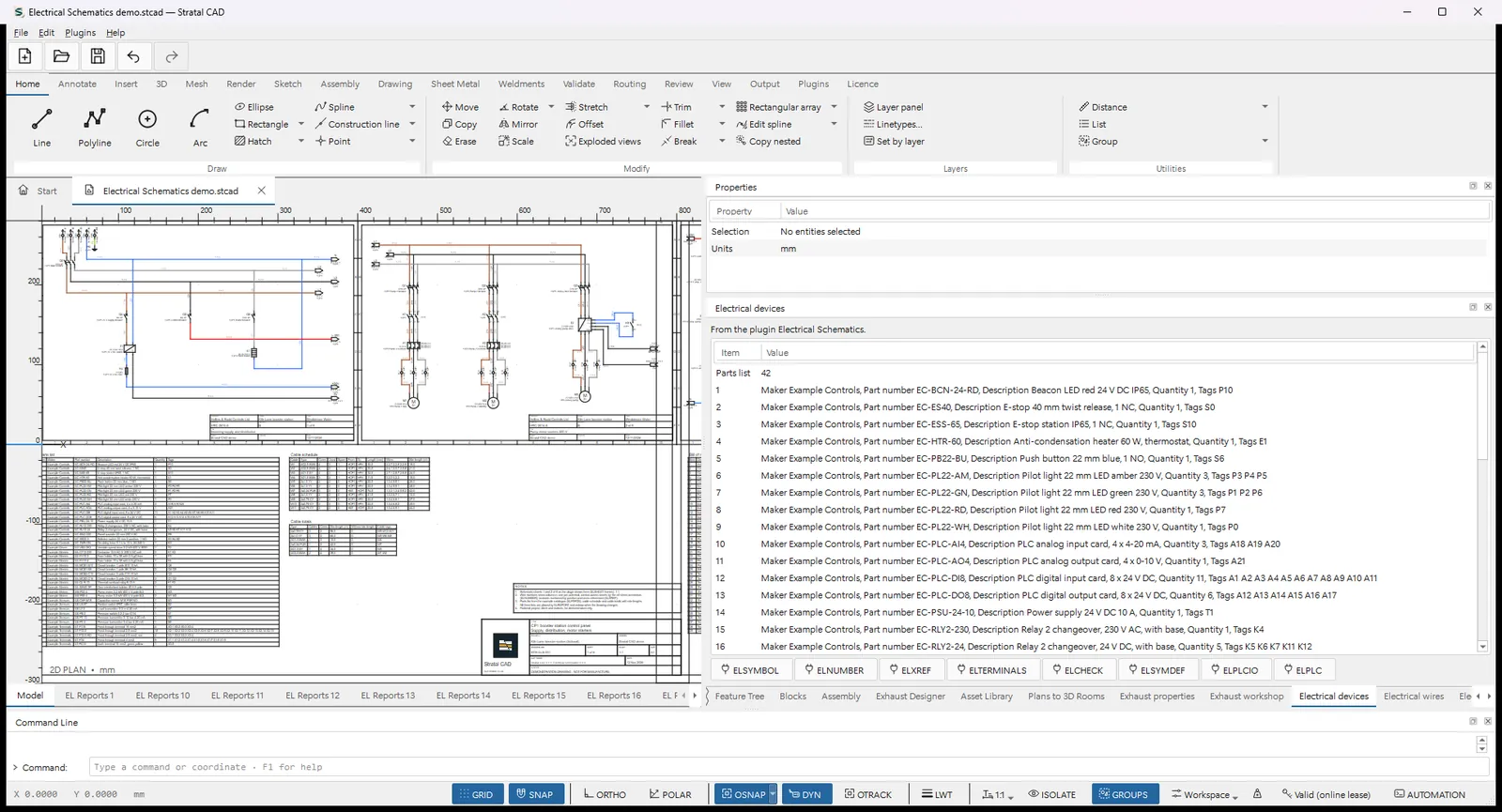
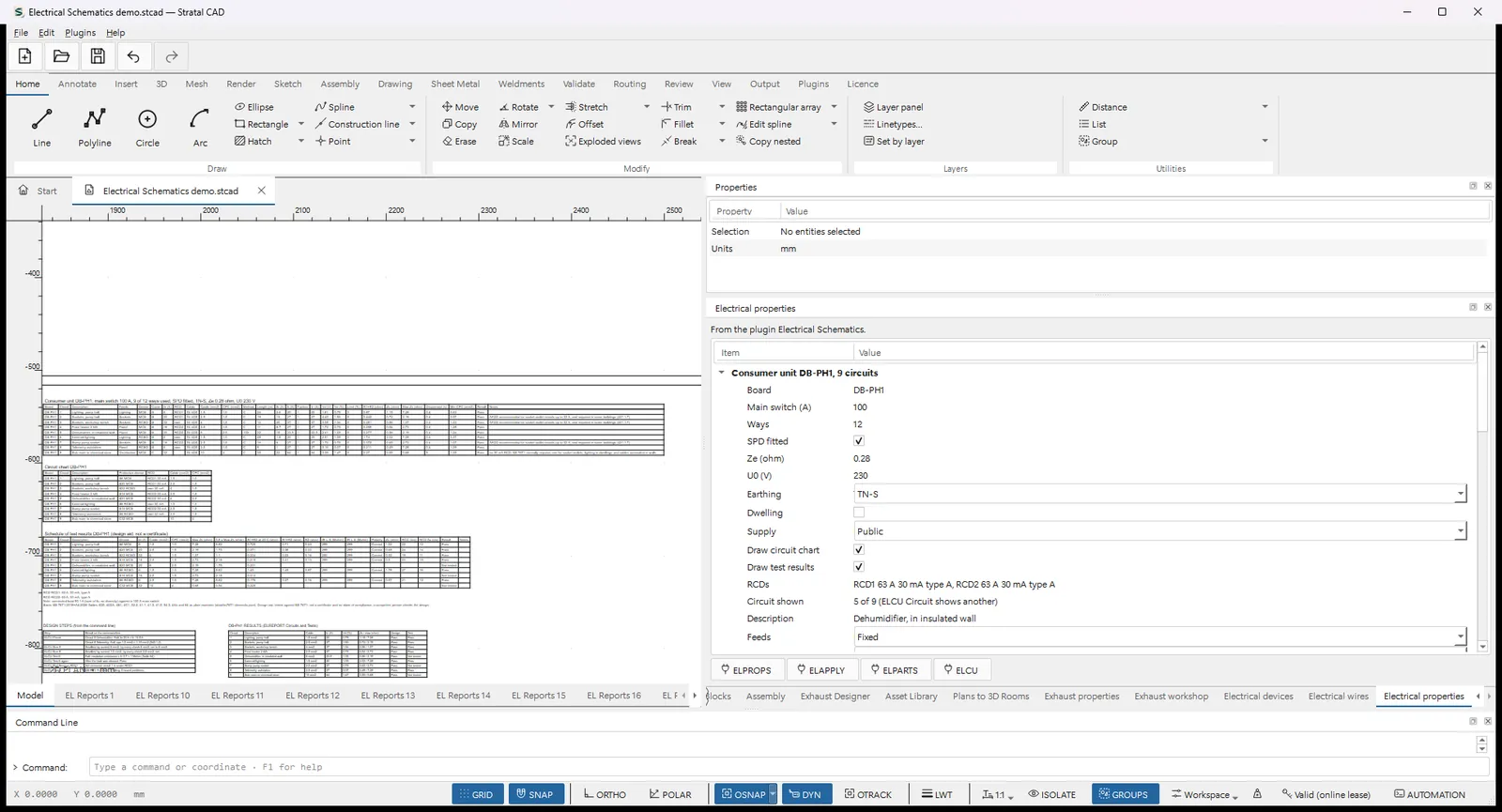
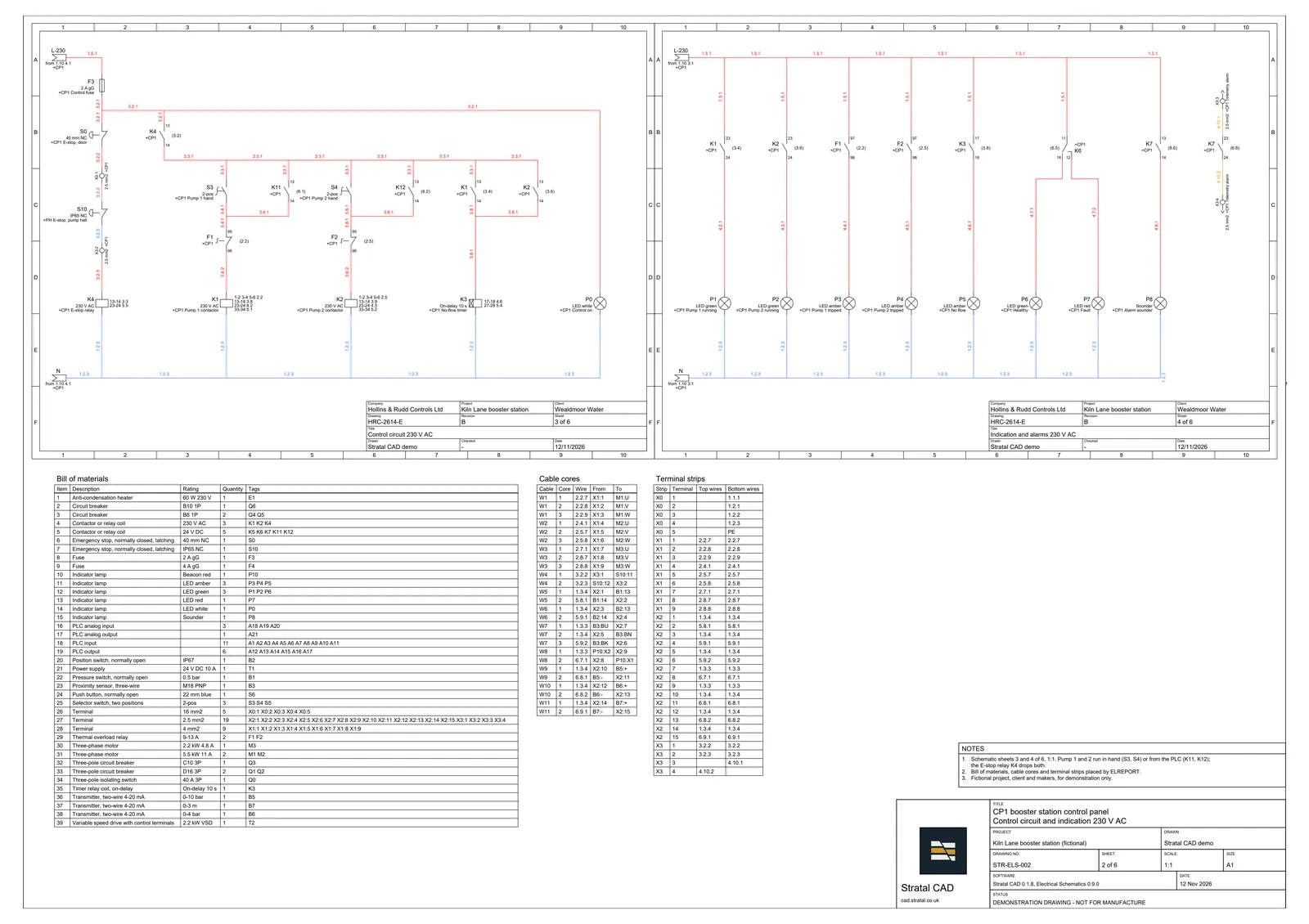
(opens a larger view)Control circuit and the Electrical properties dock with K1's part and cross-references
The job in numbers
Schematic sheets (CP1)
6
Devices
148
Wires, numbered by potential
229
PLC rack PLC1
7 slots, 21 channels used, 11 spare
Terminals on 4 strips
33
Cables / cores
11 / 26
Cable site length (example lengths)
282 m
Part numbers in the parts list (example catalogue)
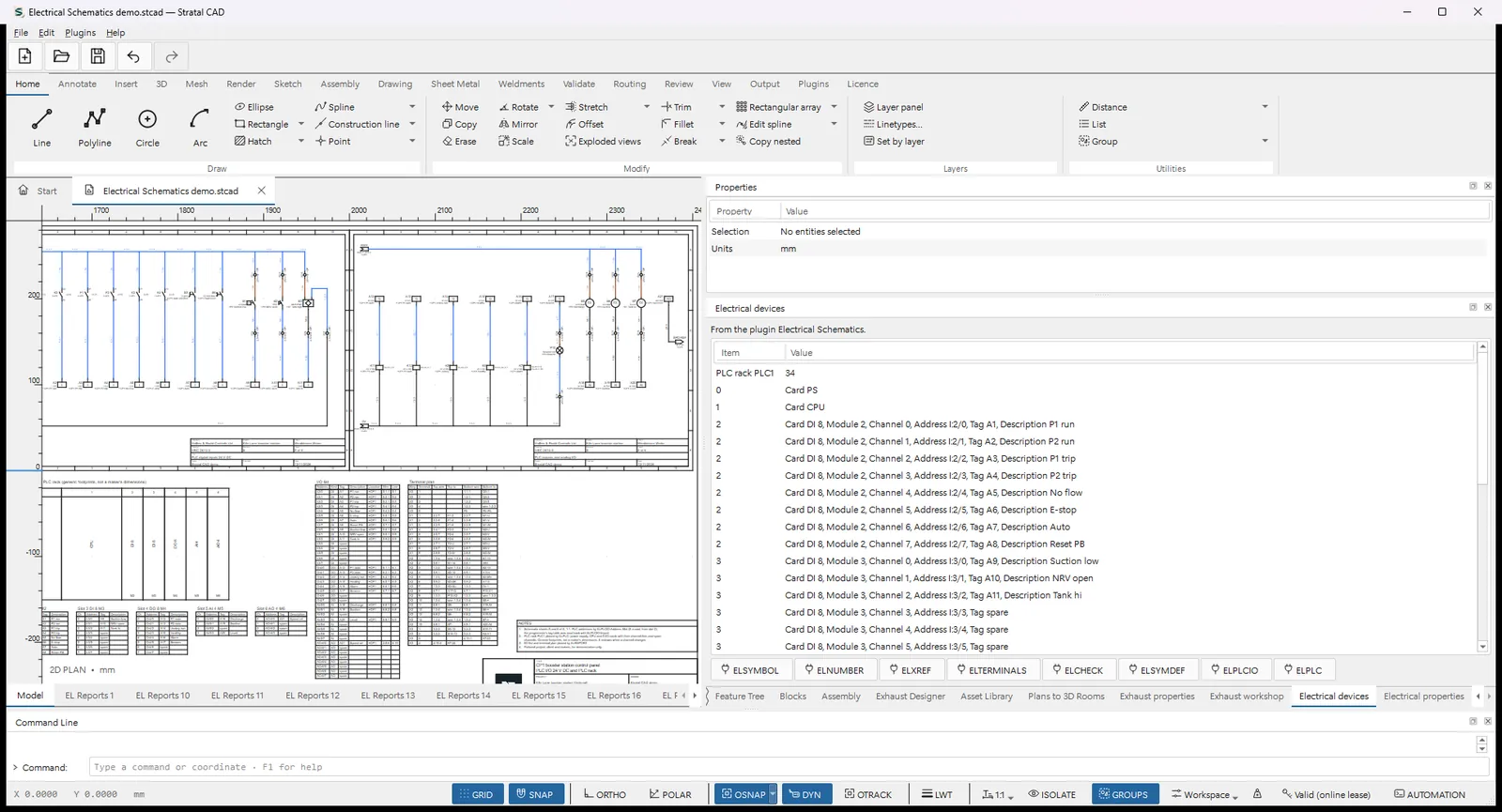
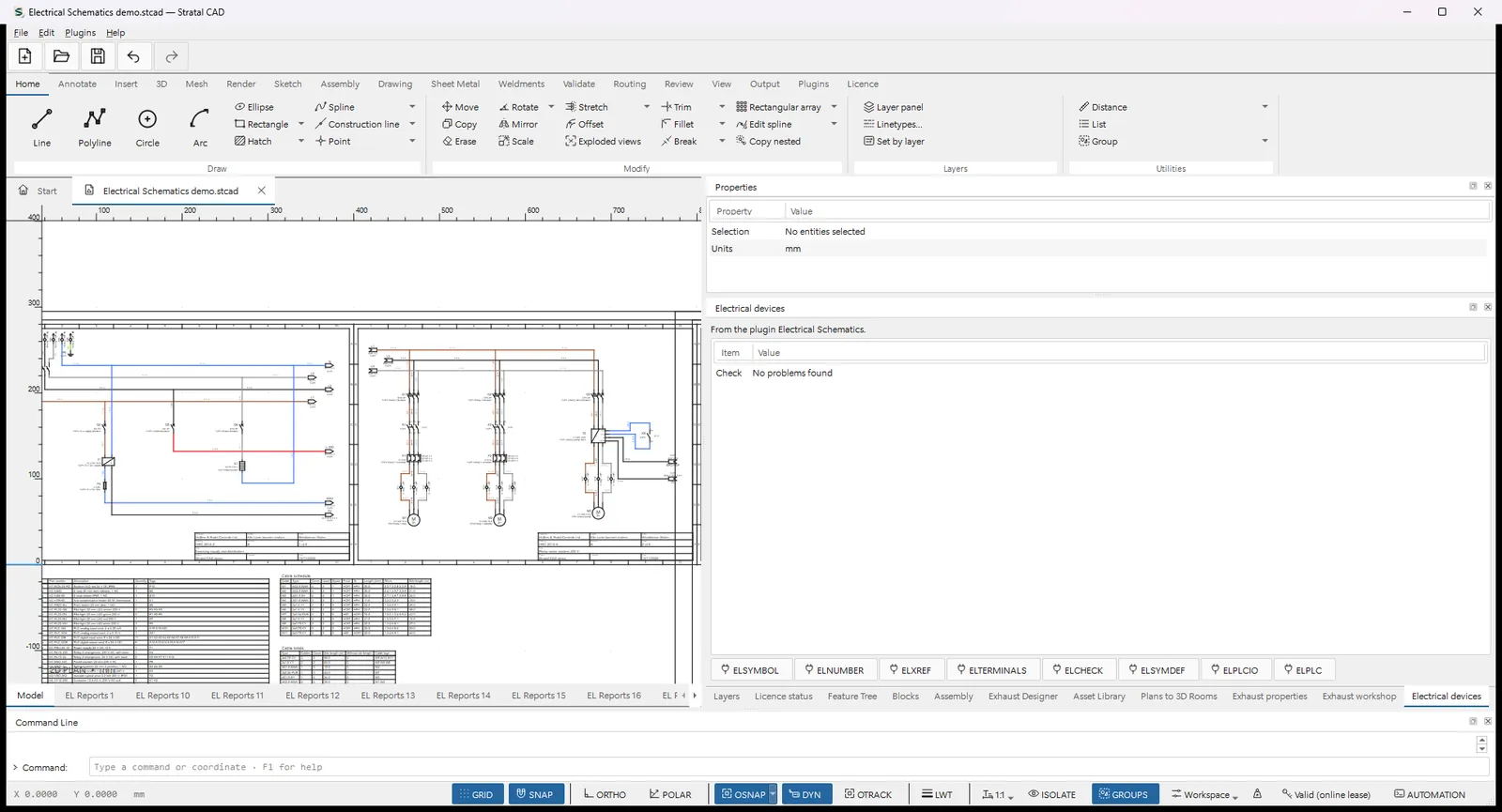
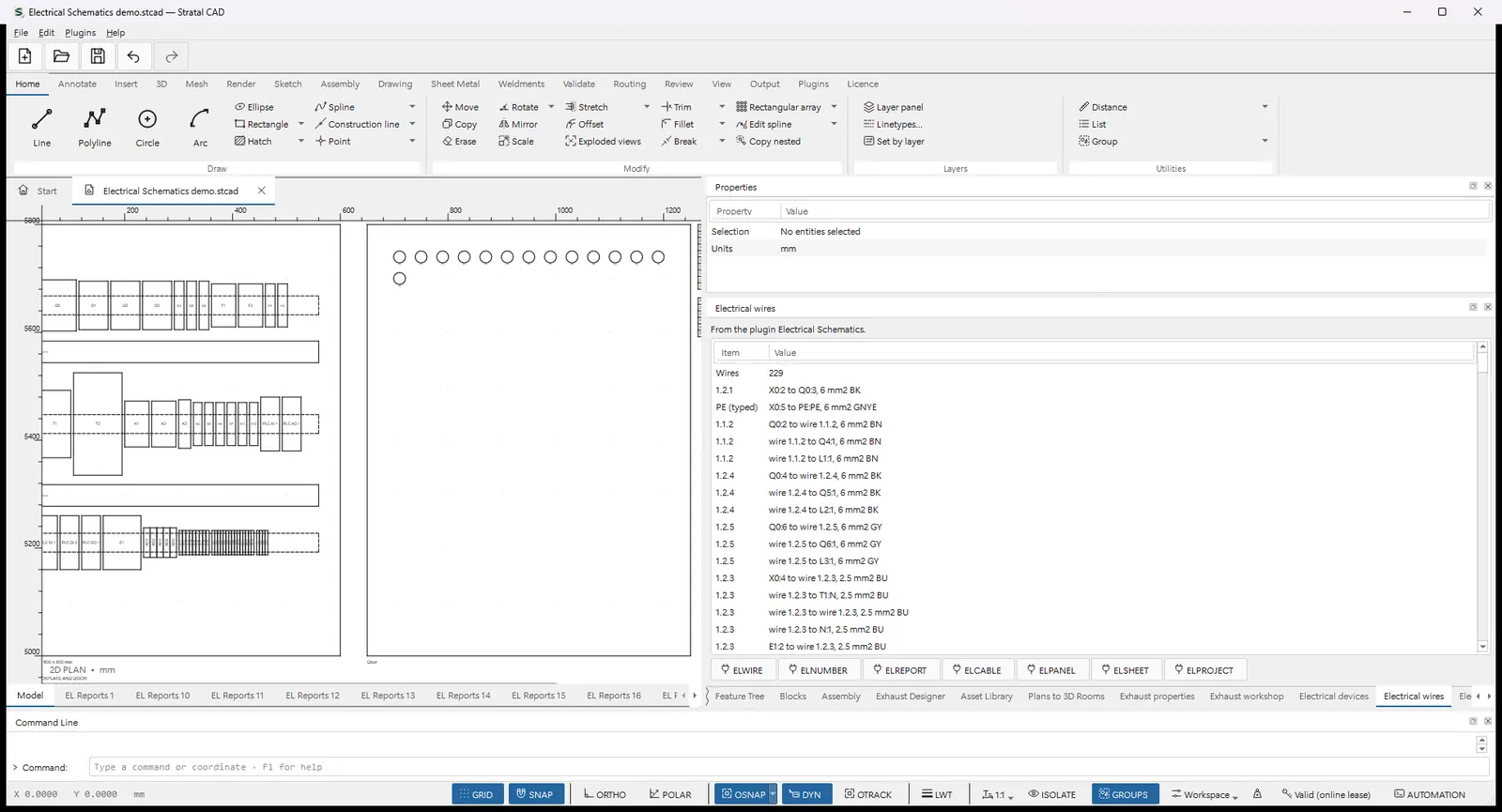
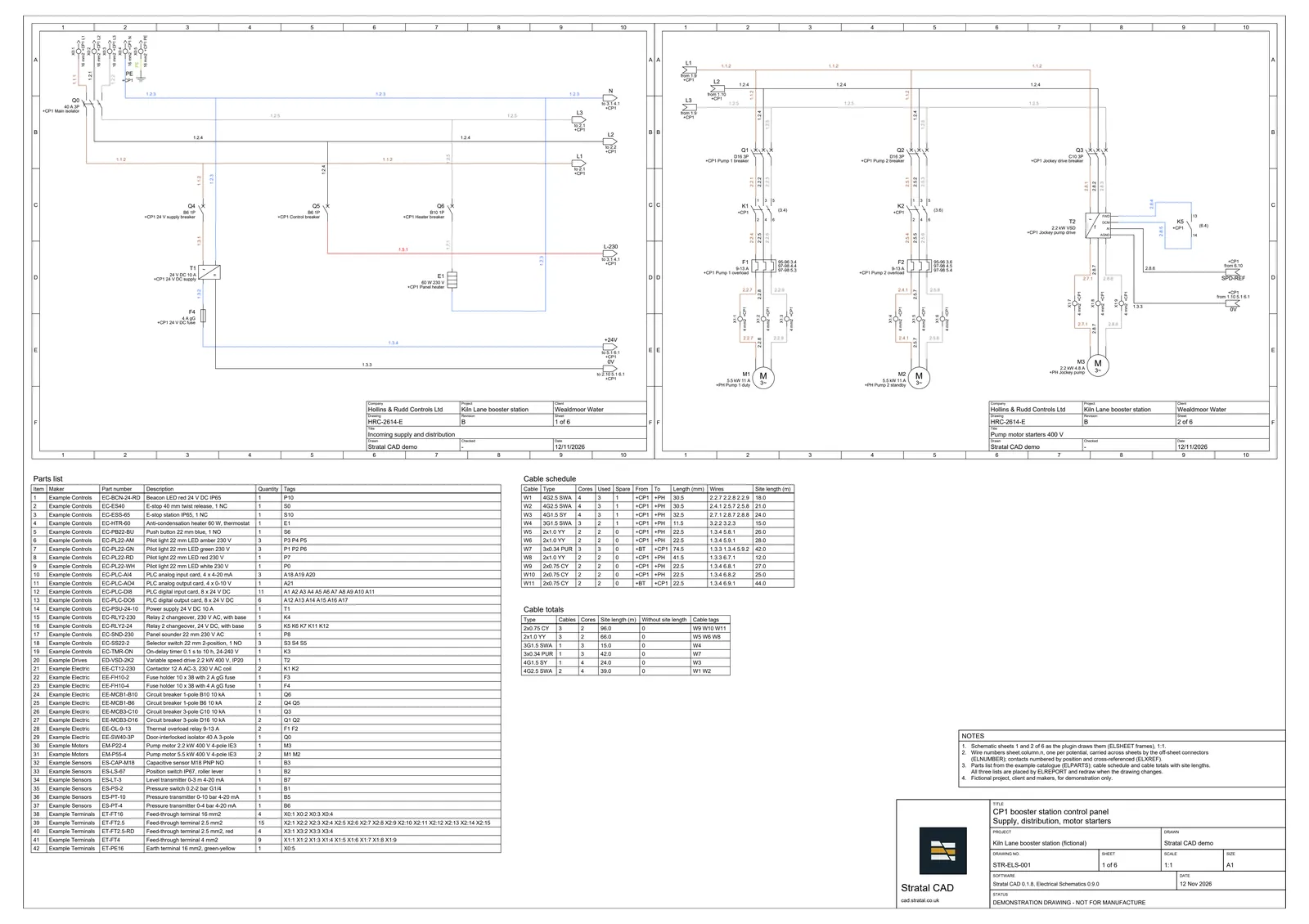
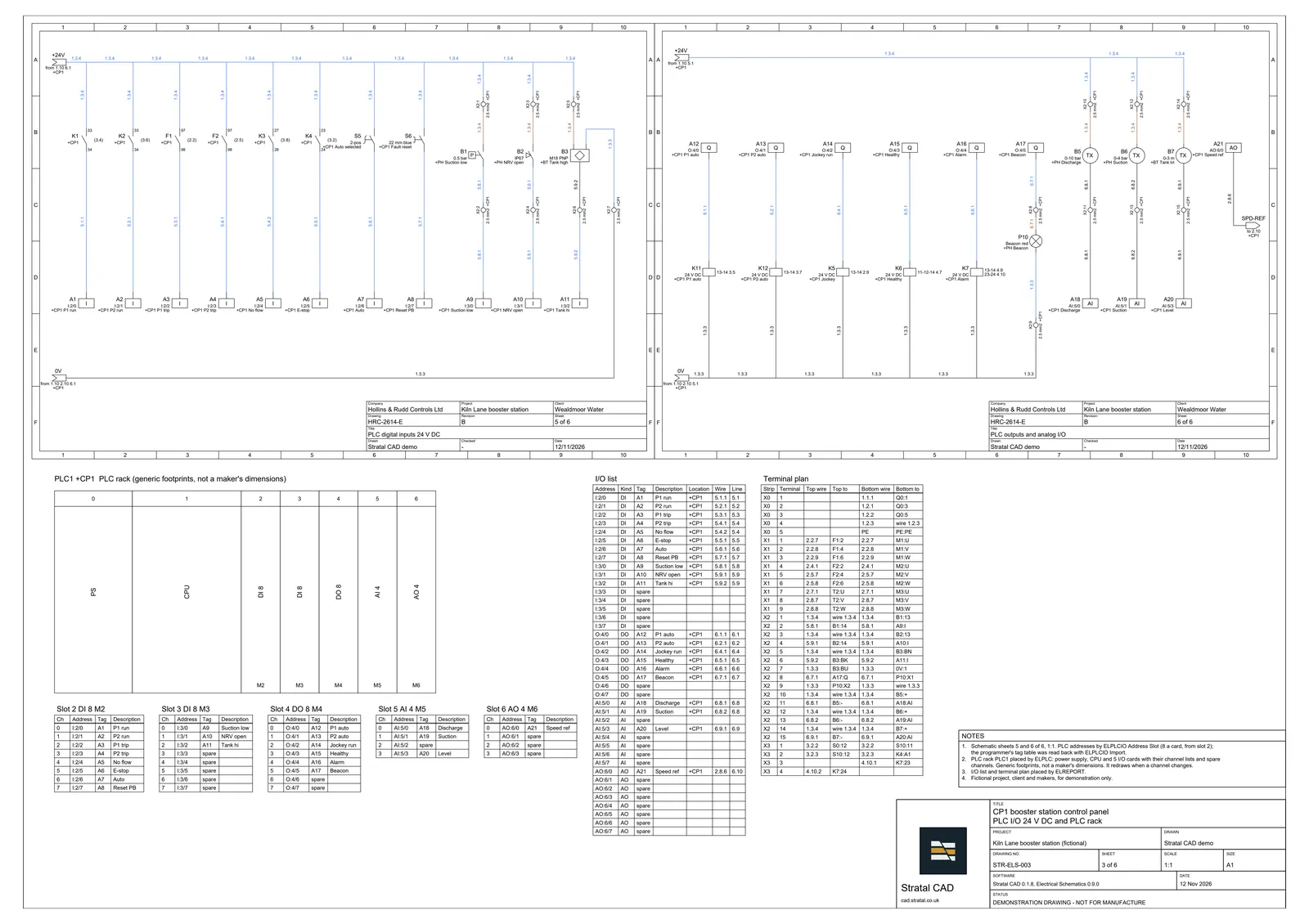
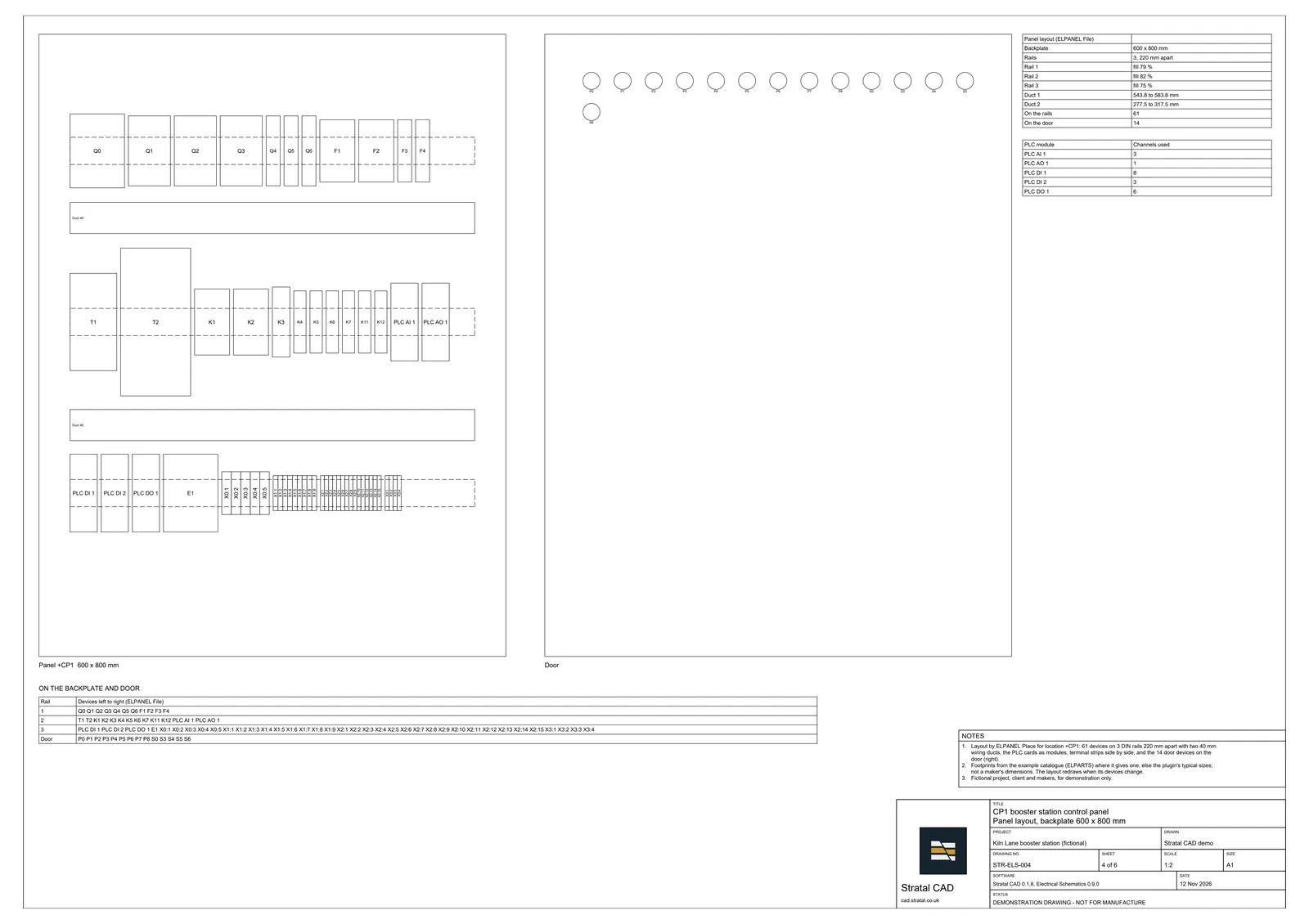
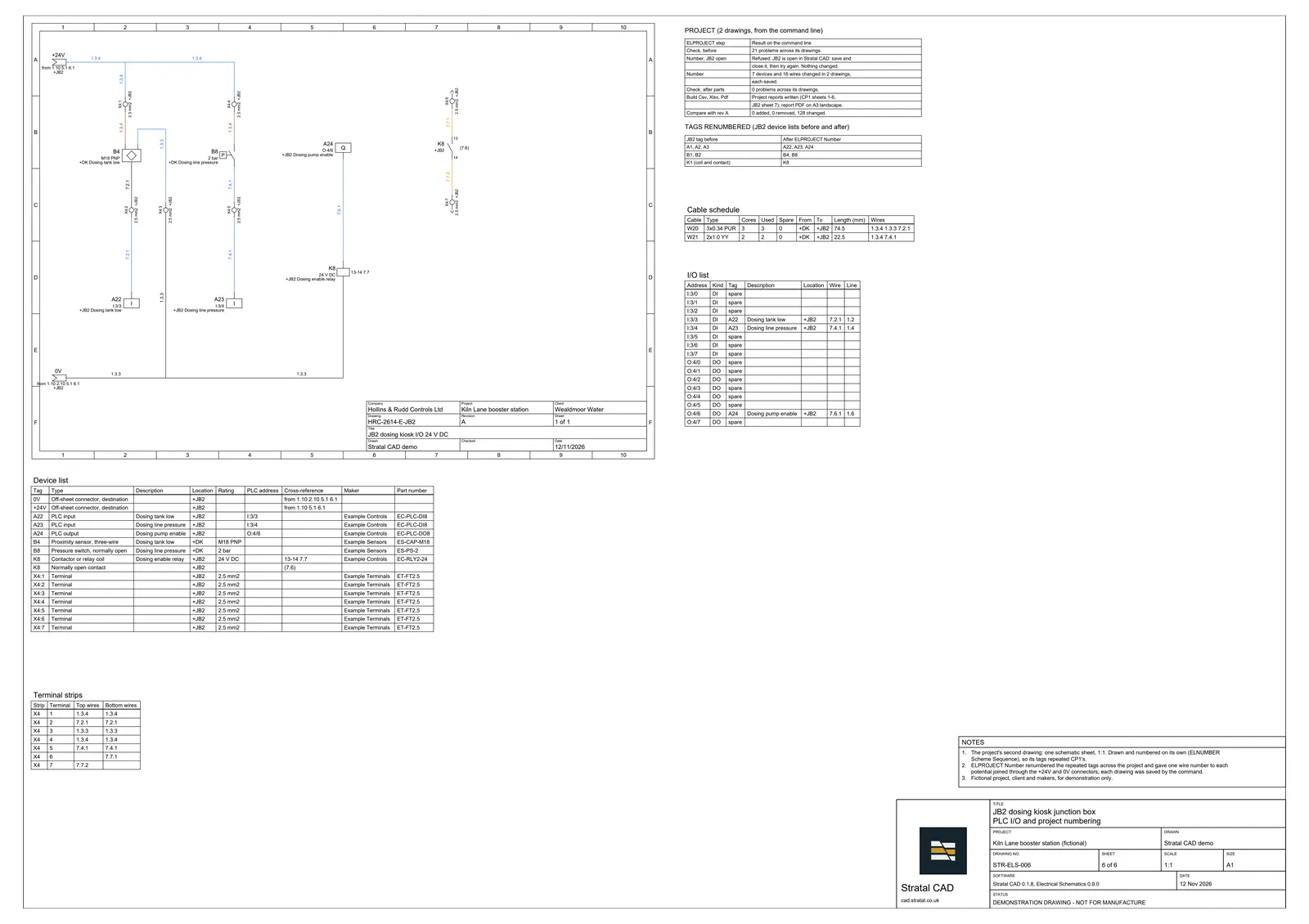
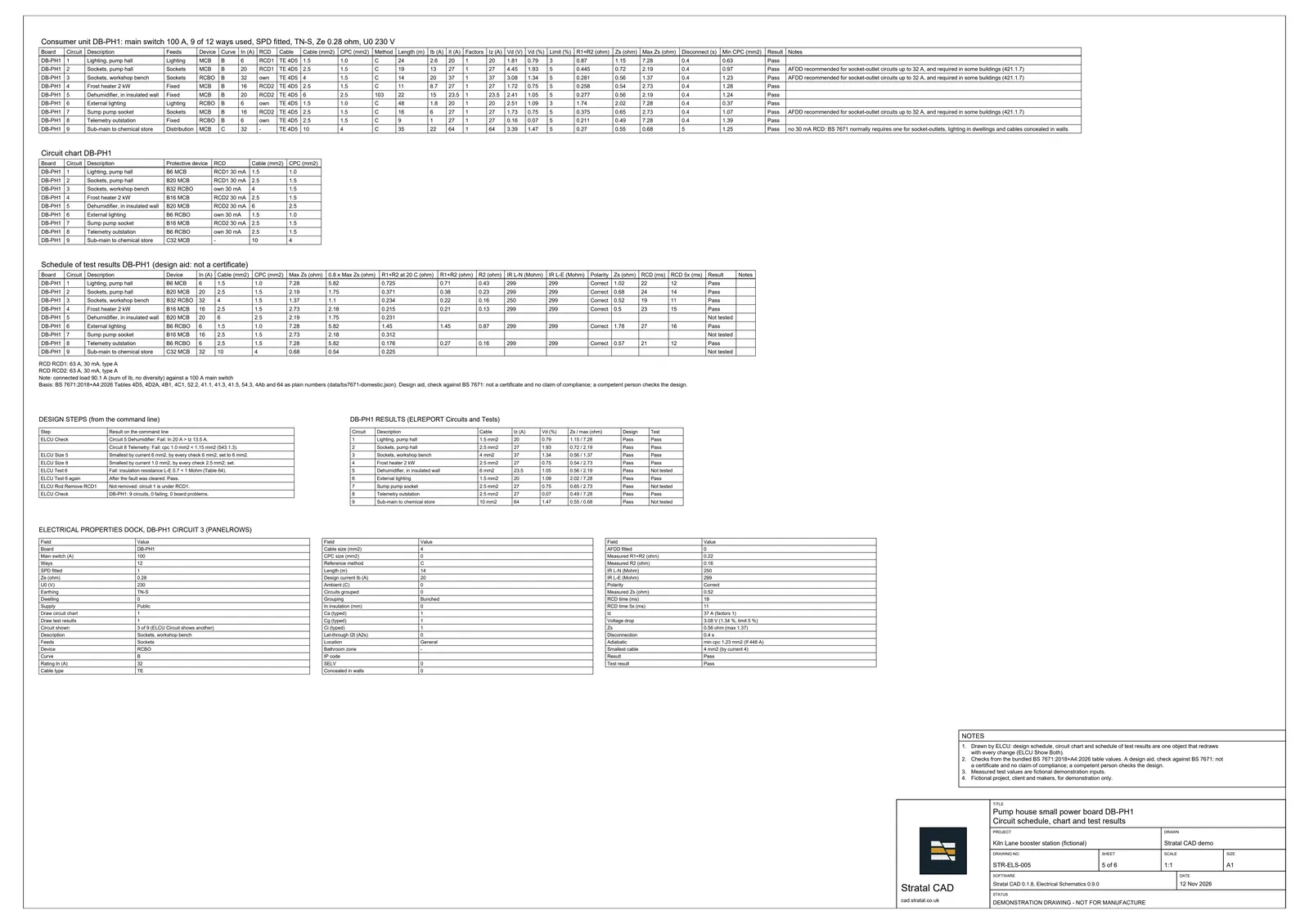
(opens a larger view)A1 sheet 1: supply, distribution and motor starters with the parts list, cable schedule and cable totals (opens a larger view)A1 sheet 3: PLC I/O sheets with the PLC rack, I/O list and terminal plan (opens a larger view)A1 sheet 2: control circuit and indication with the BOM, cable cores and terminal strips (opens a larger view)A1 sheet 4: panel layout with PLC modules, ducts and door (opens a larger view)A1 sheet 6: the project's second drawing after project-wide numbering (opens a larger view)A1 sheet 5: consumer unit DB-PH1 design aid and test schedule
Shown in this job
PLC rack with power supply, CPU and I/O cards, channel lists and spares (ELPLC)
Part numbers and footprints from your own catalogue CSV (ELPARTS)
PLC cards as modules on the panel layout, wiring ducts and door layout (ELPANEL)
Wire markers, cable totals and parts list reports
Revision compare against an earlier export (ELPROJECT Compare)
Project-wide numbering across drawings (ELPROJECT Number)
Reports on A3 landscape pages and A3 landscape PDFs
Contacts numbered by position (13-14, 23-24, 97-98) with contact columns at each coil
Cables that keep their wires on their pins, with site lengths
Off-sheet connectors with cross-references
Terminal strips, terminal plan, I/O list, wire and from/to lists
Checks: unconnected pins, mixed sizes and colours, crowded terminals, part numbers
BS 7671 style consumer unit design aid with test schedule (not a certificate)
What it does
New in 0.11.0
Added on 21 November 2026, with Stratal CAD 0.2.5.
ELCU Bond and Fault: earthing and main protective bonding conductor sizes, and the prospective fault current against the devices' breaking capacity; a design aid on BS 7671 table values that are still waiting for their print check, not a certificate.
ELCU Ring checks a ring final circuit's end-to-end readings and writes R1+R2 to the test results (design aid; the tolerance is yours).
ELCU Phase puts circuits on L1, L2, L3 or all three and shows the design current per phase and the imbalance (connected load, without diversity).
Draw the schematic
Symbols that know their pins.
ELSYMBOL: 31 built-in symbols drawn to IEC 60617 conventions, with IEC 81346-2 letter codes
ELWIRE: wires land on pins; move a device and its wires stretch with it
ELSYMDEF and ELSYMLIB: make your own symbols from geometry and keep them in a library file
ELSHEET: sheet frames with column numbers, row letters and a title block per sheet
Numbers and cross-references
Worked out from the wiring, not typed.
ELNUMBER: devices and wires by sheet and column (1.2.5), or a sequential scheme of your own
One number per potential, carried across sheets through off-sheet connectors
ELXREF: each coil lists its contacts in a column beside it; each contact shows its coil's column
Contacts numbered by position: 13-14, 23-24, 21-22; 97-98 and 95-96 on overloads
ELCHECK: unconnected pins, dangling wires, duplicate tags and addresses
PLC I/O and cables
From the schematic to the PLC programmer.
ELPLCIO: addresses in byte (I0.0), IEC (%IX0.0) or slot form, with the I/O list and its spare channels
Tag table out to the PLC tools as CSV, and back in with changed addresses
ELPLC: a PLC rack drawn from the channels, with a card per module and each card's channel list
ELCABLE: wires into a cable with numbered cores; a cable with too few cores is refused
Panel layout
The backplate from the devices you drew.
ELPANEL: a location's devices laid out on DIN rails, grouped by letter code, with rail fill
Terminals of one strip side by side, wiring ducts between rows and a door layout for buttons and lamps
Placed in the drawing, it redraws when the devices change
Reports
Every list, from the drawing.
ELREPORT: BOM, wire list, from/to list, terminal strips and plan, device list, I/O list, cable schedule, cores and problems
To the panel, CSV, XLSX, PDF, or placed in the drawing as lists that update
Report pages on A3 or A4 landscape layouts, ready to plot with the schematic
ELPROJECT: several drawings as one project, with project-wide reports, checks and numbering
Consumer units
A BS 7671 style design aid for domestic boards.
ELCU: a board's circuits and RCDs, with Ib, In, Iz, voltage drop, Zs, adiabatic and RCD checks
ELCU Size: the smallest cable that passes, or why none does
Schedule of test results and a circuit chart, drawn with the board and written as CSV, XLSX or PDF
A design aid, not a certificate: a competent person checks every design against BS 7671
Key commands
ELSYMBOL
Insert a device: contact, coil, motor, PLC I/O, terminal and more
ELWIRE
Draw a wire between device pins
ELNUMBER
Number devices and wires by sheet and line reference
ELXREF
Update coil and contact cross-references
ELCHECK
Find unconnected pins, dangling wires and duplicate tags
ELPROPS
Show and change every property of the selected devices and wires
ELSYMDEF
Make a symbol of your own from selected geometry
ELSHEET
Sheet frames with column and row zones and title blocks
ELPLCIO
PLC addresses, the I/O list with spare channels, and the tag table in and out
ELPLC
A PLC rack from the PLC channels, with its cards and their channel lists
ELCABLE
Put the selected wires into a cable with numbered cores
ELPANEL
Lay a location's devices out on DIN rails on a backplate
ELREPORT
Reports to the panel, CSV, XLSX, PDF, landscape layouts or placed lists
ELPROJECT
Projects of several drawings: parts, reports, checks and numbering
ELCU
Consumer unit design aid: checks, cable sizing and test results
ELTERMINALS
Terminal strip report: panel and CSV
ELPARTS
Part numbers and footprints from your own catalogue CSV: assign by tag or symbol and rating, list, export, clear
Specifications
Version
0.11.0 (the job above was made with 0.9.0 and Stratal CAD 0.1.8; later versions have changes since)
Symbols
31 built-in, drawn by Stratal to IEC 60617 conventions with IEC 81346-2 letter codes; your own with ELSYMDEF
Numbering
Sheet and column (1.2.5) per potential, or sequential with your prefix; across a project's drawings with ELPROJECT Number
PLC addresses
Byte (I0.0, IW0), IEC (%IX0.0) or slot (I:1/0) form; tag table as a neutral CSV
Reports
BOM, wire list, from/to, terminal strips and plan, devices, I/O, cables, cores, problems, circuit schedule, test results, circuit chart
Output files
CSV, XLSX and PDF (A3 landscape where the app allows), and A3 or A4 landscape report layouts
Consumer units
BS 7671:2018+A4:2026 style checks, cable sizing, test schedule and circuit chart: a design aid, not a certificate
Requires
Stratal CAD 0.1.7 or later on Windows 11 (x64), with a licence that includes Electrical Schematics; ELPROJECT Number needs 0.1.8 or later
Delivery
A Stratal-signed plugin, installed from the Plugins menu; runs in Stratal CAD or isolated in its own process
Limitations
Schematics and layouts are 2D: no 3D enclosure and no renders.
Panel and PLC rack footprints are typical generic sizes, not a maker's dimensions; PLC exchange is the neutral CSV tag table, not a vendor's project format.
Cables are a property of their wires: there is no cable object or harness drawing.
Symbols are Stratal's own drawings to the conventions, not a block library; values typed in the properties dock are written with ELAPPLY, not as you type.
Project parts are snapshots of each drawing (export again after a change); ELPROJECT Number needs Stratal CAD 0.1.8 or later and the drawings closed.
Report PDFs are A3 landscape only where the app supports it; on an older app they are A4 portrait in column blocks. Their columns are padded with spaces in a proportional font, so they do not line up exactly.
In a session with several drawings, ELNUMBER Wires and ELPROJECT Number can take the wire numbering scheme last chosen in another drawing when the open drawing never chose one: choose the scheme first.
At tight device pitch, neighbouring wire numbers, device locations and descriptions can overlap each other or a terminal's rating; long lists are placed as one tall table.
ELPROPS cannot clear a text field; the PLC rack's cards take no part numbers of their own.
Consumer units: no diversity, no three-phase and no sub-mains; copper 70 °C thermoplastic cables only; circuit-breakers and RCBOs, not fuses.
The panel, its client and its panel builder are fictional, and the consumer unit's test values are made-up inputs. The consumer unit checks are a design aid: check them against BS 7671; they are not a certificate.
Add it to Stratal CAD
Electrical Schematics runs inside Stratal CAD and stays with your licence.
 Stratal CAD