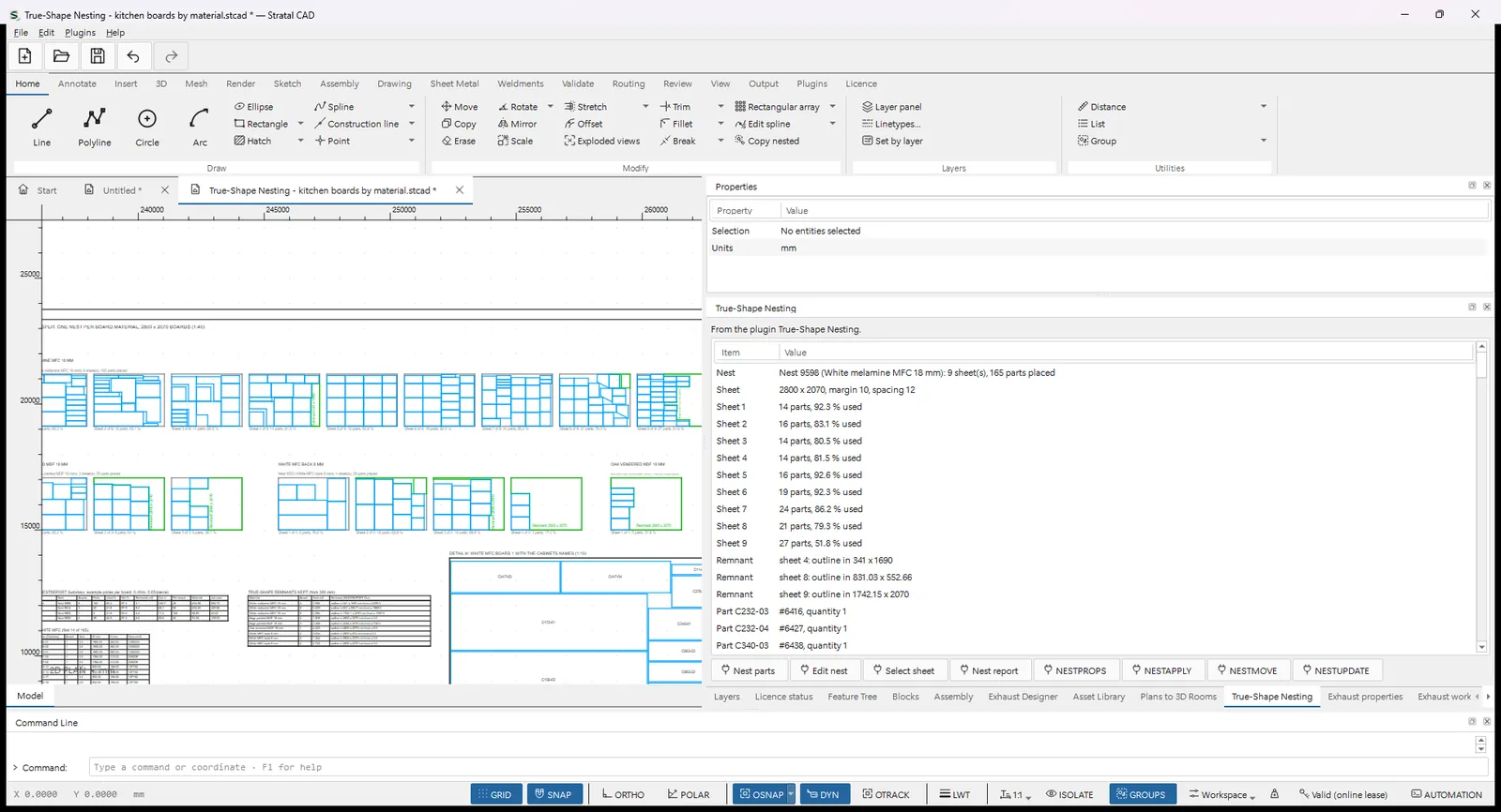
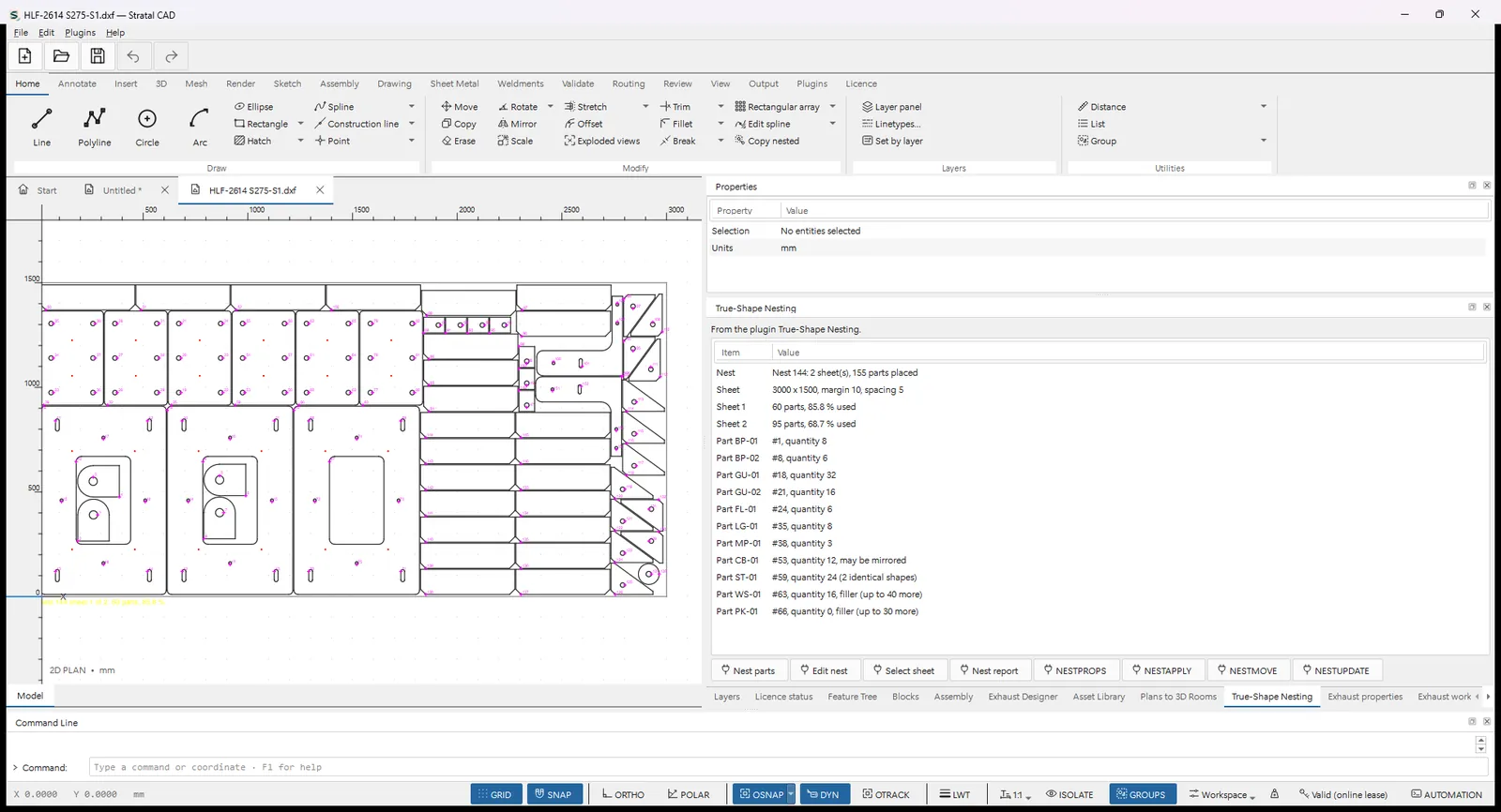
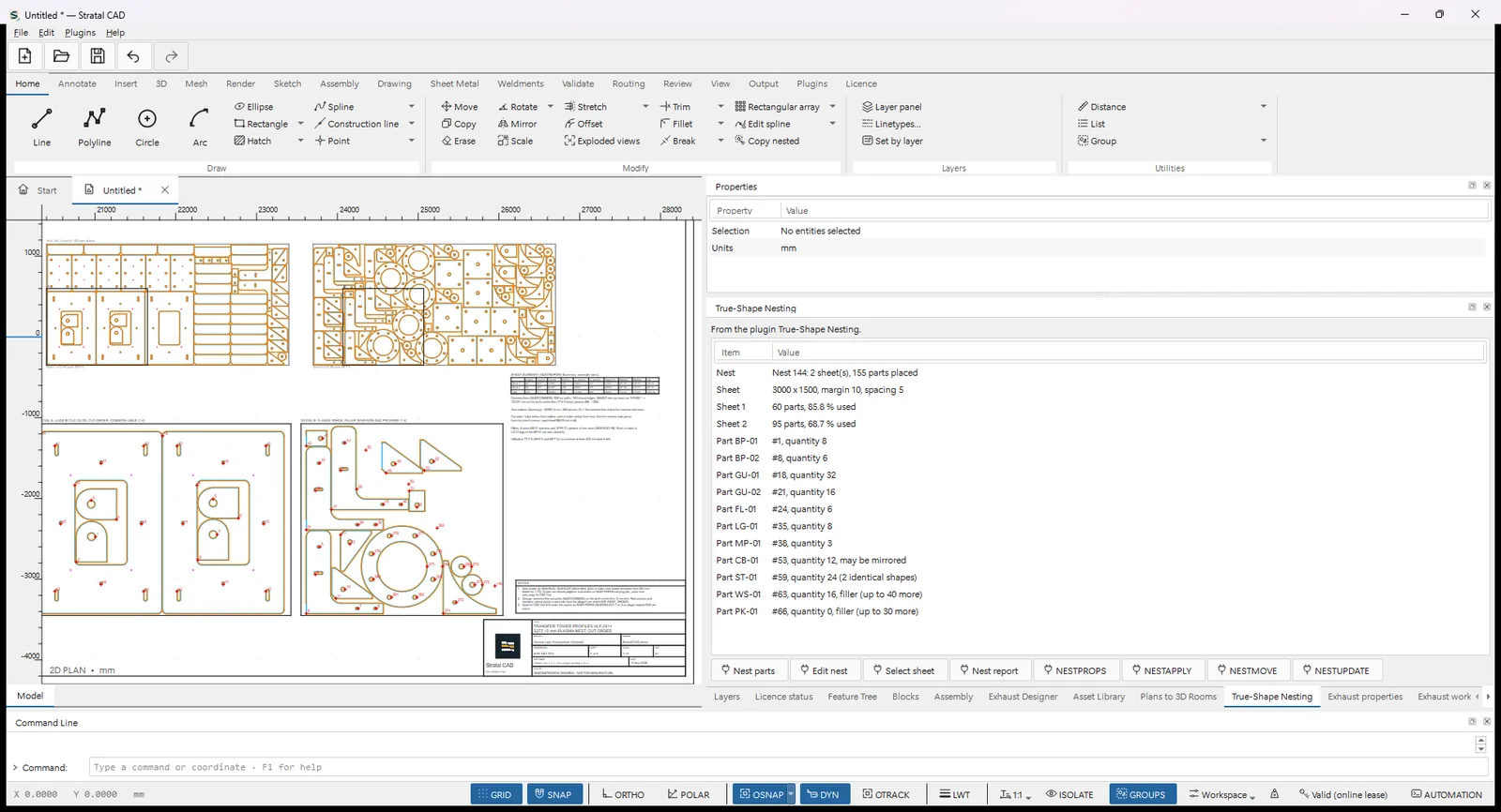
Nest parts by their true shape onto stock sheets, offcuts or a drawn outline, with parts inside other parts' holes and common-line cuts. Every sheet is drawn beside your drawing, with its utilisation and a report, ready for CNC Cut & G-code.
Transfer tower profiles HLF-2614 and a kitchen's boards, nested true-shape
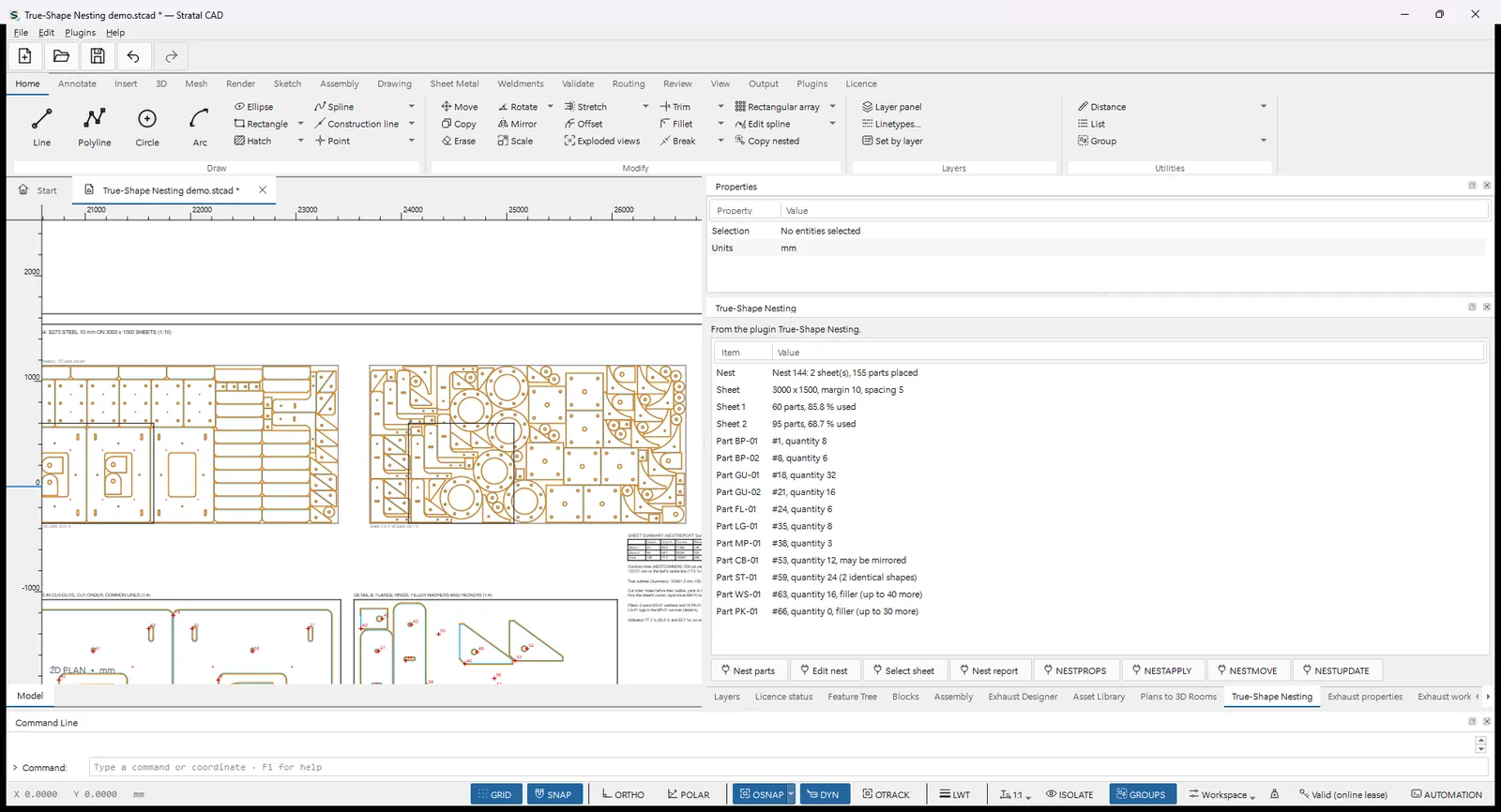
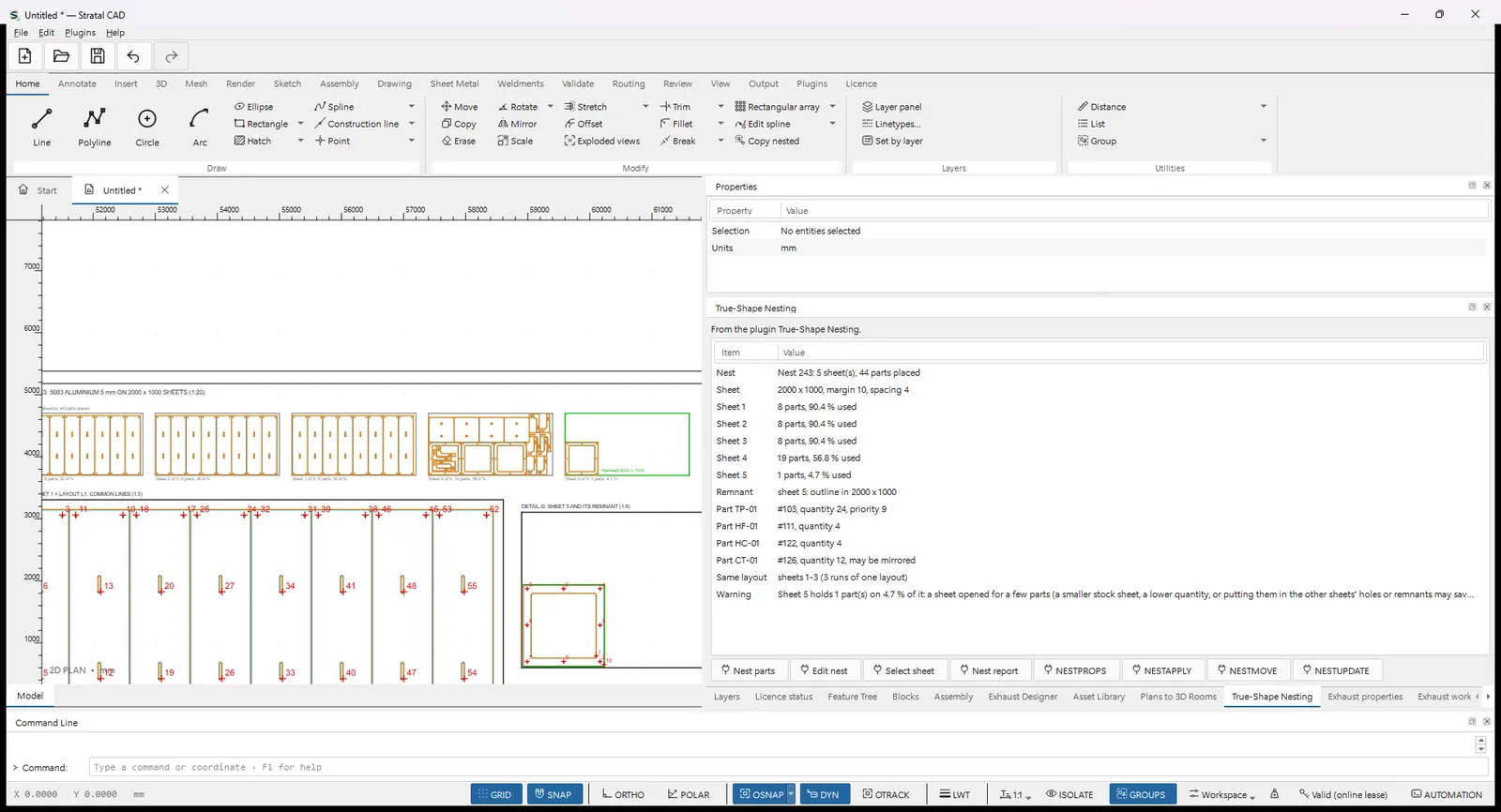
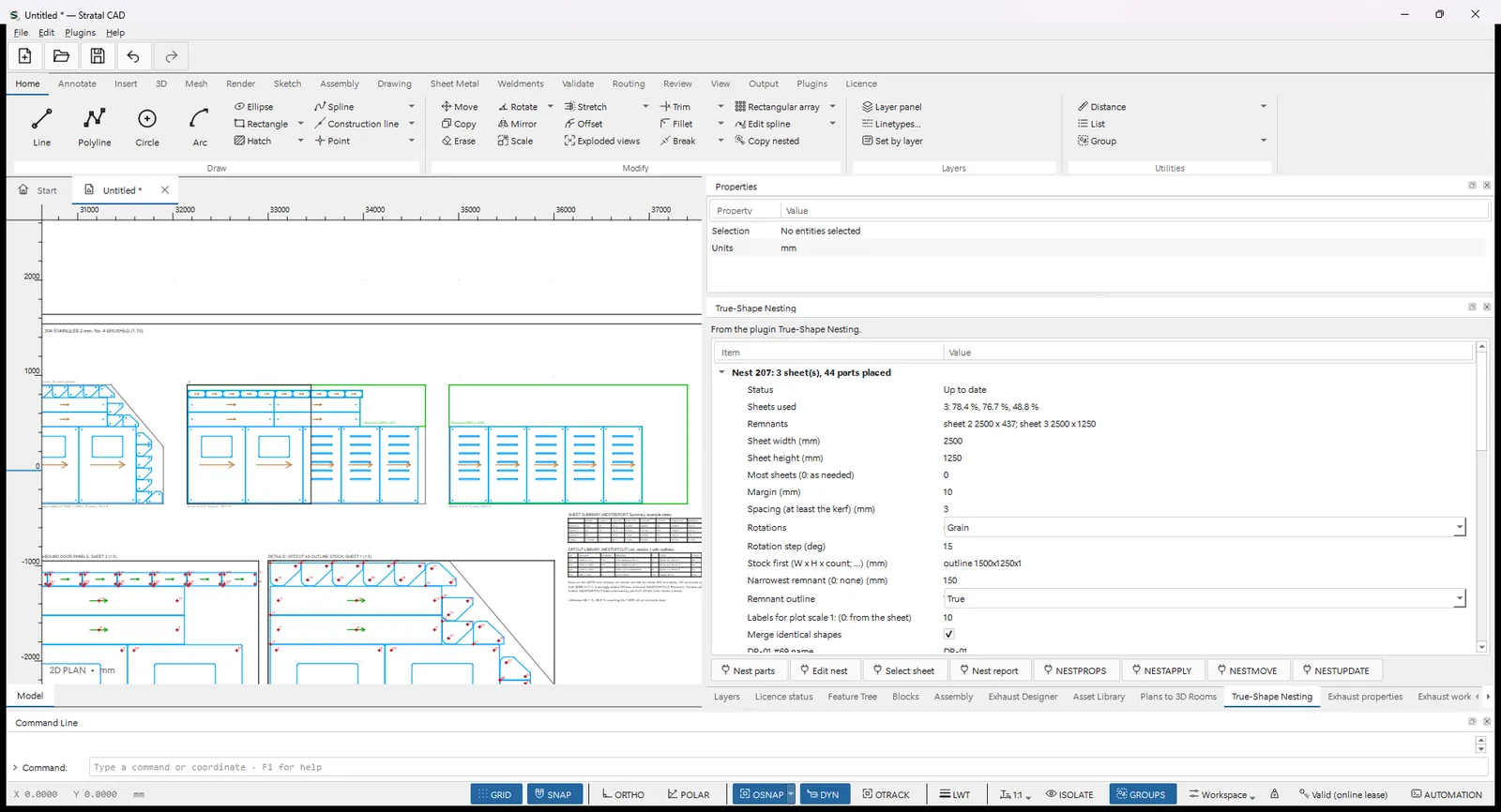
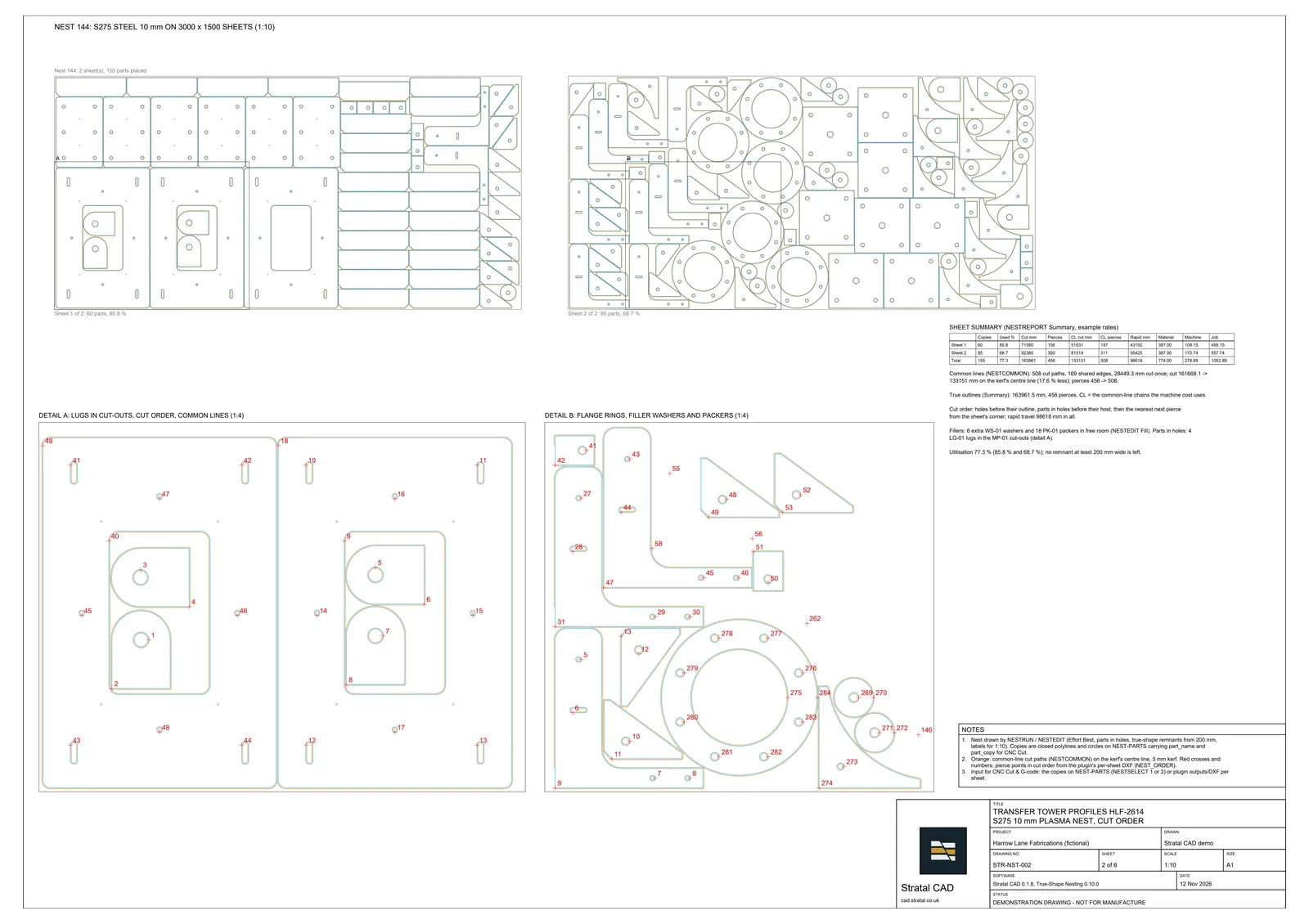
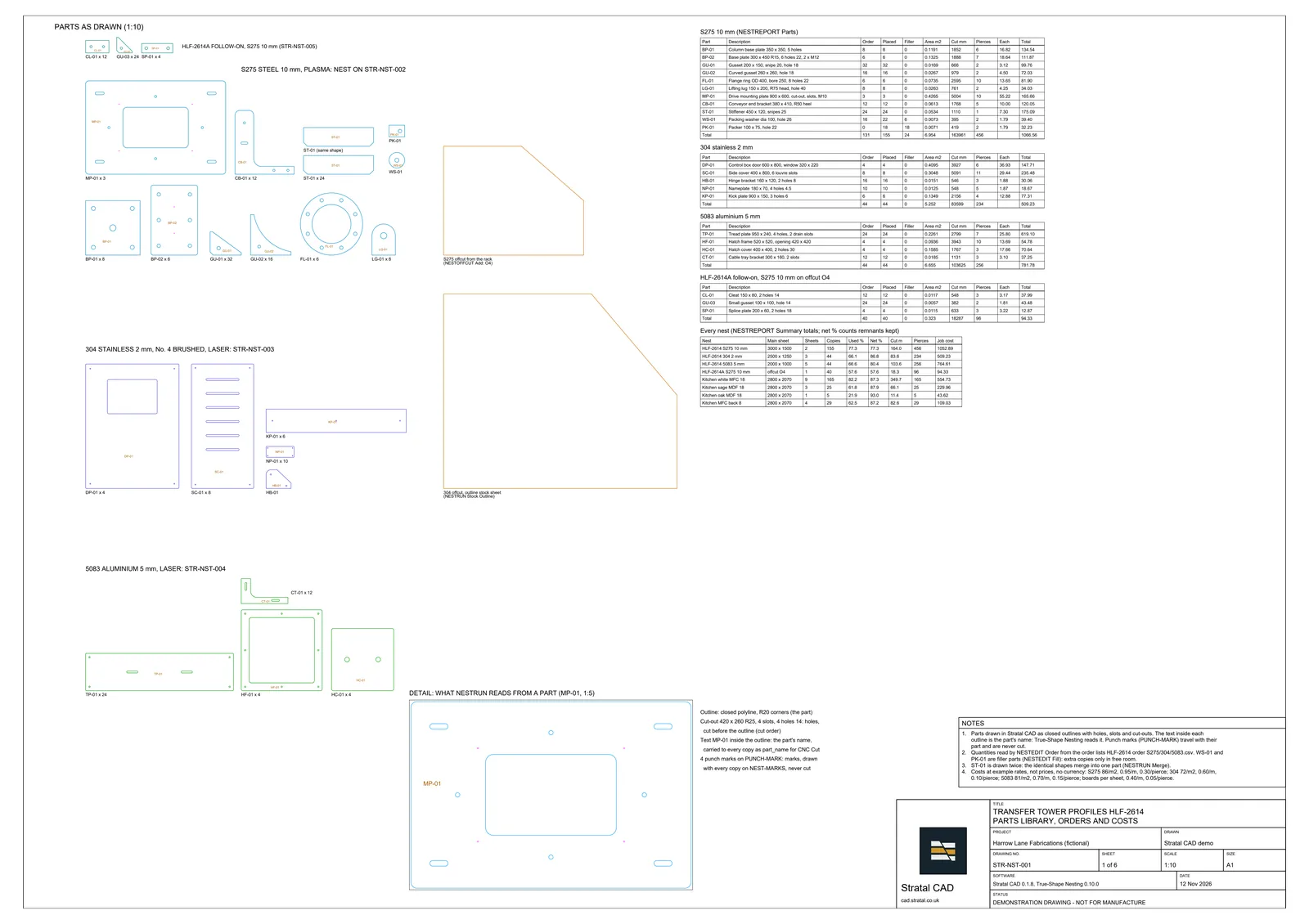
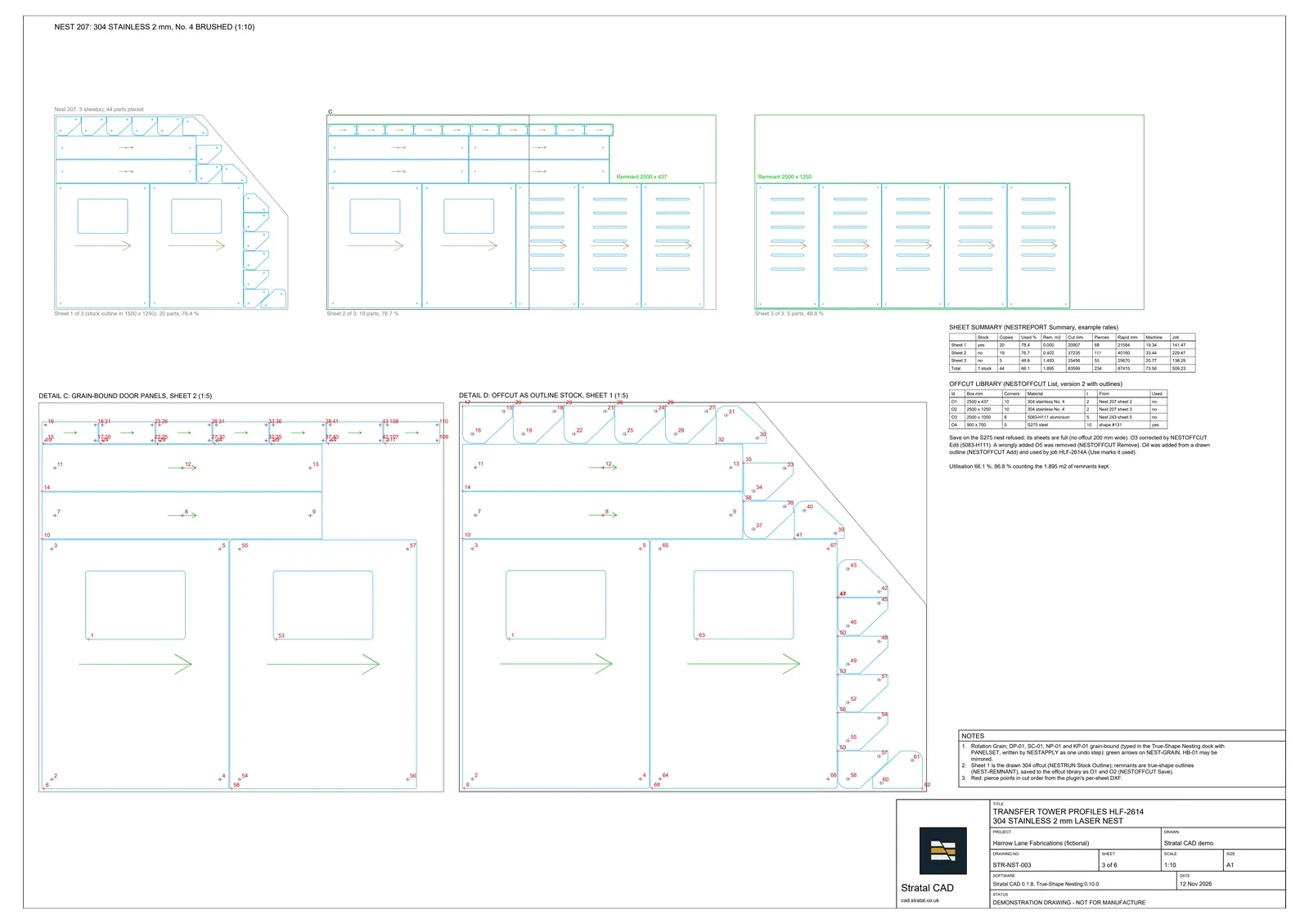
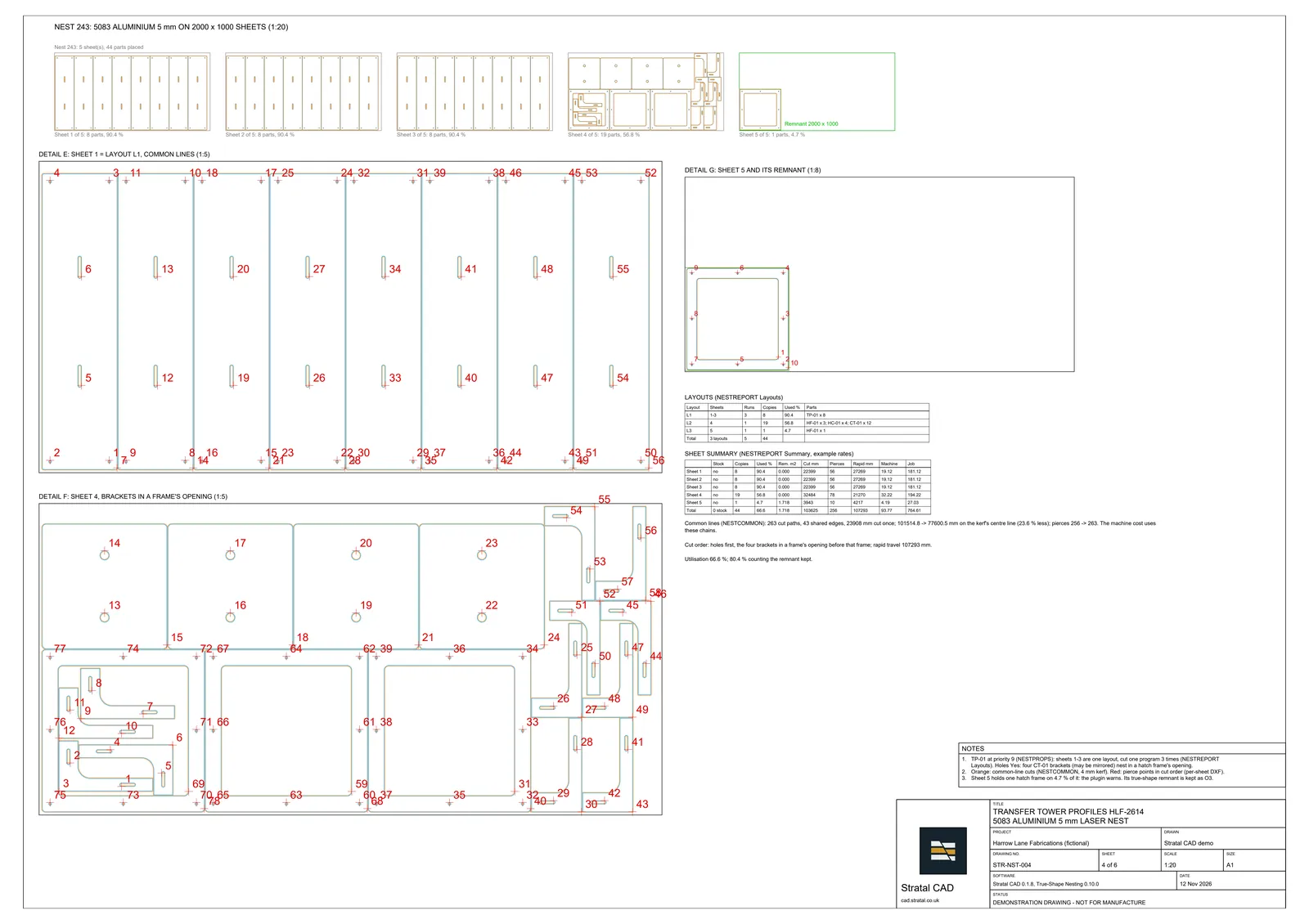
A fictional fabricator's batch of 155 plasma-cut S275 plates, 44 laser-cut stainless panels and 44 aluminium treads, hatches and brackets nested true-shape in Stratal CAD, with parts in holes, filler parts, common-line cuts, cut order and pierce points, true-shape remnants and an offcut library. The boards of a fitted kitchen are nested too, one nest per material from a single command.
Made on 12 November 2026 with Stratal CAD 0.1.8 and True-Shape Nesting 0.10.0; later versions have changes since.
The job and its names are fictional. Pictures are resized only, not retouched; the figures are the software's own output.
(opens a larger view)Two 3000 x 1500 plasma sheets, 155 named parts, the True-Shape Nesting dock
Filler parts that fill the used sheets' free room (NESTEDIT Fill)
Quantities from an order-list CSV (NESTEDIT Order)
Repeated sheet layouts found and reported (cut one program 3 times)
Per-part material and machine costs (NESTREPORT Parts)
Irregular stock: a drawn offcut used as an outline sheet
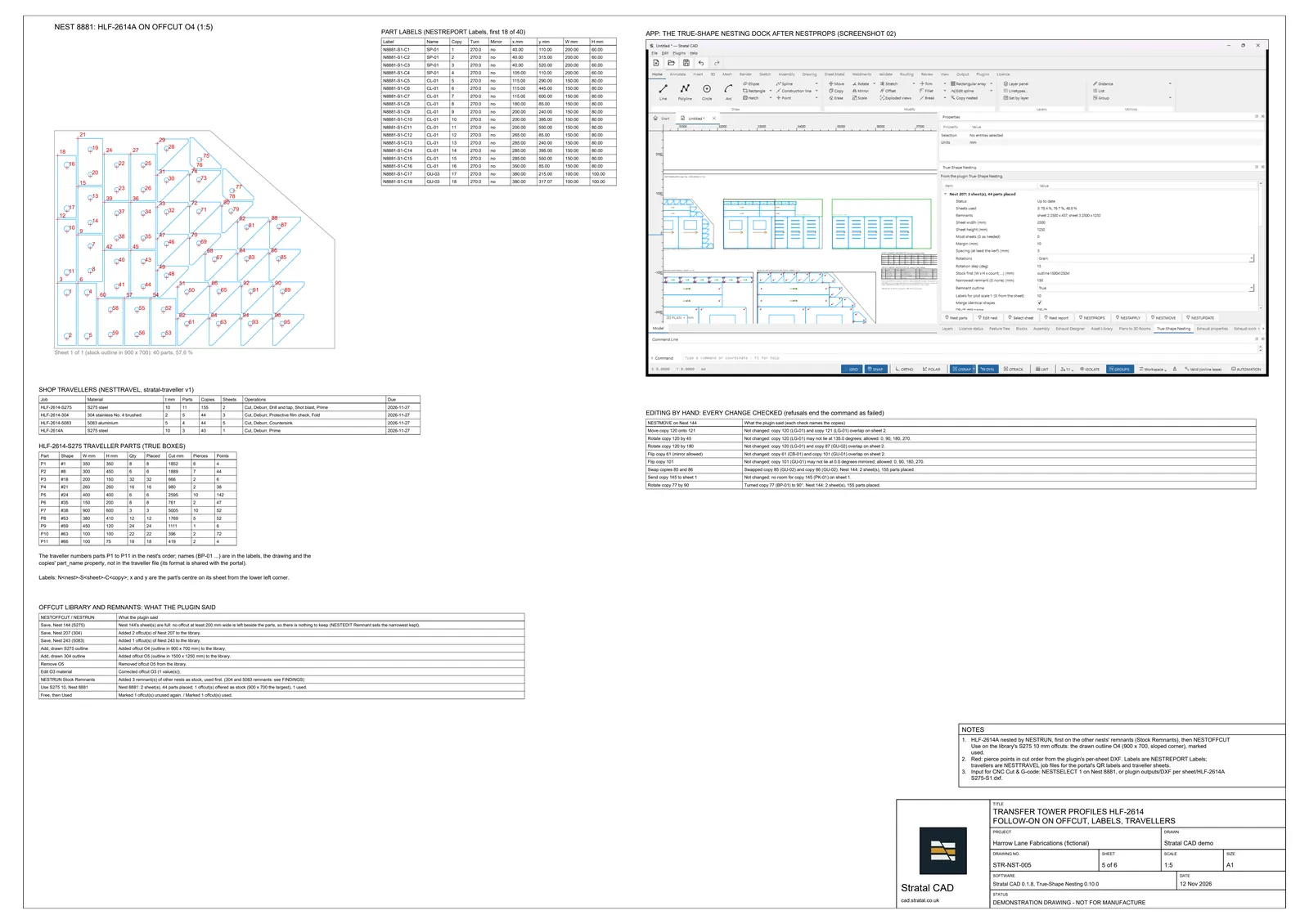
True-shape remnants and an offcut library that keeps outlines (Add, Edit, Remove, Use)
Part names read from a text inside each outline; part_name on every copy for CNC Cut
Cut order, pierce points and rapid travel; one DXF per sheet
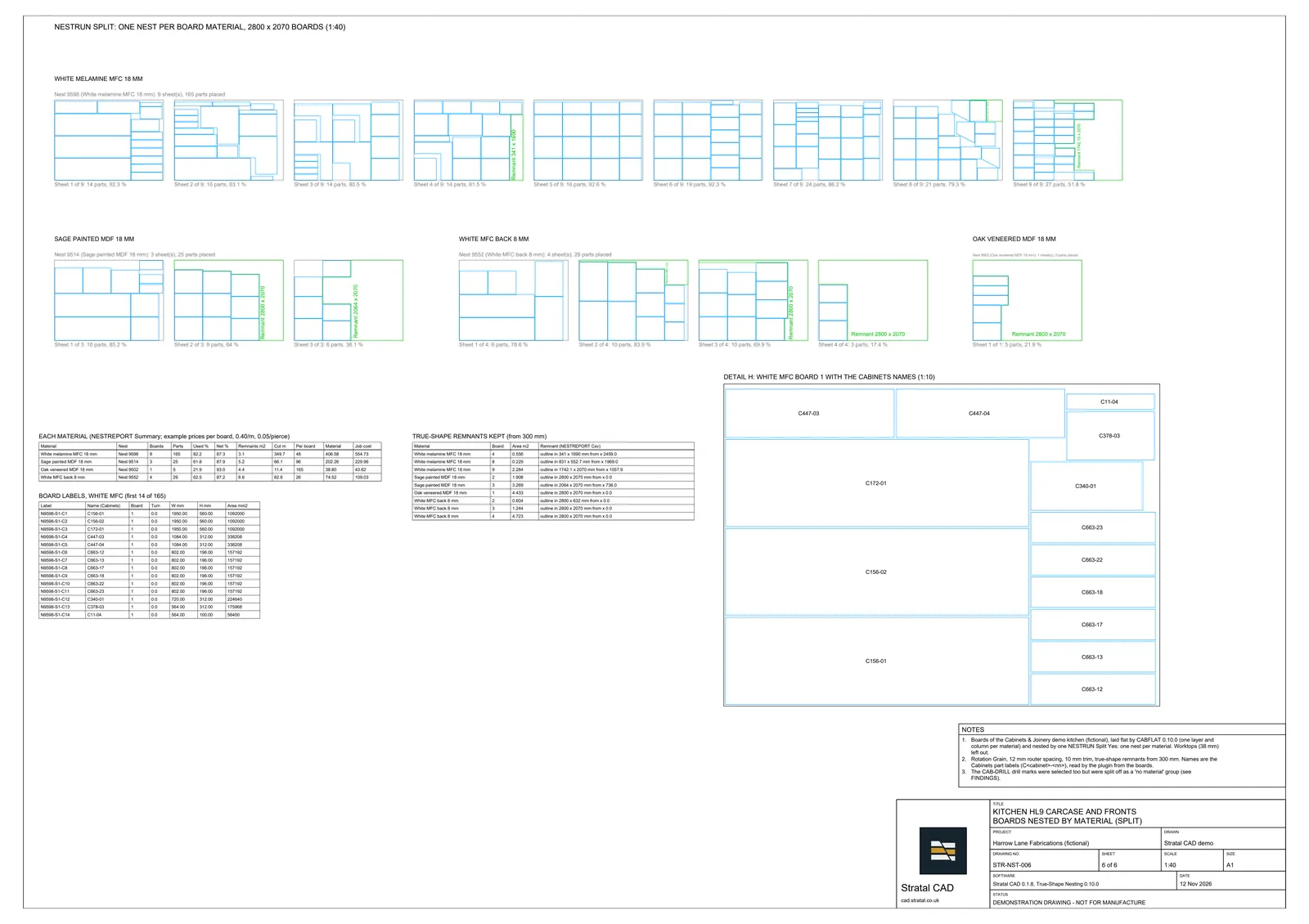
One nest per material (NESTRUN Split) for cabinet boards
Identical shapes merged, punch marks carried, grain arrows on grain-bound parts
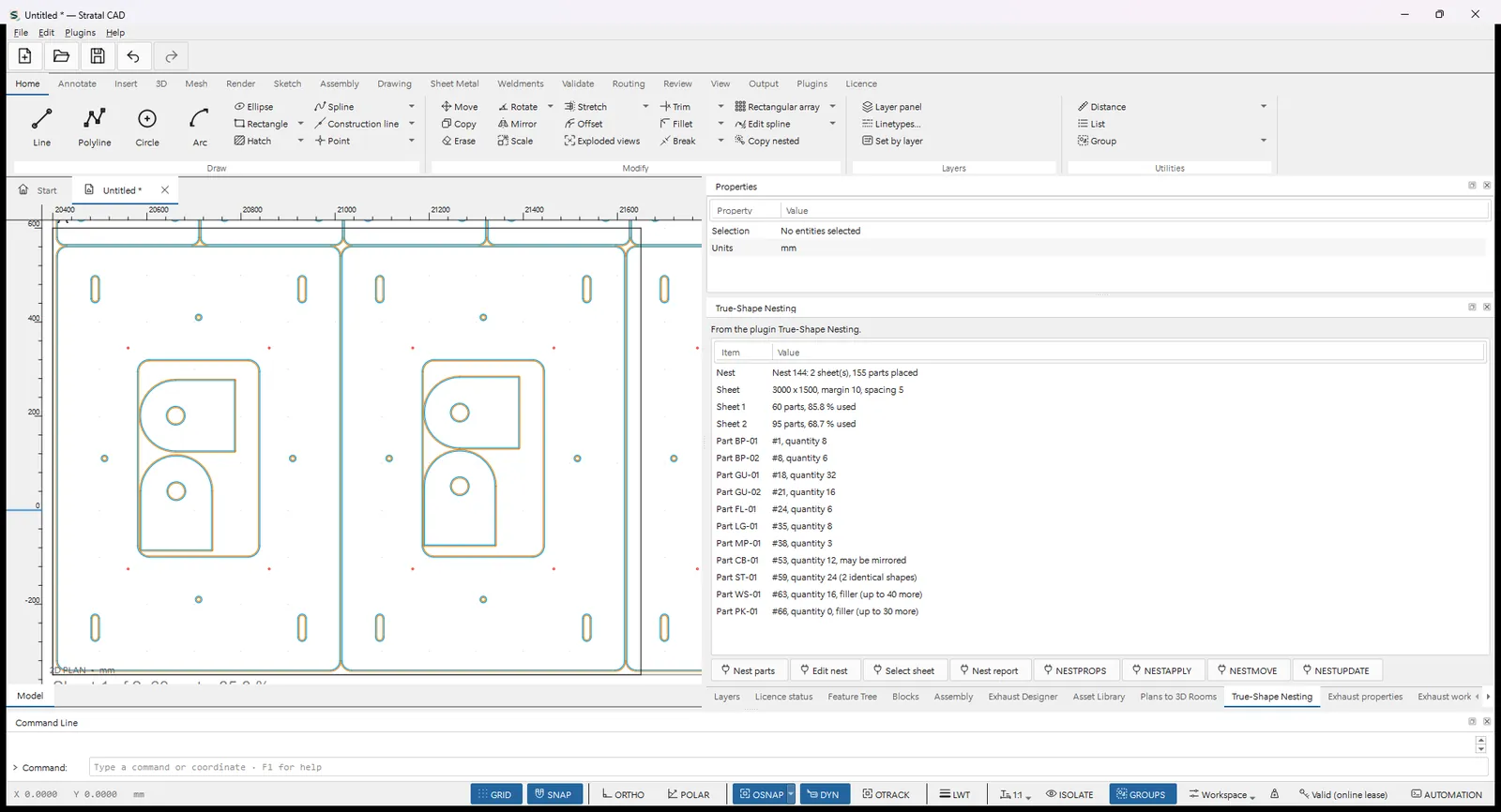
Common-line cutting, parts inside other parts' holes, checked manual moves
Shop travellers and part labels for the portal
What it does
New in 0.12.0
Added on 21 November 2026, with Stratal CAD 0.2.5.
NESTSIZES nests a nest's parts on up to 8 sheet sizes and compares the sheets needed, utilisation and cost, to help choose the size to buy; it does not change the nest.
Keep-out zones and clamp edges on every sheet through NESTRUN and NESTEDIT, with parts kept the spacing clear.
NESTREPORT Weights: each sheet's weight split into parts, remnant and scrap from the thickness and density, with costs at a price per kg.
Nest by true shape
Pick the parts, set the sheet, and nest.
NESTRUN: spacing, margin, rotations, grain and quantities
Runs in the background, so the app stays free
Effort Fast, Normal or Best
Small parts placed inside larger parts' holes and cut-outs
Identical shapes merged into one part with a quantity; one nest per material
Edit by hand
Every placed copy can be moved, and is checked as you go.
NESTPROPS and NESTAPPLY: sheet, stock, margin, spacing and each part's quantity, priority, grain and mirror, as one undo step
NESTMOVE: move, turn, mirror, swap or send a copy to another sheet, checked against the other parts and the margin
NESTEDIT and NESTUPDATE: nest again when quantities or shapes change; moving shapes whole keeps the nest current
Stock, remnants and offcuts
Use what is on the rack first.
A list of stock sheets used before the main sheet size
Remnants at the far edge, the strip above, and the true-shape room beside shorter parts
Irregular stock from a drawn outline, a remnant or the offcut library, with parts nested inside it
NESTOFFCUT: an offcut library across drawings; save, use, add, mark used, edit and remove
Cut less
Shared edges cut once.
NESTCOMMON: cut paths on the kerf's centre line with edges shared by neighbours cut once
Reports the cut length and pierces saved
NESTREPORT Summary: utilisation, cut length, pierces, cut order and rapid travel per sheet, and a job cost from your own prices
Out to the workshop
From the nest to the machine and the shop floor.
NESTSELECT: pick one sheet's parts for CNCPATH in CNC Cut & G-code
Copies carry their part's name and copy number, grain arrows and drill marks
A DXF per sheet with the cut order; NESTREPORT CSV with part labels
NESTTRAVEL: a traveller job file for the portal's QR labels and traveller sheets
Key commands
NESTRUN
Nest the selected shapes onto stock sheets by their true shape
NESTEDIT
Change a nest's quantities, sheet, margin, spacing or rotation and nest again
NESTPROPS
Show a nest's settings and each part's quantity, priority, grain and mirror in the Nesting panel
NESTAPPLY
Write the values typed in the Nesting panel and nest again, as one undo step
NESTMOVE
Move, turn, mirror, swap or send one placed part to another sheet
NESTUPDATE
Nest again the selected nests, or every nest whose shapes changed
NESTCOMMON
Draw cut paths with shared edges cut once, and report what is saved
NESTOFFCUT
Keep remnants in an offcut library and nest again on matching offcuts
NESTREPORT
Sheets, parts, utilisation, remnants and unplaced parts; CSV, labels or the sheet summary
NESTSELECT
Select the parts on one sheet of a nest, for CNCPATH
NESTTRAVEL
Write a traveller job file for the portal's QR labels and traveller sheets
NESTSIZES
Nest a nest's parts on several sheet sizes and compare the sheets needed, utilisation and cost, to choose the size to buy
Specifications
Version
0.12.0 (the job above was made with 0.10.0 and Stratal CAD 0.1.8; later versions have changes since)
Parts
Closed polylines and circles, with holes; quantities, priority, grain and mirror per part
Stock
Rectangular sheets, a list of stock sizes, remnants, offcuts from the library, or an irregular drawn outline
Output files
CSV reports and part labels, sheet summary, a DXF per sheet, offcut library (JSON), traveller job file
Works with
Cabinets & Joinery (CABFLAT boards nest as they are) and CNC Cut & G-code (NESTSELECT, part names)
Requires
Stratal CAD 0.1.7 or later on Windows 11 (x64), with a licence that includes True-Shape Nesting
Delivery
A Stratal-signed plugin, installed from the Plugins menu; runs in Stratal CAD or isolated in its own process
Limitations
The nester uses bottom-left fill with several part orders; it does not claim the utilisation of the best commercial nesters, and Best only reorders whole copies.
Cut order and pierce points are written in the per-sheet DXF only, not drawn in the drawing; lead-ins and G-code are left to CNC Cut & G-code.
Common-line cutting shares straight edges only, not arcs.
Arcs in outline stock sheets become a polygon inside the shape, within 0.05 mm.
Remnants are offered only to the right of the parts, not the left.
Parts in holes use a grid search, so a very tight fit can be missed, and only parts from the last sheet are put in holes.
NESTRUN Split (one nest per material) uses one sheet size for every material, cannot give a plain shape a material, and fails on boards with drill marks, which lose their marks.
Remnant stock can be taken from other materials, and true-shape remnants can include thin slivers inside the margin: check remnants before use.
NESTMOVE removes NESTCOMMON's cut paths without saying so, and a nest that grows on NESTEDIT is redrawn at its old corner, over the next nest's sheets.
Rotation Grain draws no grain arrows; only a part's own Grain does.
The Summary's machine cost counts cut length and pierces only: no rapids, lead-ins, set-up or labour.
The traveller file carries no part names.
The jobs, part shapes and quantities in the pictures are fictional; the kitchen boards come from the Cabinets & Joinery example.
Add it to Stratal CAD
True-Shape Nesting runs inside Stratal CAD and stays with your licence.
 Stratal CAD