Parametric components as real solids: beams, walls, doors, pipes, gears, enclosures and more, sized by you, changed later and built by you. In development: not yet released.
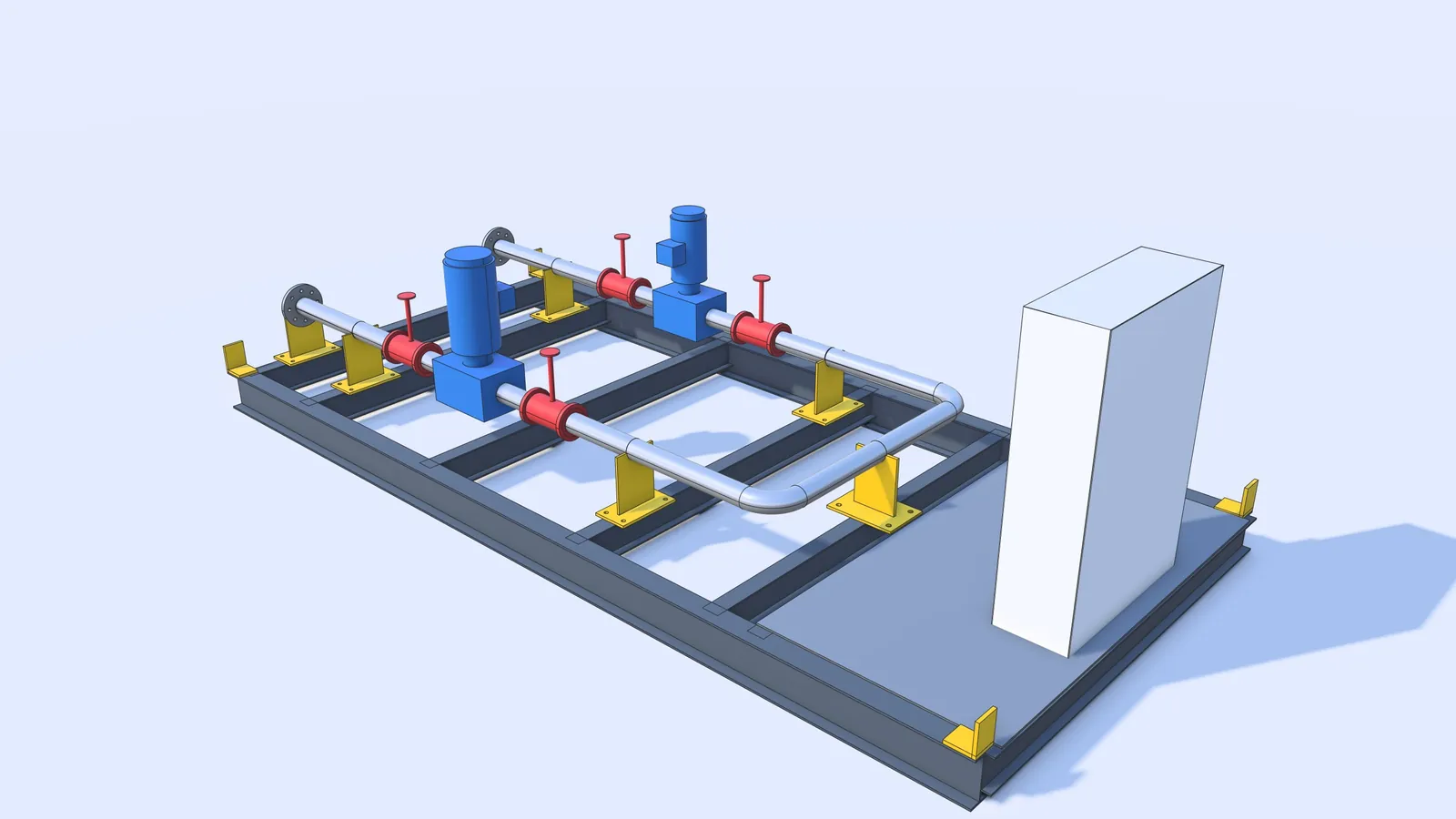
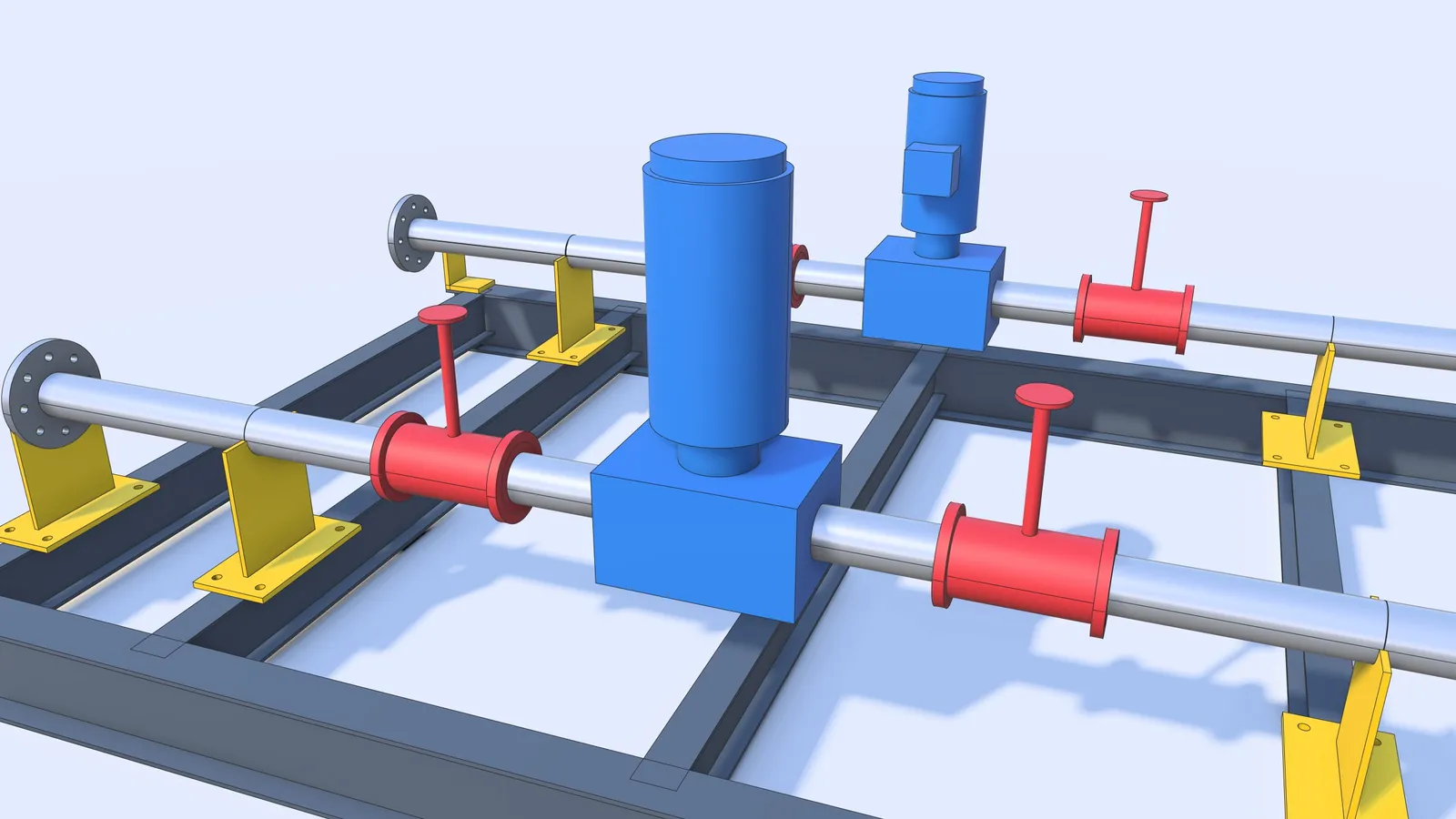
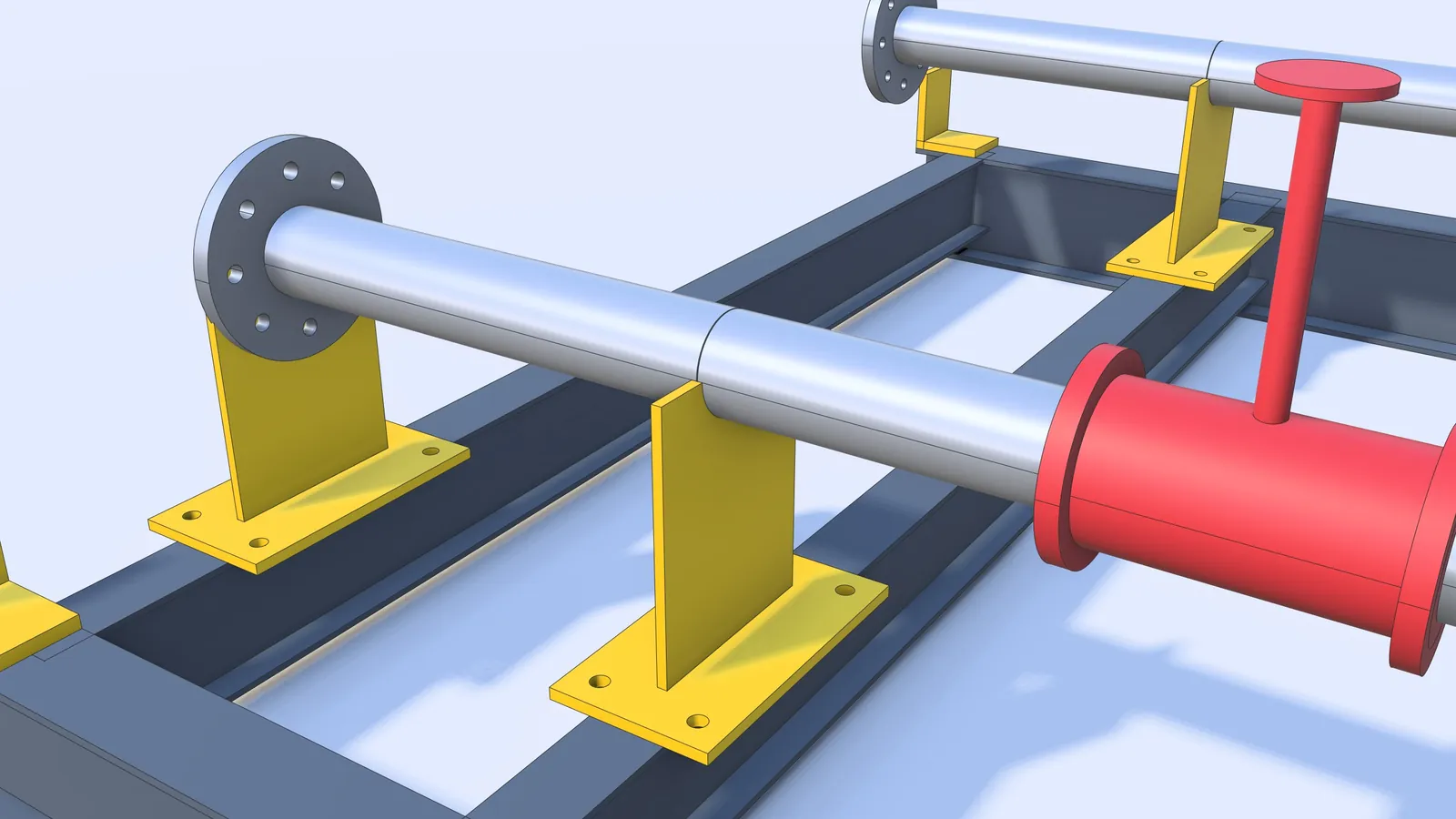
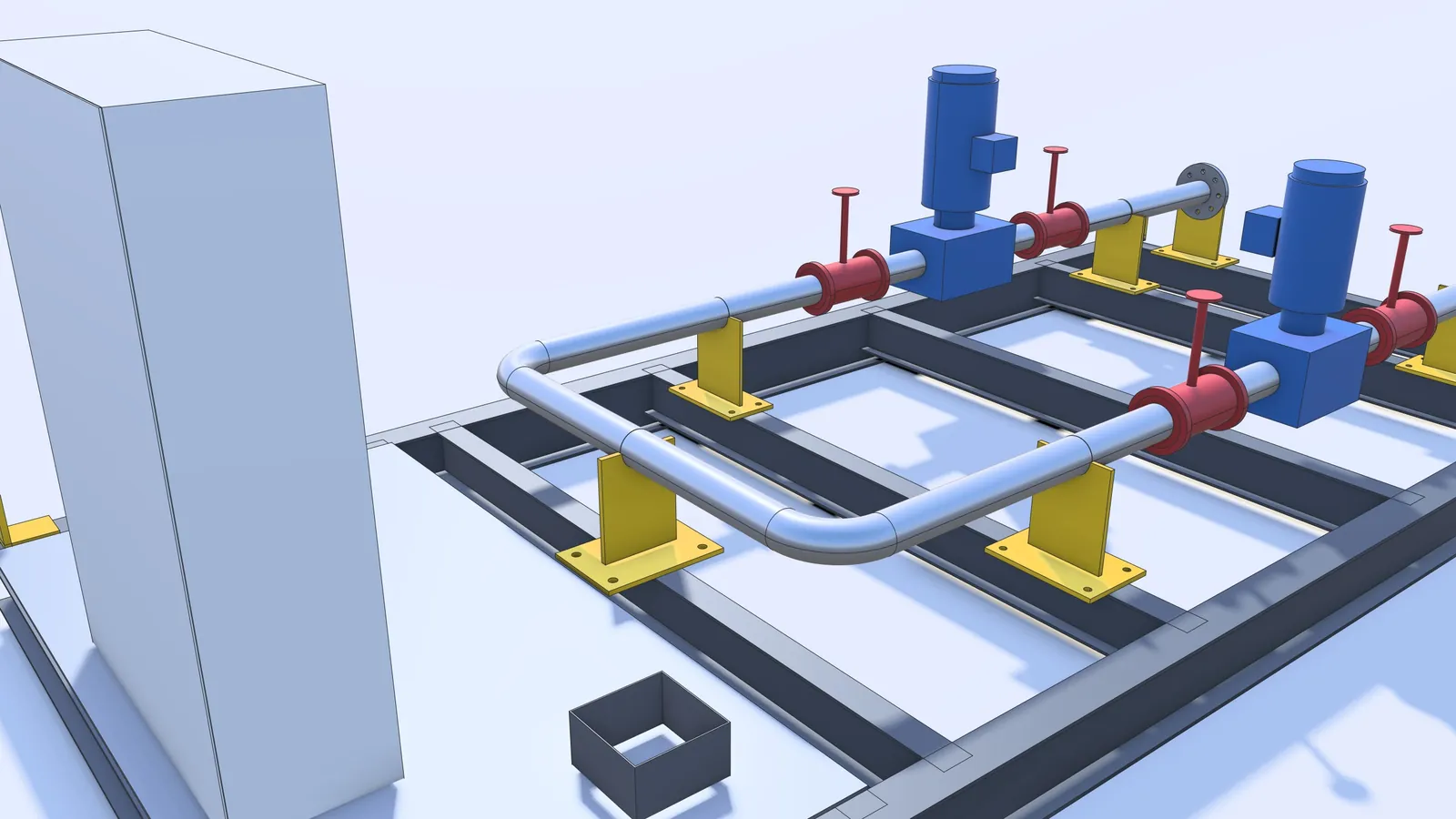
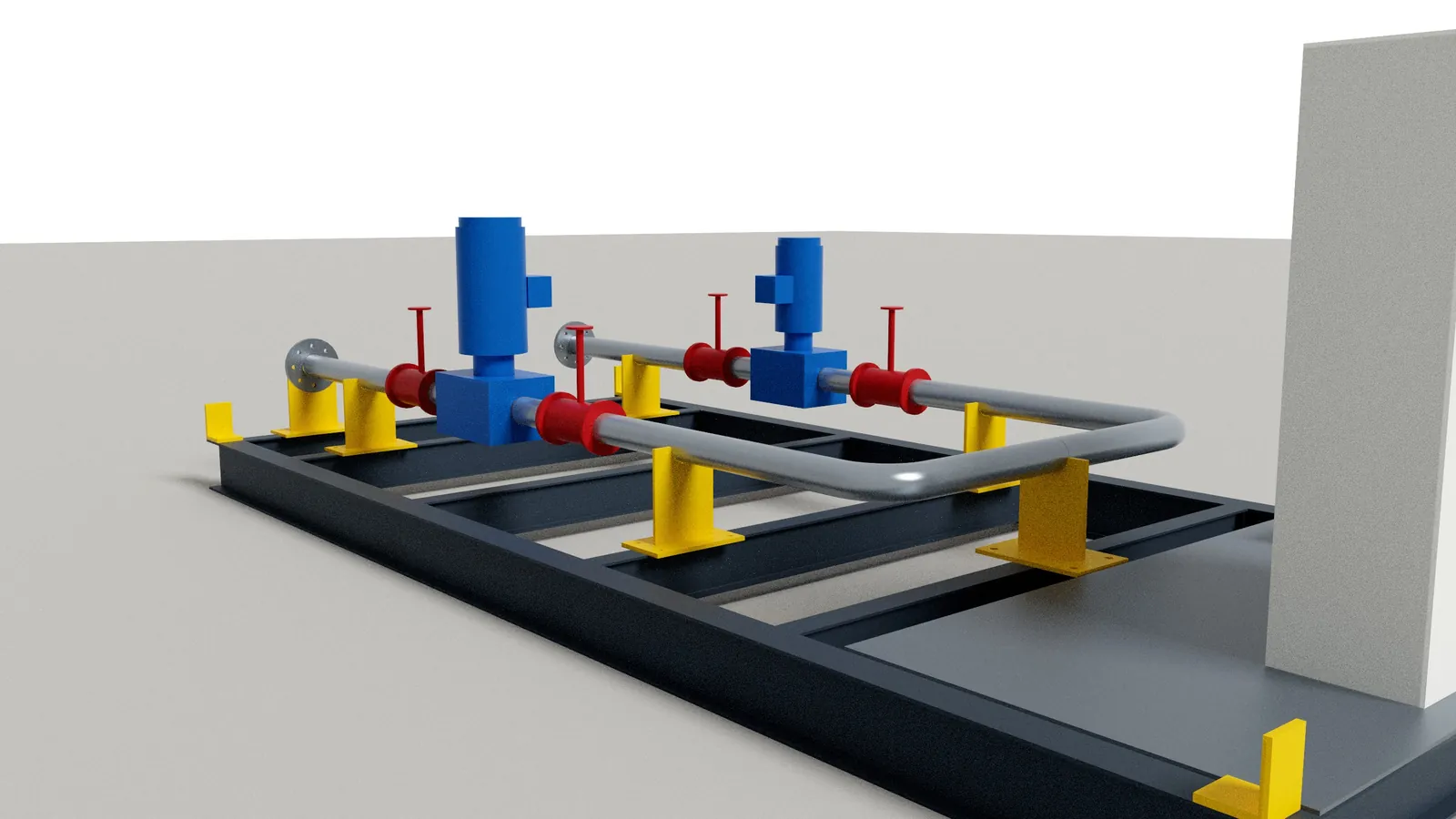
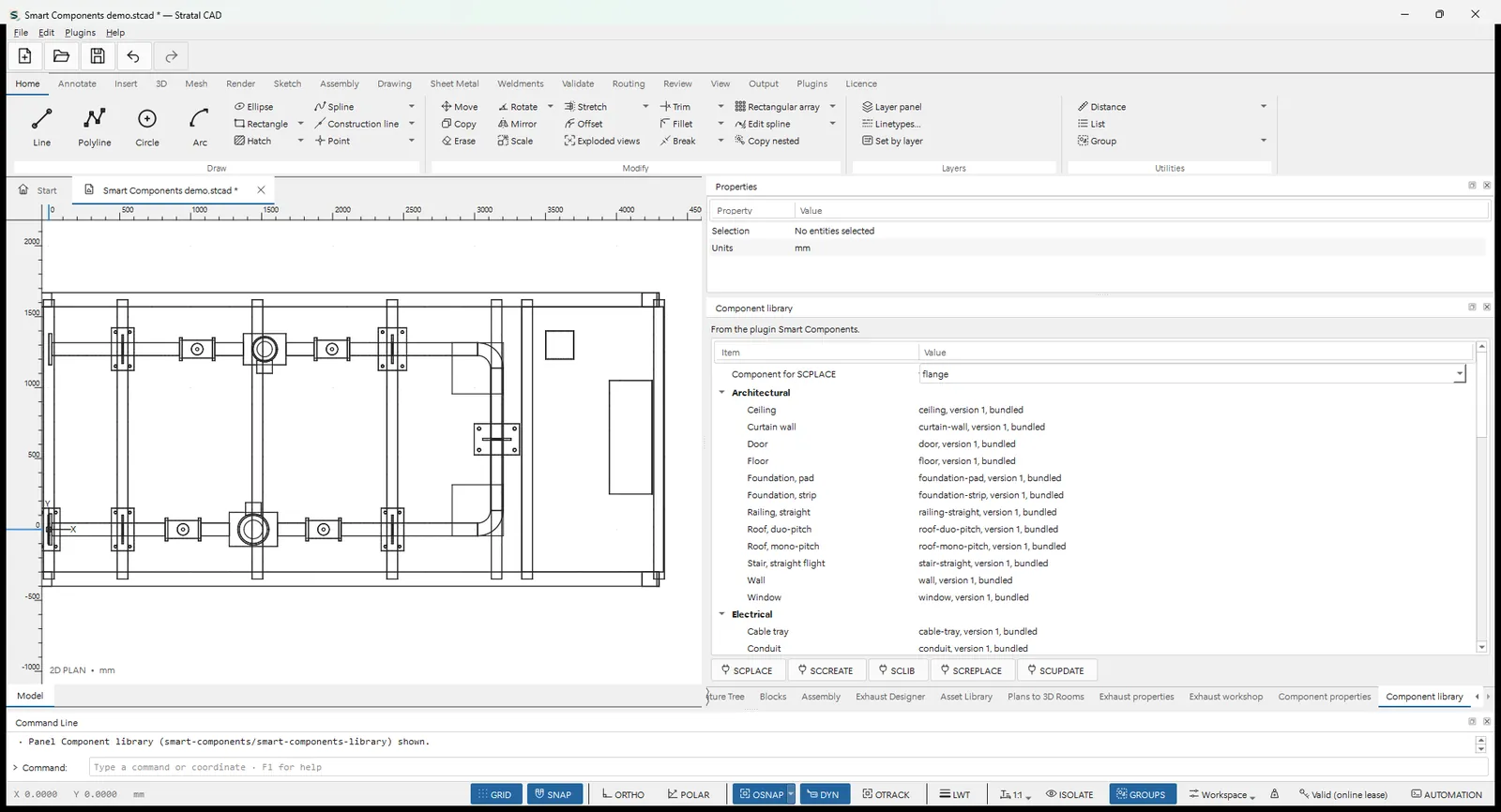
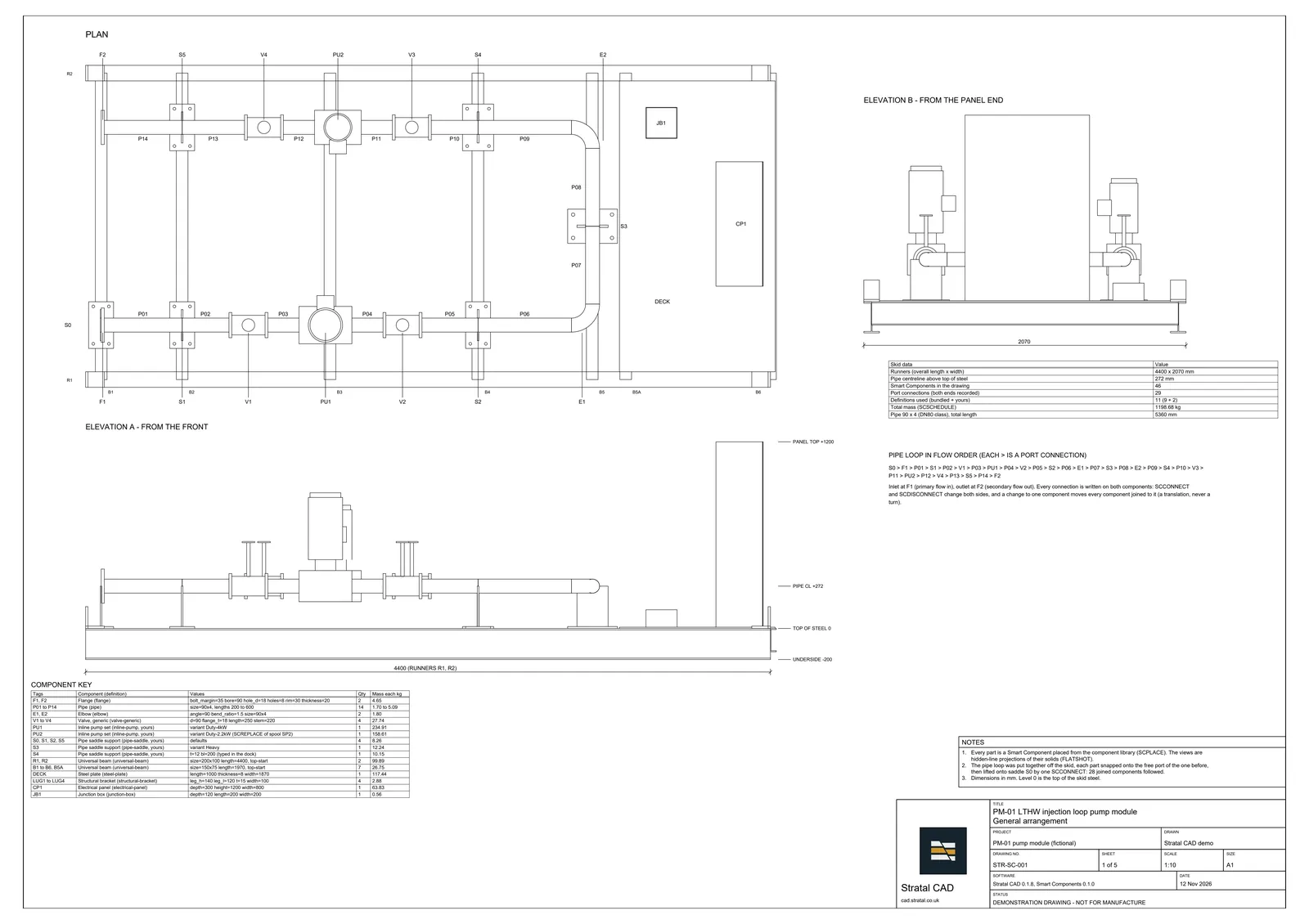
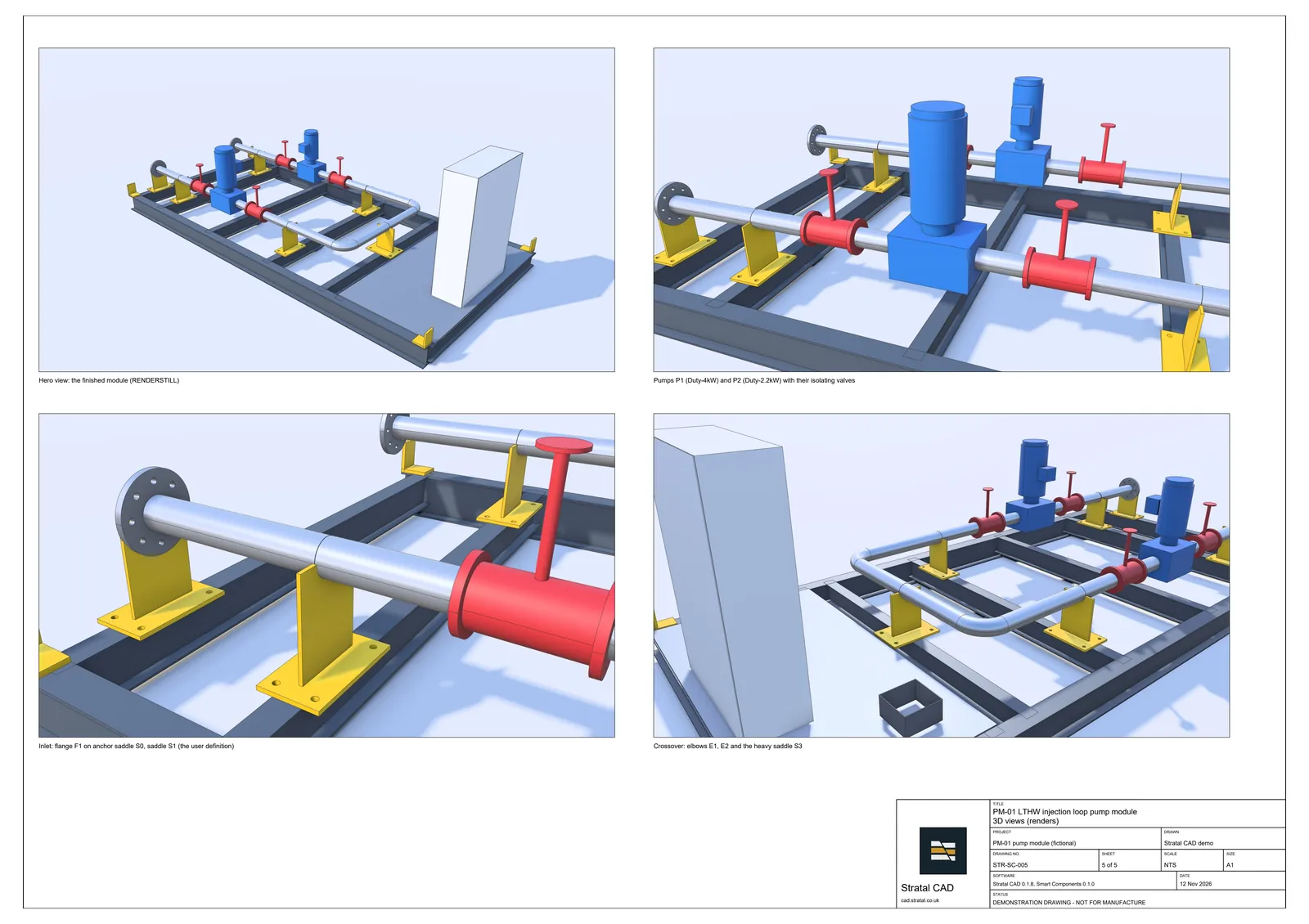
A two-pump LTHW pipe loop on a steel skid, built entirely from parametric Smart Components: bundled pipes, elbows, flanges, valves and beams with edited values, plus a pipe saddle and an inline pump set made in the component creator. The loop was assembled port to port and lifted onto the skid in one connection, edited, swapped and scheduled, with five A1 sheets, renders and a web model.
Made on 12 November 2026 with Stratal CAD 0.1.8 and Smart Components 0.1.0; later versions have changes since.
The job and its names are fictional. Pictures are resized only, not retouched; the figures are the software's own output.
The model in 3D
The picture above is a render made in Stratal CAD: PM-01 pump module, every part a Smart Component (see the render larger). The live model is the job's own glTF file (1.6 MB, 50,260 triangles),
fetched only when you press the button and drawn in your browser with simple shading, so its colours and lighting are plainer than the render.
Click or tap the model to take control (the page scrolls past it until you do), then drag to turn it, right-drag or Shift-drag to move it,
and use the wheel or a pinch to zoom; press Escape or click outside to let go.
The job in numbers
Smart Components in the drawing
46
Port connections (recorded on both components)
29
Components that followed one SCCONNECT
28
Definitions used (9 bundled + 2 made in the creator)
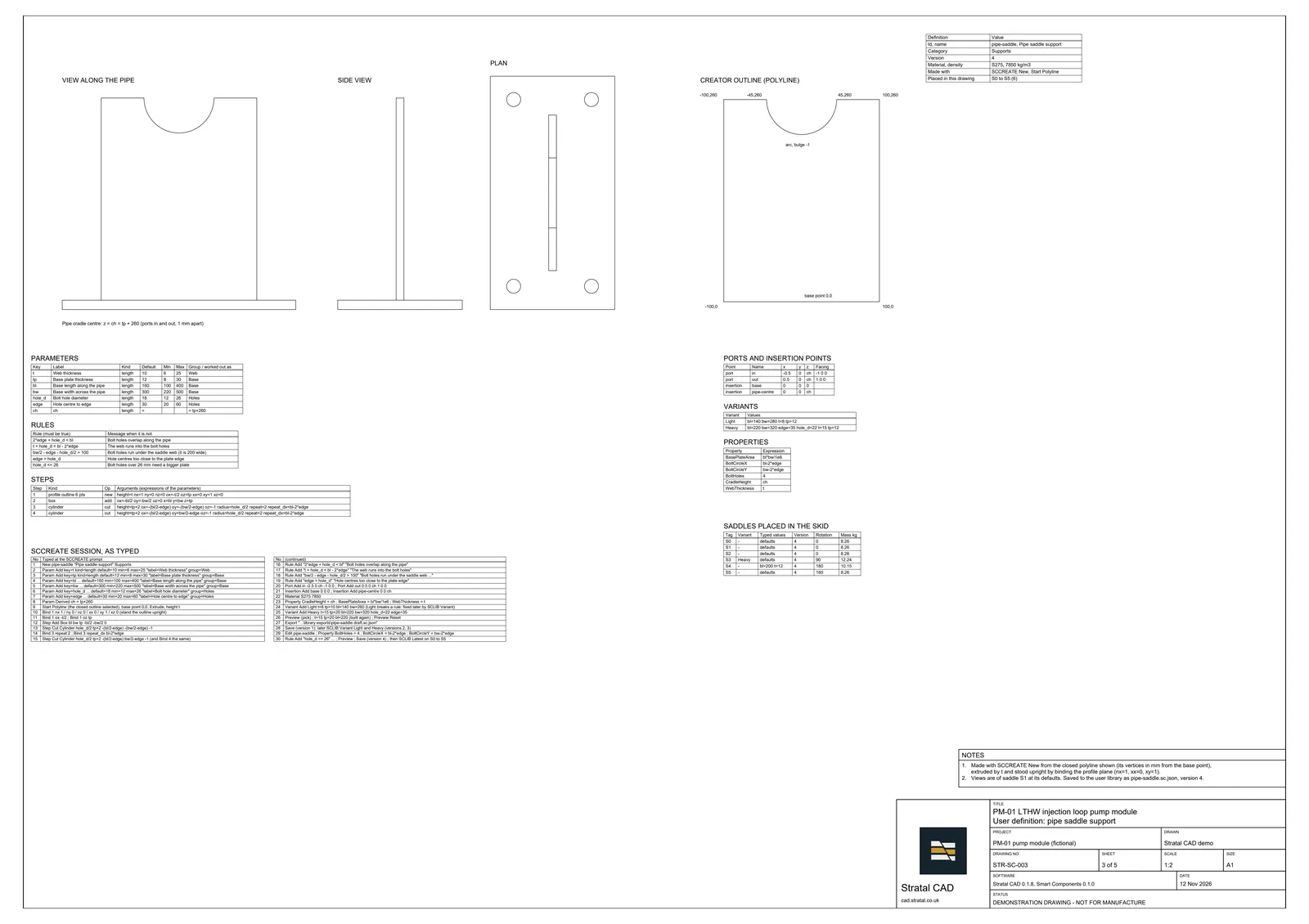
Pipe saddle made in the creator from a closed polyline, with 7 parameters, 5 rules, ports, variants and properties
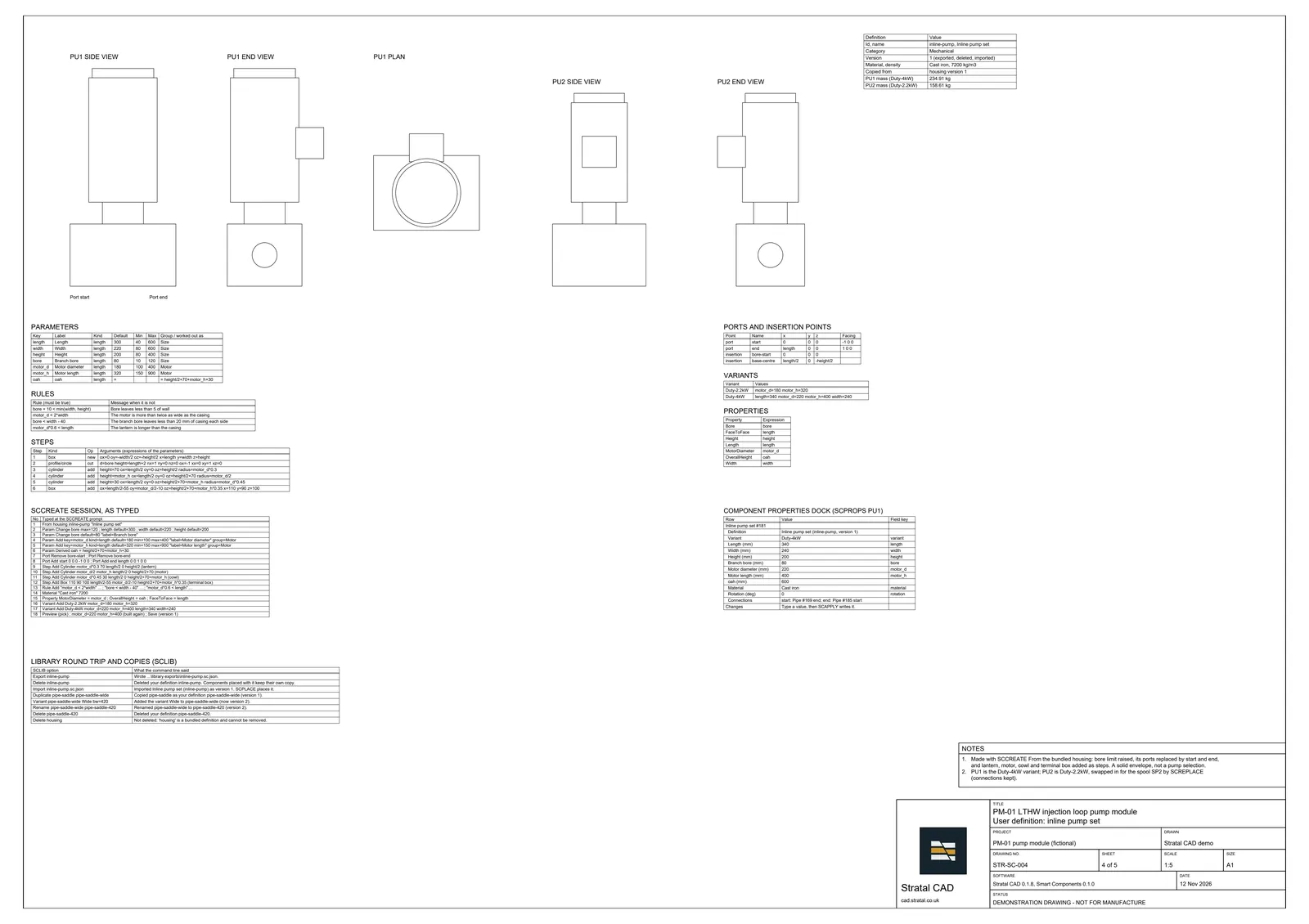
Inline pump set made in the creator From the bundled housing, with two duty variants
Pipe loop snapped port to port, then lifted onto the skid by one SCCONNECT (28 components followed)
SCREPLACE swapped a spool for a pump, keeping both connections
SCEDIT variant change moved everything downstream; a shorter spool put it back on its saddles
Rule and limit refusals with the reason, drawing unchanged
Valve disconnected and joined again (SCDISCONNECT, SCCONNECT)
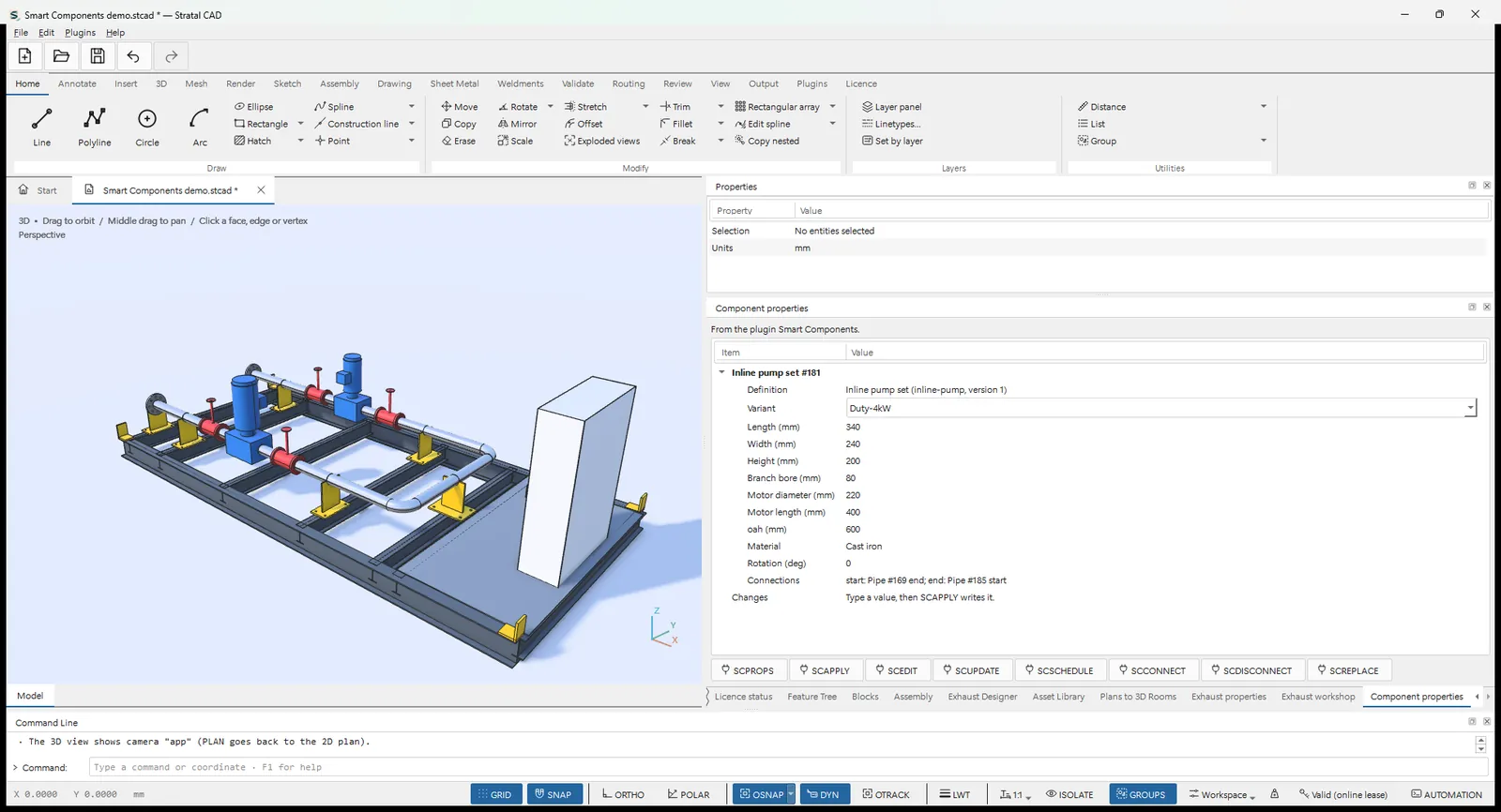
Values typed in the Component properties dock and written with SCAPPLY
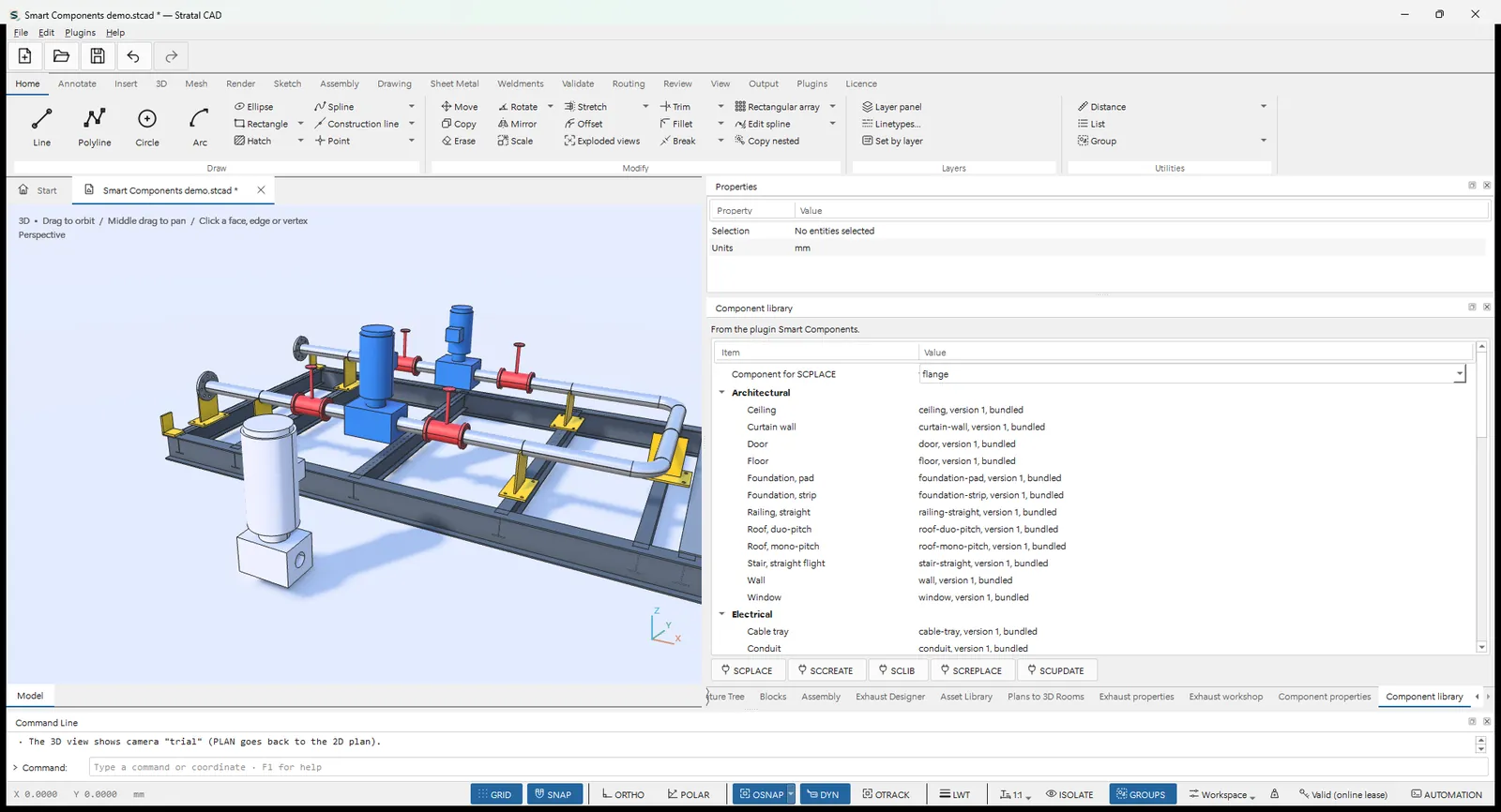
Library export, delete, import, duplicate, rename, variant; a new version brought in with SCLIB Latest
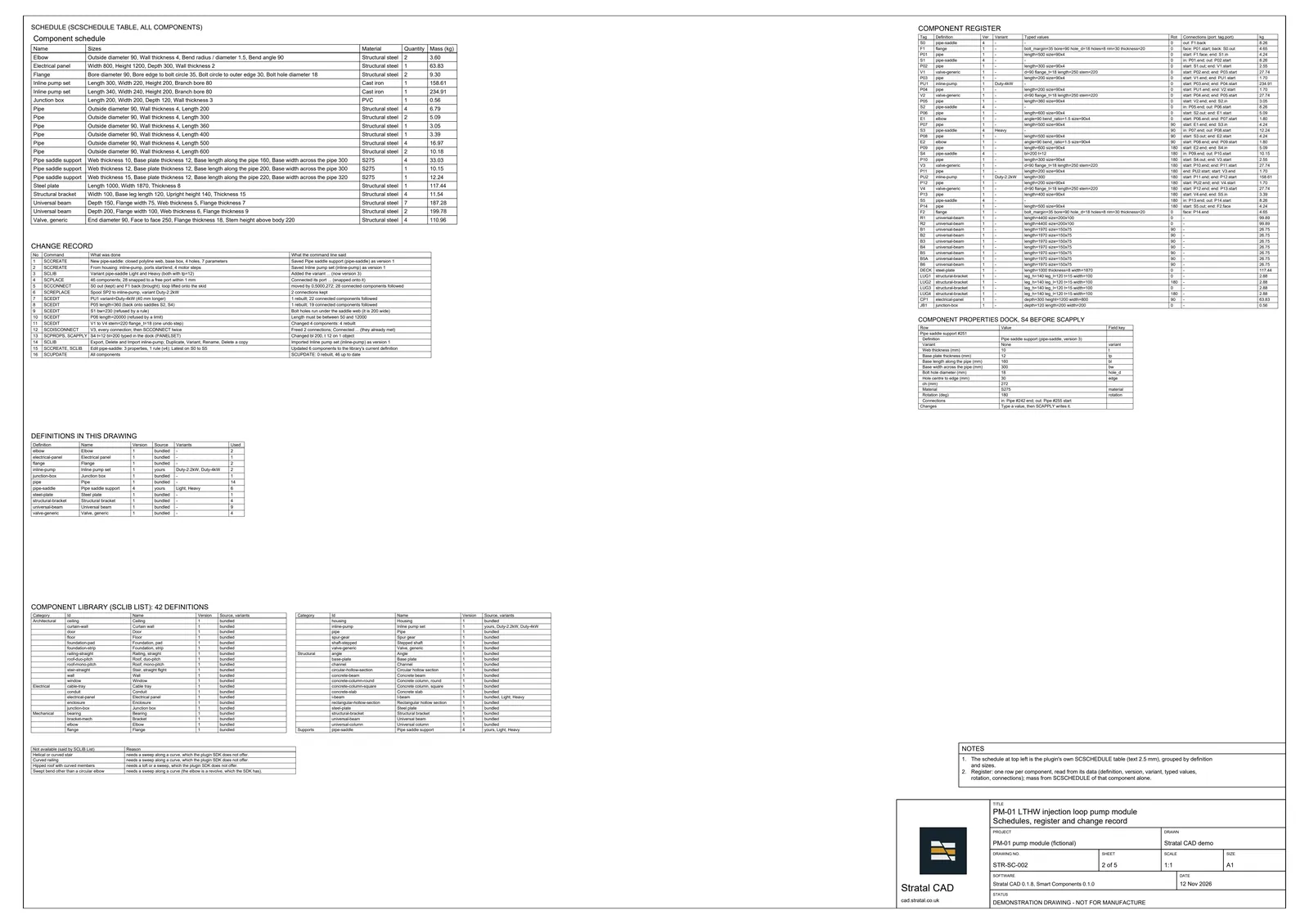
Schedule with masses as a drawing table and CSV
What it does
New in 0.3.0
Added on 21 November 2026, with Stratal CAD 0.2.5.
SCMATCH takes the selected component's sizes along its connections to every component that can take them, in one undo step.
SCTABLE exports a definition's design table to CSV, or imports a CSV as a table of your own definition, every row checked first.
SCCHECK reviews a definition: parameters nothing reads, rows or variants that fail, ports without direction and missing limits; a report only.
SCSCHEDULE Lengths totals each run length per definition, size and material, as CSV.
Place it
A library of generic components, each one a real 3D solid.
40 generic parametric components across structural, architectural, mechanical and electrical work
Choose a definition, its variant and its values, then place it as many times as you need
Each component is one object in the drawing with a solid of its own
Change it later
Sizes stay editable after the component is placed.
A properties panel shows every parameter of the selected components
Change a value and only that component is built again, as one undo step
A value outside its limits, or a broken rule, is refused with the reason and nothing changes
Connect it
Parts that belong together stay together.
Join two components at their ports so neighbours follow a change
Doors and windows cut the wall they are placed in
Swap a component for another definition and keep its place
Build your own
Your own components, kept with you.
Make a component with SCCREATE from a box, cylinder or closed polyline, with parameters and rules
Keep it in your library: import, export, duplicate and rename
List it
What the workshop or the site needs.
Schedule the selected or all components: name, key sizes, material, quantity and mass
Put the schedule in the drawing as a table or save it as a CSV file
Key commands
SCPLACE
Place components from the library: a definition, its variant and values, then insertion points and rotations, repeated until Enter
SCEDIT
Change parameters of the selected components as name=value; all or nothing, one undo step, refusals shown with their reason
SCUPDATE
Builds the selected (or all) components again where their solid is out of date or missing, and reports the counts
SCPROPS
Every parameter, the variant, material and rotation of the selected components in the Component properties dock and at the command line
SCAPPLY
Writes the values typed in the Component properties dock to the selected components as one undo step; a refused value changes nothing
SCSCHEDULE
A schedule of the selected (or all) components: name, key sizes, material, quantity and mass, as a table in the drawing or a CSV file; Lengths totals each run length to CSV
SCCONNECT
Join two ports: pick a port to keep, then a port to bring to it; that component is moved, not turned, and the joint is kept on both
SCDISCONNECT
Free a connected port picked near it, or every connection of the selected components, on both components
SCREPLACE
Swap the selected components to another definition, keeping their place, the values it can take and connections at ports it has; one undo step
SCMATCH
The selected component's sizes (Enter: its table choices, such as a pipe's size) taken along its connections by every component that can take them; one undo step
SCCREATE
Component creator at the command line: a draft from a box, cylinder or closed polyline, parameters, rules and steps, a trial component, then saved to your library
SCTABLE
Export a definition's design table to CSV, or import a CSV as a table of your own definition: every row checked, then saved at the next version
SCCHECK
Review a definition (typed, or those of the selected components): parameters nothing reads, rows or variants that fail, ports without direction, missing limits
SCLIB
Your component library: list, import, export, duplicate, rename, delete, add a variant, or bring selected components up to the latest definition
Specifications
Version
0.3.0, not released yet (the job above was made with 0.1.0 and Stratal CAD 0.1.8; later versions have changes since)
Status
In development: not released. Version 0.1.0 was built and run for the job above; it cannot be bought or installed yet.
Who it is for
Anyone who needs sized, editable parts in a drawing across trades, without buying a full trade plugin.
Output
Real 3D solids, a schedule table in the drawing, and CSV.
Needs
Stratal CAD with 3D modelling, on Windows 11.
Limitations
Not released: it cannot be bought or installed yet, and details may change before release.
The components are generic and simple. The trade plugins go deeper, with steel connections, pipe classes, wall types and gear checks that this plugin does not have.
There are no curved or helical stairs or railings.
Components cannot be mirrored or scaled, and are placed at a 2D point turned about Z only: no elevation or tilt, so no risers, vertical branches, stands or plinths.
The bundled piping set has no tees, reducers or branch fittings, and its elbow turns one way only; the bundled junction box has no lid.
In the creator, a polyline outline's points cannot be bound to parameters, and a variant that breaks the definition's own rule can be saved (placing it is then refused).
Your own definitions are kept on your computer.
Add it to Stratal CAD
Smart Components runs inside Stratal CAD and stays with your licence.
 Stratal CAD