Stratal CAD

Plugin for Stratal CAD · Estimating

Quantity Take-off

Measured quantities and a priced bill straight from the drawing. Give objects an item code, measure lengths, areas, volumes and counts, price them with your own rates, and write the bill of quantities as CSV, a workbook or a printable page.

£159 per year

Made in Stratal CAD

6 Rowan Close: take-off, priced bill and revision B

A four-bedroom house with a garage and its external works and drainage, measured from the Plans to 3D Rooms model and priced as a tender bill with example rates. Revision B is compared with revision A, the take-off is checked before pricing, and every quantity traces to its objects on the dimension sheet.

Made on 12 November 2026 with Stratal CAD 0.1.8 and Quantity Take-off 0.6.0; later versions have changes since. The job and its names are fictional. Pictures are resized only, not retouched; the figures are the software's own output.

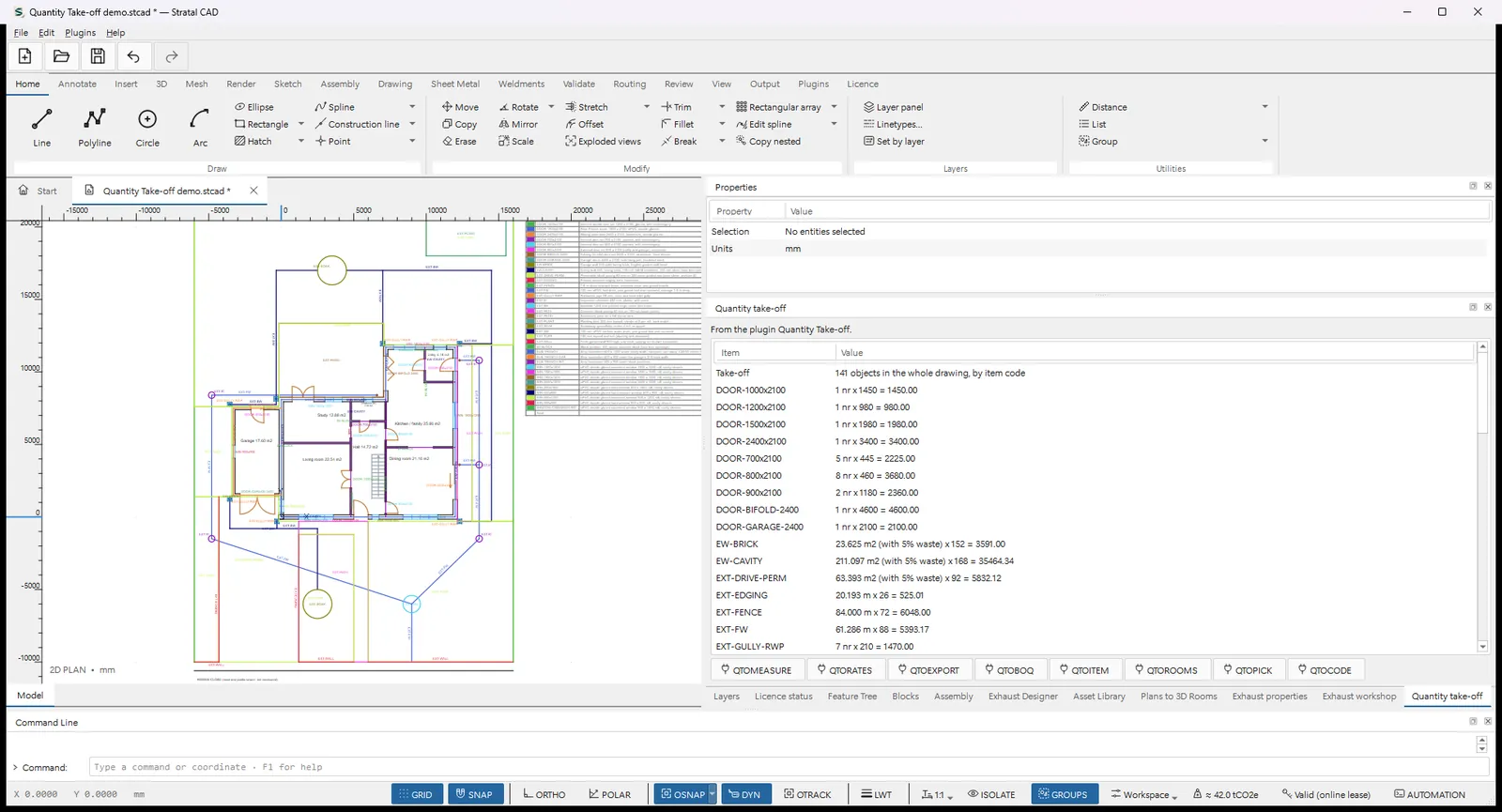
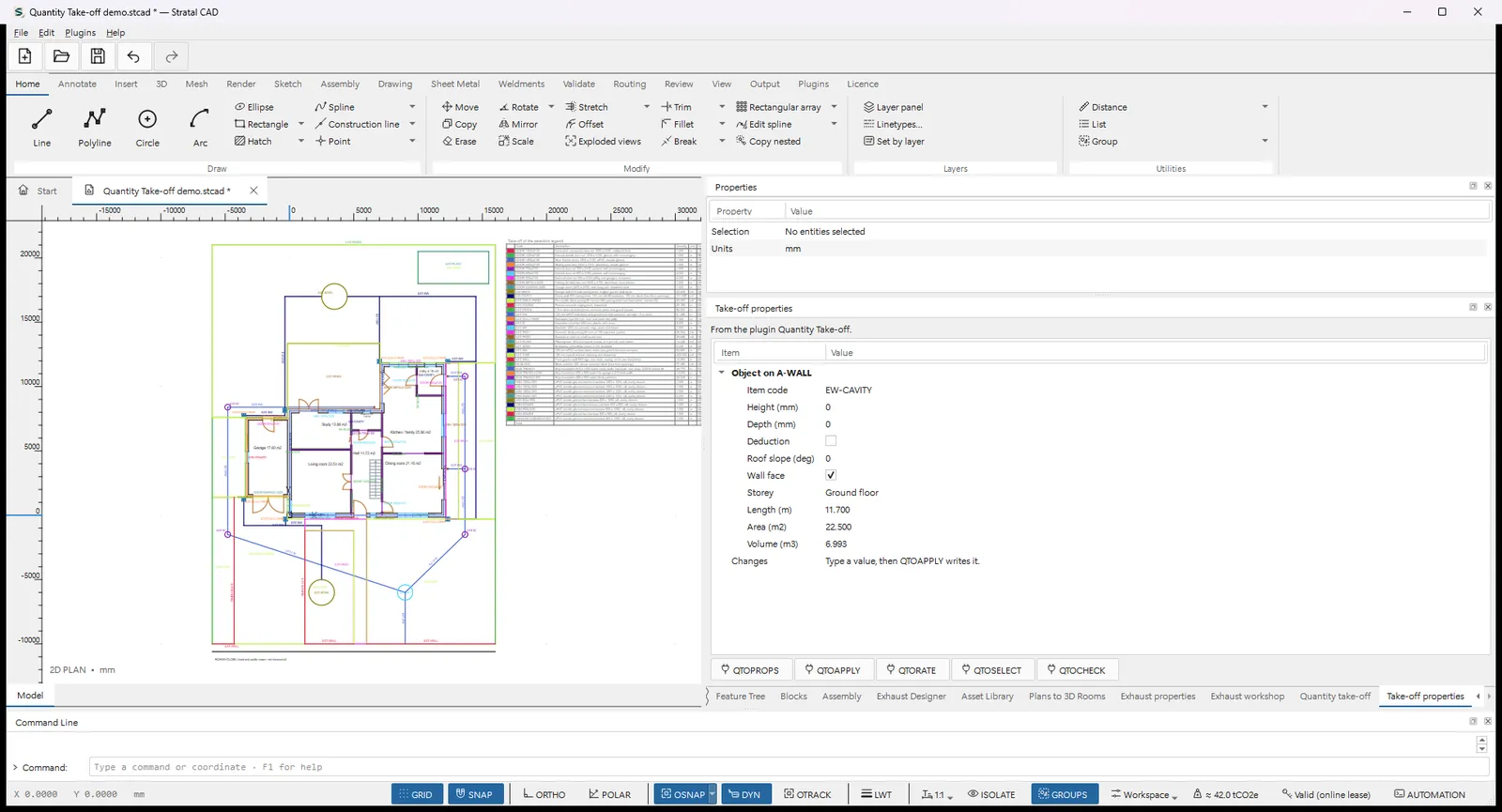
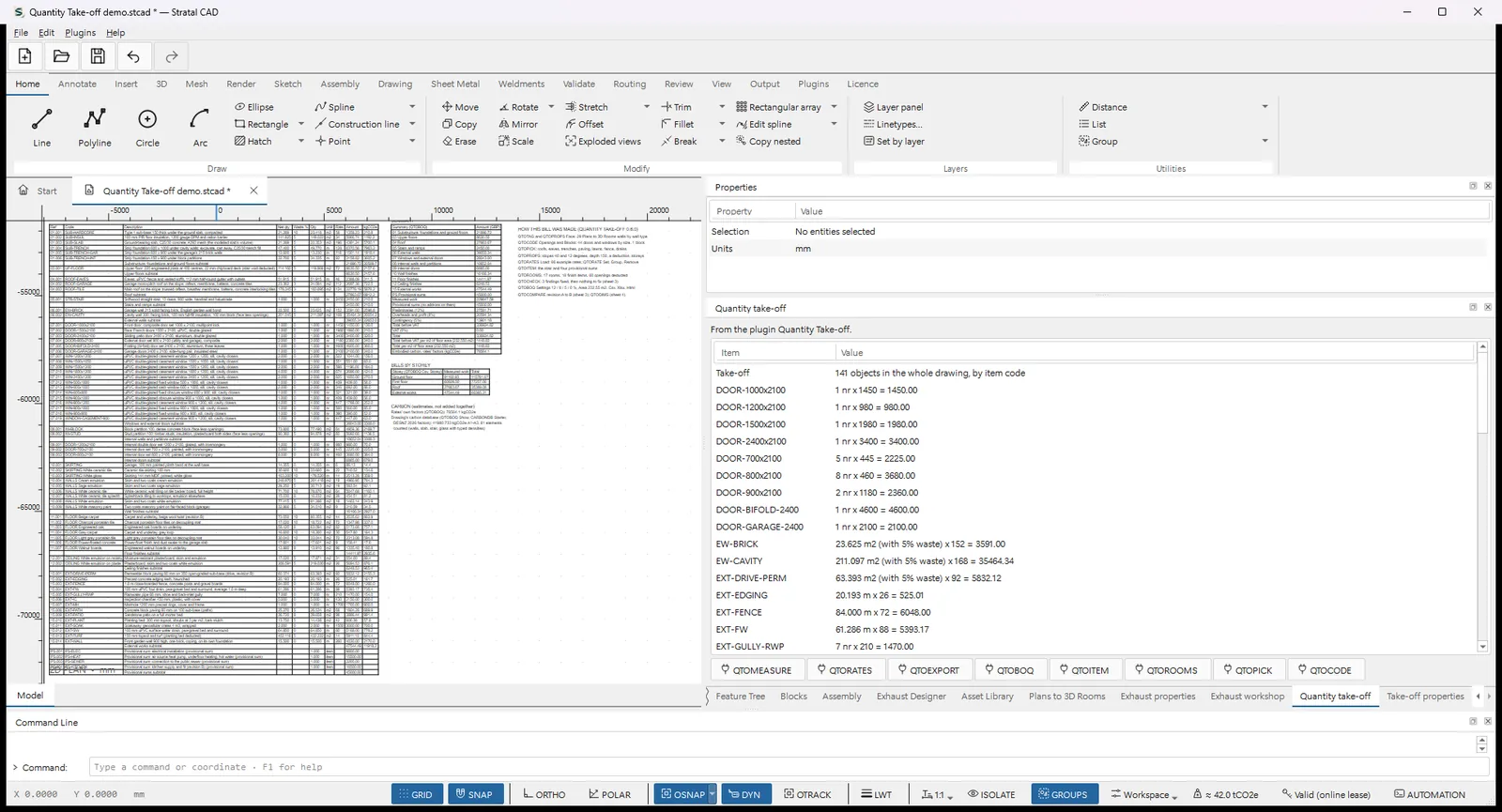
Screenshot of Stratal CAD: The marked-up take-off plan with the Quantities panel. (opens a larger view)
The marked-up take-off plan with the Quantities panel

The job in numbers

Bill total, revision B (example rates, GBP, VAT 0%)
336924.82
Bill total, revision A (example rates, GBP)
330783.86
Total per m2 of floor area (232.550 m2) (GBP)
1448.83
Measured work, revision B (GBP)
229847.59
Provisional sums, no add-ons (GBP)
45000.00
Priced bill items
73
Item codes in the take-off
51
Cavity wall faces, net of openings (m2)
201.045
Main roof on the slope at 40 degrees (m2)
178.345
Rooms measured for finishes
17
Take-off change A to B (QTOCOMPARE, GBP)
1902.46
Embodied carbon, rates' example factors (kgCO2e)
78564.1
Embodied carbon, drawing's carbon database (kgCO2e A1-A3)
41980.733
Foul and surface water drains (m)
61.286 + 64.850
A1 sheets
4

Pictures

Drawing sheets

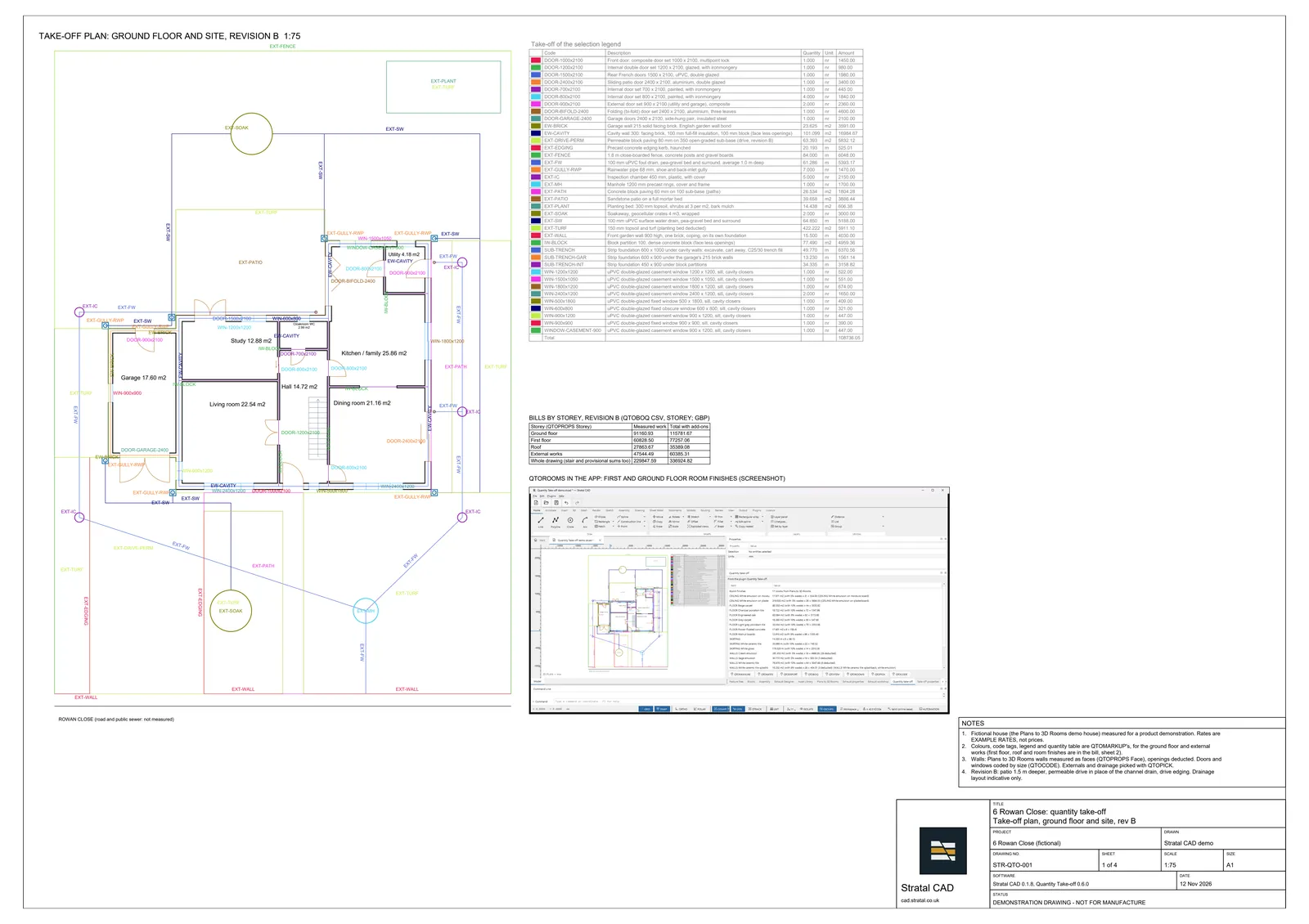
Preview of a drawing sheet made in Stratal CAD: Take-off plan coloured by item with QTOMARKUP's legend and quantity table. (opens a larger view)
Take-off plan coloured by item with QTOMARKUP's legend and quantity table
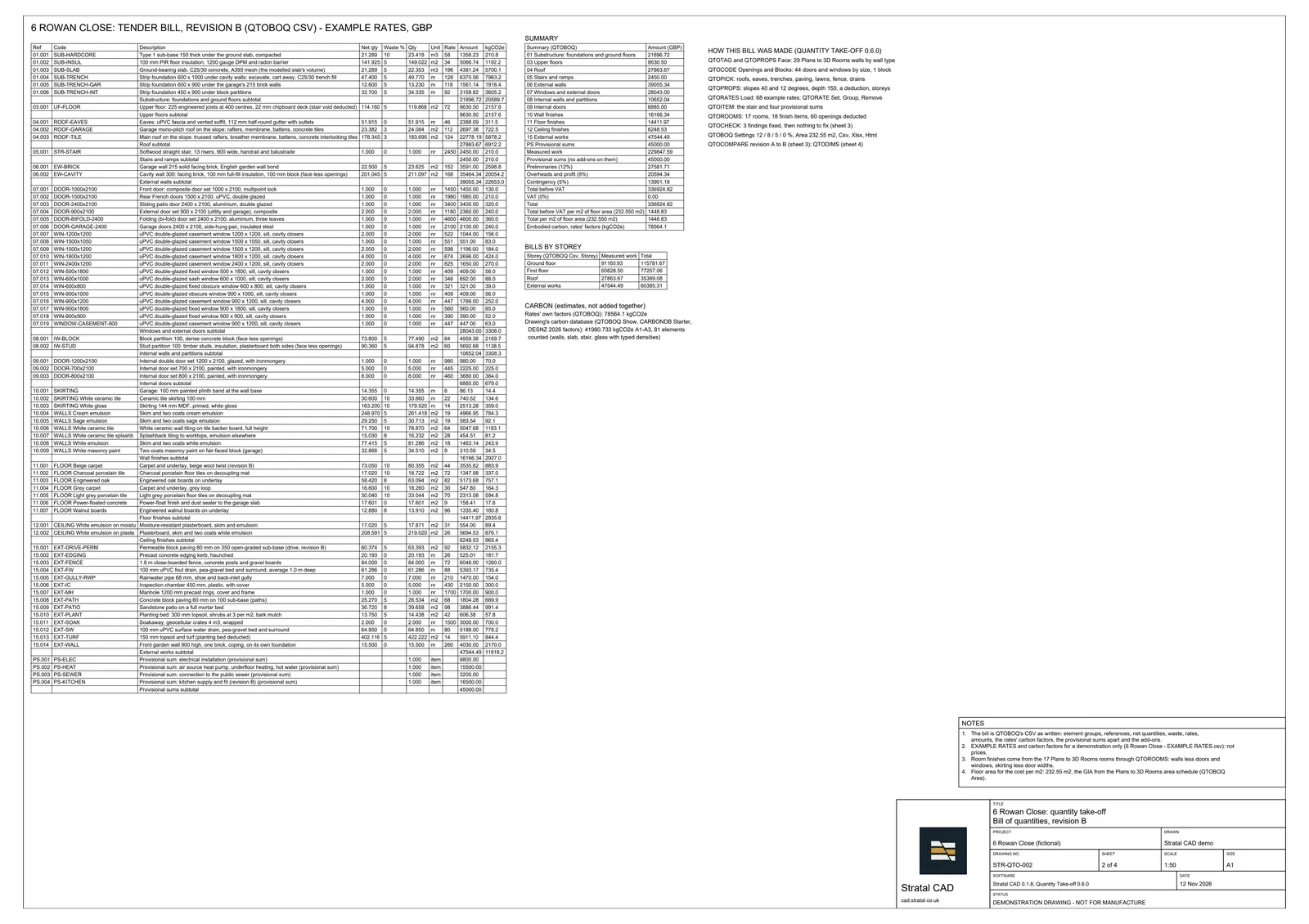
Preview of a drawing sheet made in Stratal CAD: The priced bill of quantities, revision B, with summary and storey bills. (opens a larger view)
The priced bill of quantities, revision B, with summary and storey bills
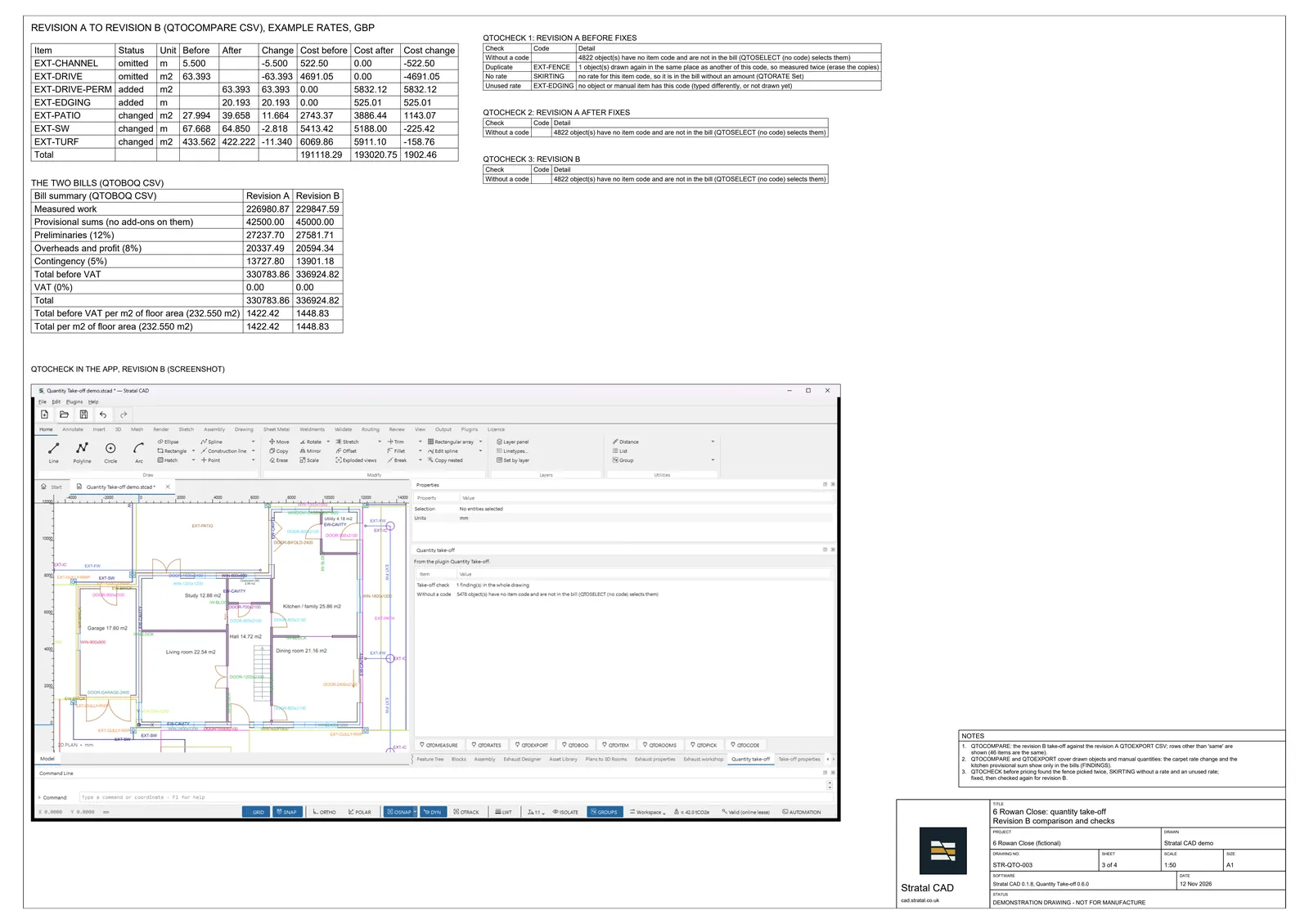
Preview of a drawing sheet made in Stratal CAD: Revision A to B comparison and the take-off checks. (opens a larger view)
Revision A to B comparison and the take-off checks
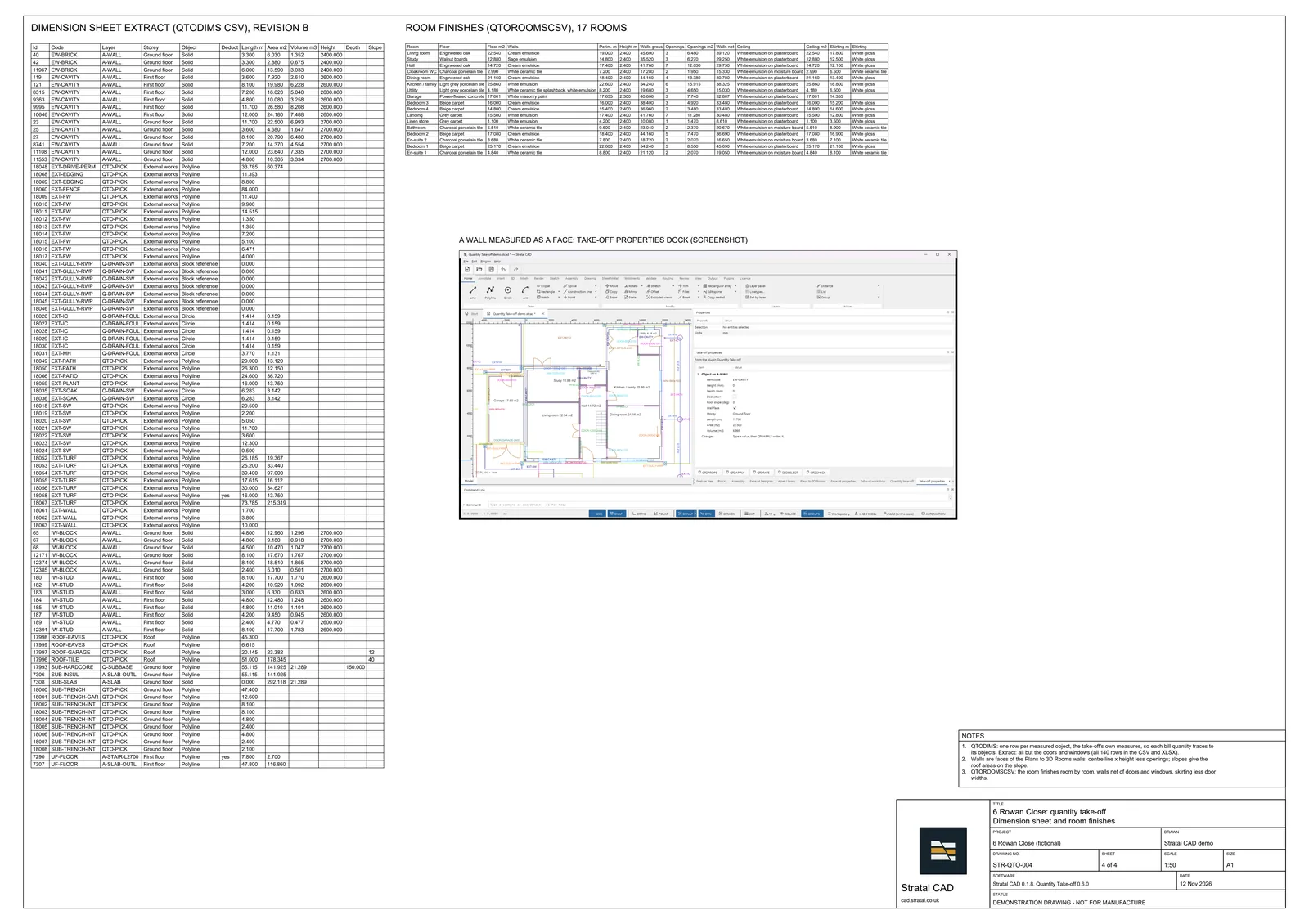
Preview of a drawing sheet made in Stratal CAD: Dimension sheet and room finishes room by room. (opens a larger view)
Dimension sheet and room finishes room by room

Shown in this job

  • QTOCHECK: duplicates, items without rates and unused rates found before pricing
  • QTOCOMPARE: revision B against revision A, added, omitted and changed with the cost change
  • QTODIMS: the dimension sheet, one row per measured object
  • QTOSELECT: select by item code with wildcards
  • QTOBOQ Area: cost per m2 of floor area
  • QTOMARKUP: the plan coloured by item, code tags, legend and quantity table
  • QTOPICK: lengths and areas by picked points, kept as coded objects
  • QTOCODE: doors and windows coded by size, blocks by name
  • QTOPROPS Face, Slope and Storey: wall faces less openings, roof slope areas, bills per storey
  • QTOROOMSCSV and skirting: room finishes room by room
  • XLSX workbooks of the take-off, bill, room finishes, comparison and dimension sheet
  • Provisional sums apart from the measured work; the app's own carbon estimate beside the rates' factors

What it does

New in 0.9.0

Added on 21 November 2026, with Stratal CAD 0.2.5.

  • QTOVALUE makes an interim valuation of the priced bill: percent complete per item, retention, certified before and amount due, shown or as CSV or XLSX.
  • QTOORDER makes a material order list: priced quantities with waste, rounded up to whole packs of your own sizes.
  • QTOBUDGET sets each element group of the bill against your own target for it: over or within, and by how much.

Code it

Item codes live on the objects, in the drawing.

  • QTOTAG: give the selected objects an item code, or clear it
  • QTOCODE: code blocks by name with wildcards, or Plans to 3D Rooms doors and windows by their size
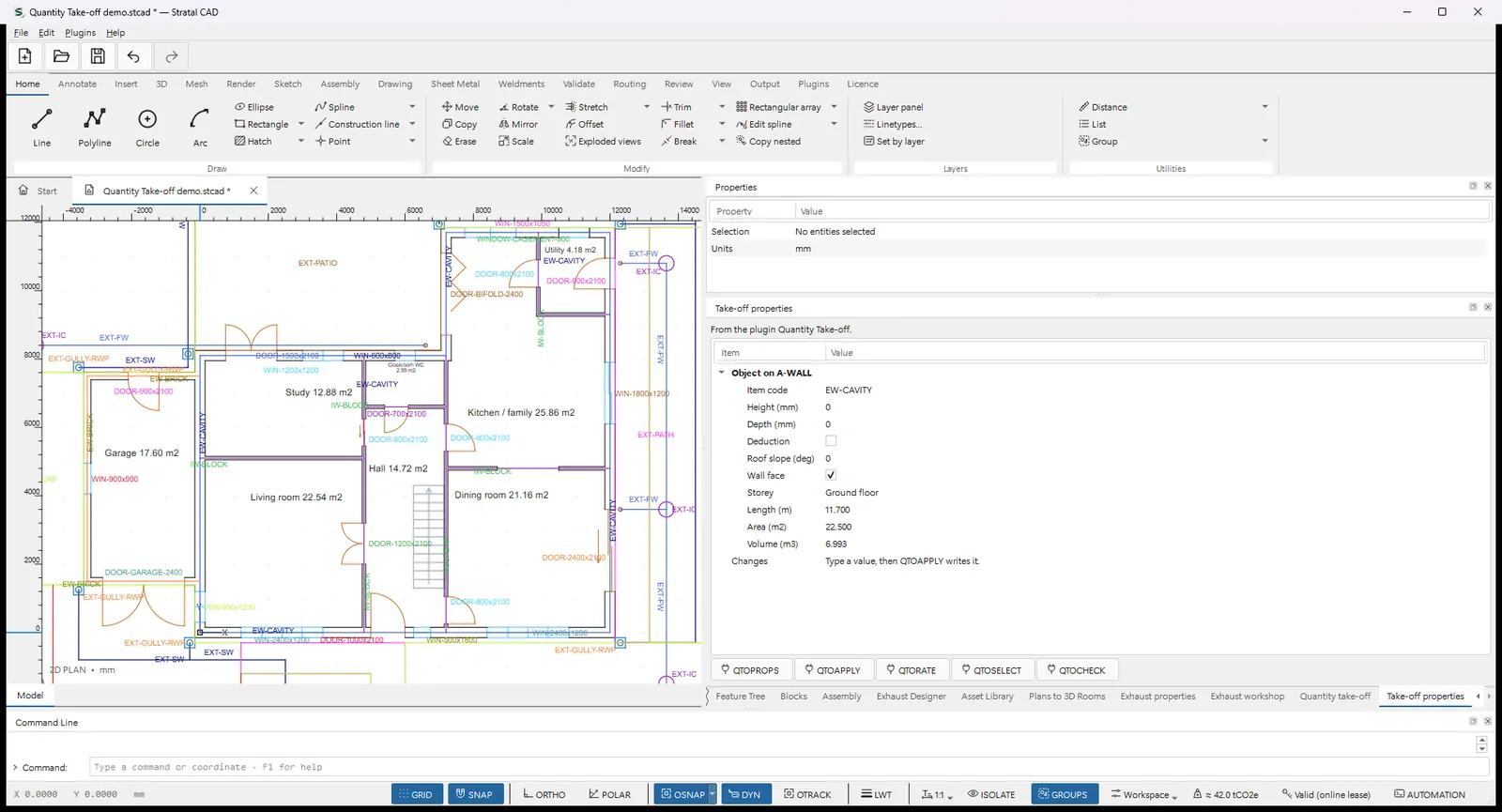
  • QTOPROPS: height, depth, deduction, roof slope, wall face and storey on each object
  • QTOAPPLY: write the values typed in the Take-off properties dock as one undo step

Measure it

Lengths, areas, volumes and counts by code or layer.

  • QTOMEASURE: the drawing or a selection, by item code or by layer
  • A height turns a centre line into a wall face; a depth turns an area into a volume
  • Deductions come off their item: openings out of a wall, a trench's inner outline
  • Solids by the kernel's volume and surface
  • QTOPICK: measure a length or area by picking points; it stays in the take-off

Rooms and finishes

Floor, wall, ceiling and skirting from Plans to 3D Rooms.

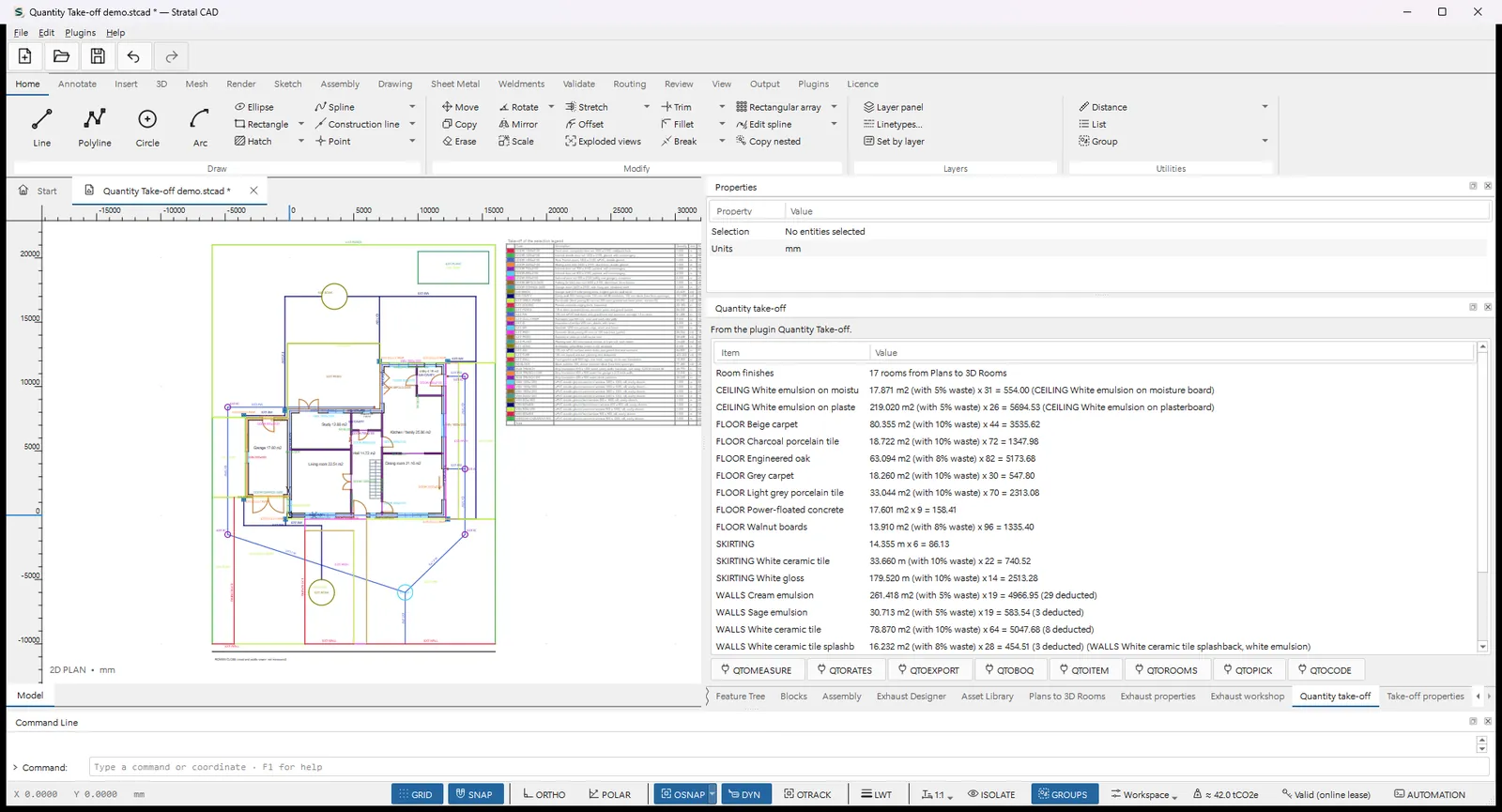
  • QTOROOMS: finishes of every room, with doors and windows deducted from the walls
  • A door between two rooms comes off both
  • Skirting per room, less its door widths
  • QTOROOMSCSV: the finishes room by room as CSV or a workbook

Price it

Your rates, kept in the drawing. None ship.

  • QTORATES: load a rates CSV, save the rates in force, or write the empty template
  • QTORATE: set or remove one rate, with waste, an element group and a carbon factor
  • QTOITEM: quantities that are not drawn, and provisional sums

The bill

A priced bill of quantities by element group.

  • QTOBOQ: sections with references, quantities, rates and amounts
  • Preliminaries, overheads and profit, contingency and VAT as percentages you set
  • Provisional sums apart from the measured work, with the add-ons on them only if you choose
  • For the drawing, a selection or one storey; CSV, workbook, printable page or the panel
  • Net quantity and waste beside the quantity priced, so a surveyor can check it

Check and compare

Before the bill goes out.

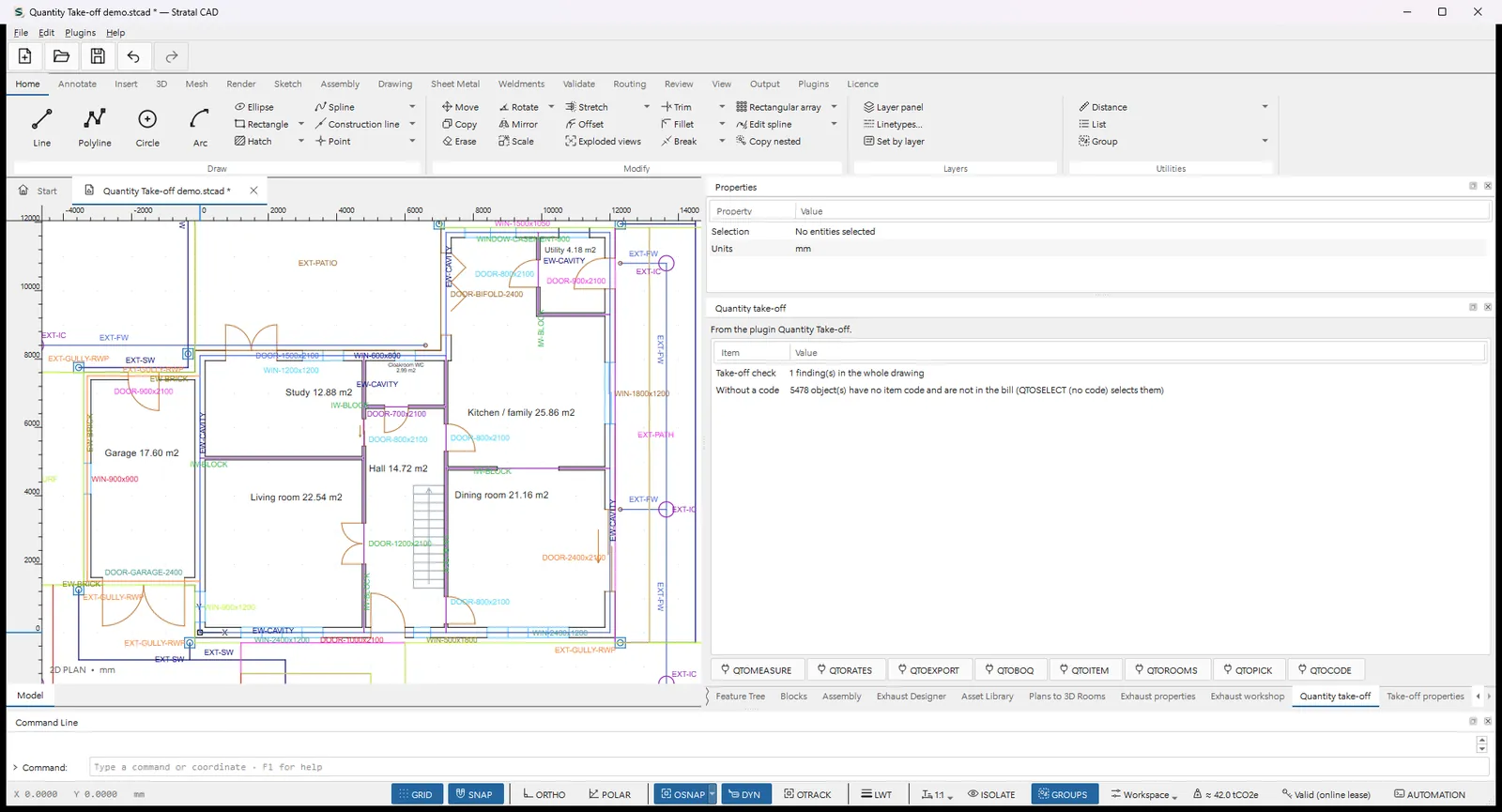
  • QTOCHECK: duplicates, items without rates and unused rates found before pricing
  • QTOCOMPARE: one revision against another, added, omitted and changed, with the cost change
  • QTODIMS: the dimension sheet, one row per measured object; QTOSELECT: select by item code with wildcards

Mark it up

Show what was measured, on the drawing.

  • QTOMARKUP: colour coded objects by item code and tag them with their codes (in 2D: objects with an appearance keep it in 3D)
  • A legend and quantity table placed where you pick
  • Clear takes the markup away and puts the colours back

Key commands

QTOTAGGive the selected objects an item code, or clear it
QTOCODECode blocks by name, or Plans to 3D Rooms doors and windows by size, in one undo step
QTOPROPSItem code, height, depth, deduction, slope, wall face and storey of the selected objects
QTOMEASUREMeasure lengths, areas and counts by item code or layer
QTOPICKMeasure a length or an area by picking points
QTOROOMSFloor, wall, ceiling and skirting finishes of Plans to 3D Rooms rooms, openings deducted
QTORATESLoad a rates CSV, save the rates in force, or write the empty template
QTORATESet, remove or list one rate, with its element group and carbon factor
QTOITEMAdd, remove or list quantities that are not drawn and provisional sums
QTOBOQThe priced bill by element group, with add-ons and VAT
QTOEXPORTWrite the quantities and costs to CSV, or a workbook
QTOMARKUPColour coded objects by item code, tag them and place a legend
QTOCHECKFind duplicates, items without rates and unused rates
QTOCOMPARECompare two revisions of the take-off, with the cost change
QTOPRICESLoad your own price list CSV (materials, labour rates, markups, VAT, company details and logo), write the empty template, show, save or clear it
QTOQUOTEA priced quote from the quantities and your price list: client and reference, a PDF headed with your logo, or a CSV of the working
QTOVALUEInterim valuation of the priced bill: percent complete per item, retention, certified before, amount due; shown or as CSV or XLSX
QTOORDERMaterial order list: priced quantities with waste, rounded up to whole packs of your own sizes; shown or as CSV or XLSX
QTOBUDGETEach element group of the bill against your target for it: over or within, by how much; shown or as CSV or XLSX

Specifications

Version0.9.0 (the job above was made with 0.6.0 and Stratal CAD 0.1.8; later versions have changes since)
MeasuresLines, arcs, circles and polylines (arcs exactly); closed outlines and circles by area; solids by volume and surface; counts of anything
Unitsm, m², m³ and nr; rates are plain numbers in your own currency
RatesYour own rates CSV (item code, description, unit, rate, waste, group, carbon); a header-only template ships, never sample rates
Output filesTake-off, bill, rates and room finishes as CSV (UTF-8) or XLSX; the bill also as a printable page
Works withPlans to 3D Rooms 0.7.0 or later for room finishes, wall faces and doors and windows (optional)
RequiresStratal CAD 0.1.7 or later on Windows 11 (x64), with a licence that includes Quantity Take-off
DeliveryA Stratal-signed plugin, installed from the Plugins menu; runs in Stratal CAD or isolated in its own process

Limitations

The house, 6 Rowan Close, is fictional, and so are the rates used to price it.

Add it to Stratal CAD

Quantity Take-off runs inside Stratal CAD and stays with your licence.