From drawing to machine for 2D profile cutting on plasma, laser, waterjet, drag knife and router: kerf compensation, lead-ins, cut order, a check with times, and G-code written to a file through your machine's post.
HLF-2614 conveyor tower steelwork and HL9 kitchen boards: from nested sheets to machine code
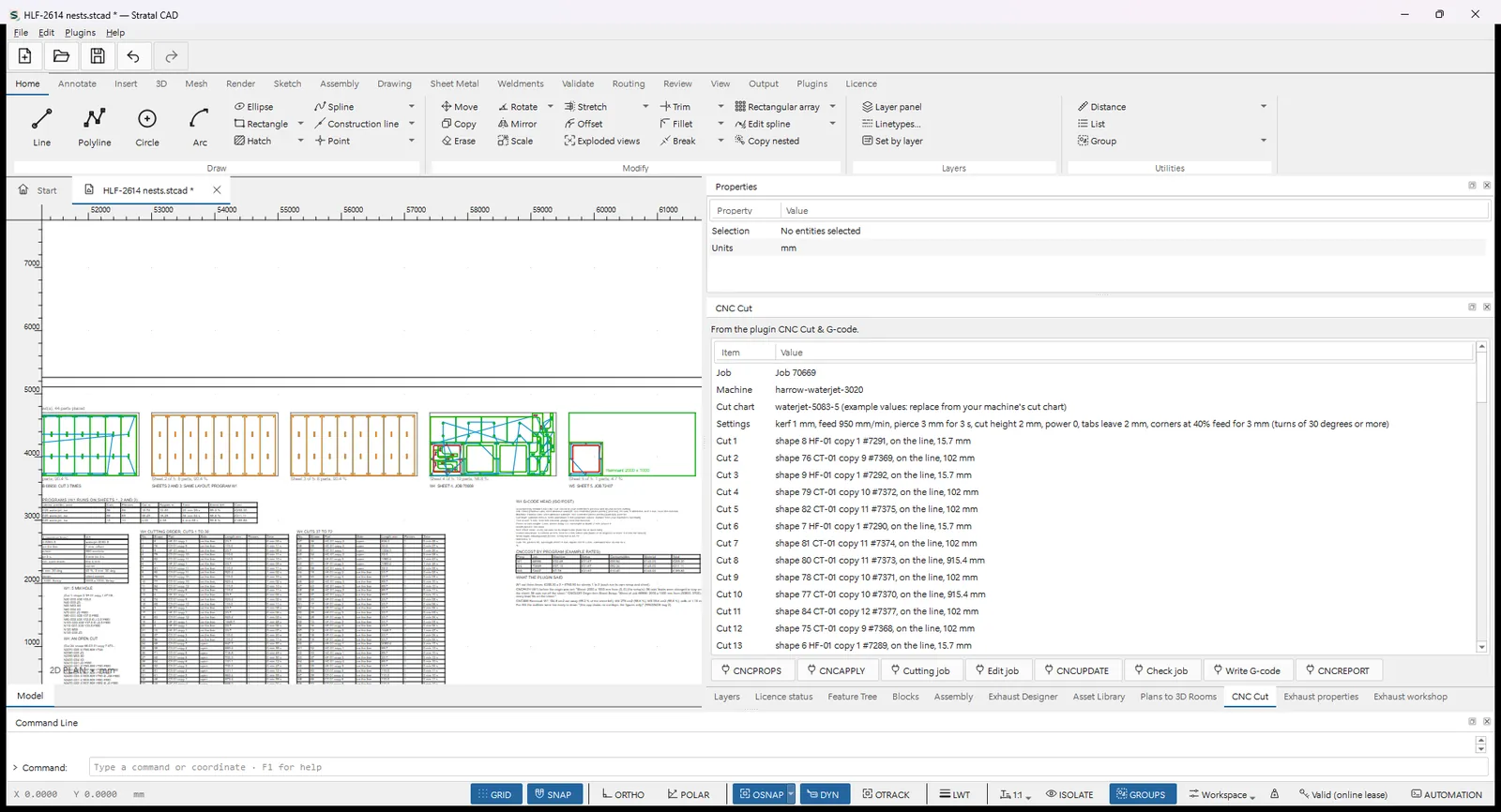
The True-Shape Nesting demo's sheets in S275 steel, 304 stainless and 5083 aluminium, and five of its kitchen boards, taken through to G-code on a plasma table, a fibre laser, a waterjet and a nesting router. Every program has its work origin at the sheet corner, leads kept on the sheet, part names from the nest, a setup sheet, a material-removal check and a cost at example rates.
Made on 12 November 2026 with Stratal CAD 0.1.8 and CNC Cut & G-code 0.9.0; later versions have changes since.
The job and its names are fictional. Pictures are resized only, not retouched; the figures are the software's own output.
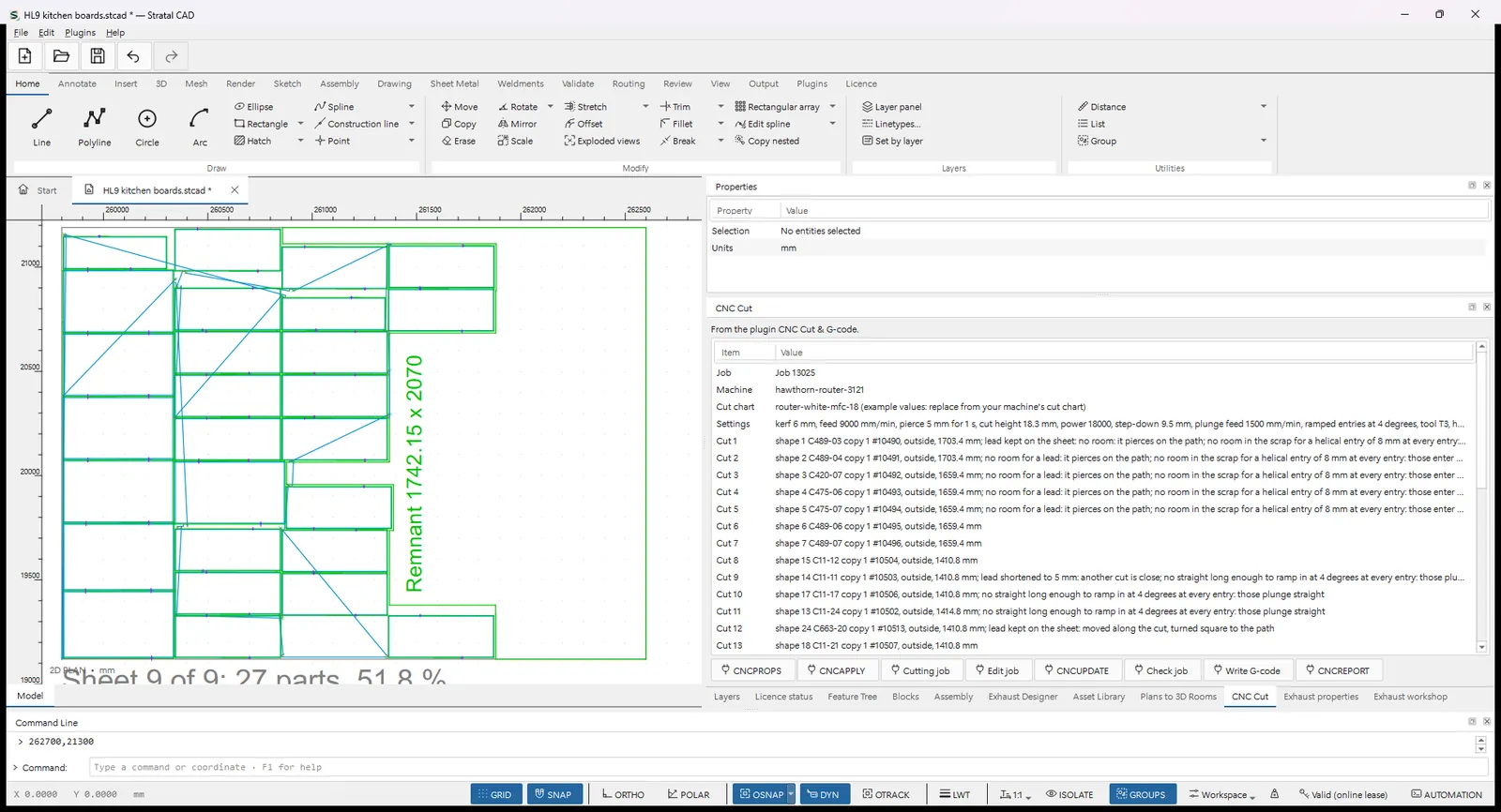
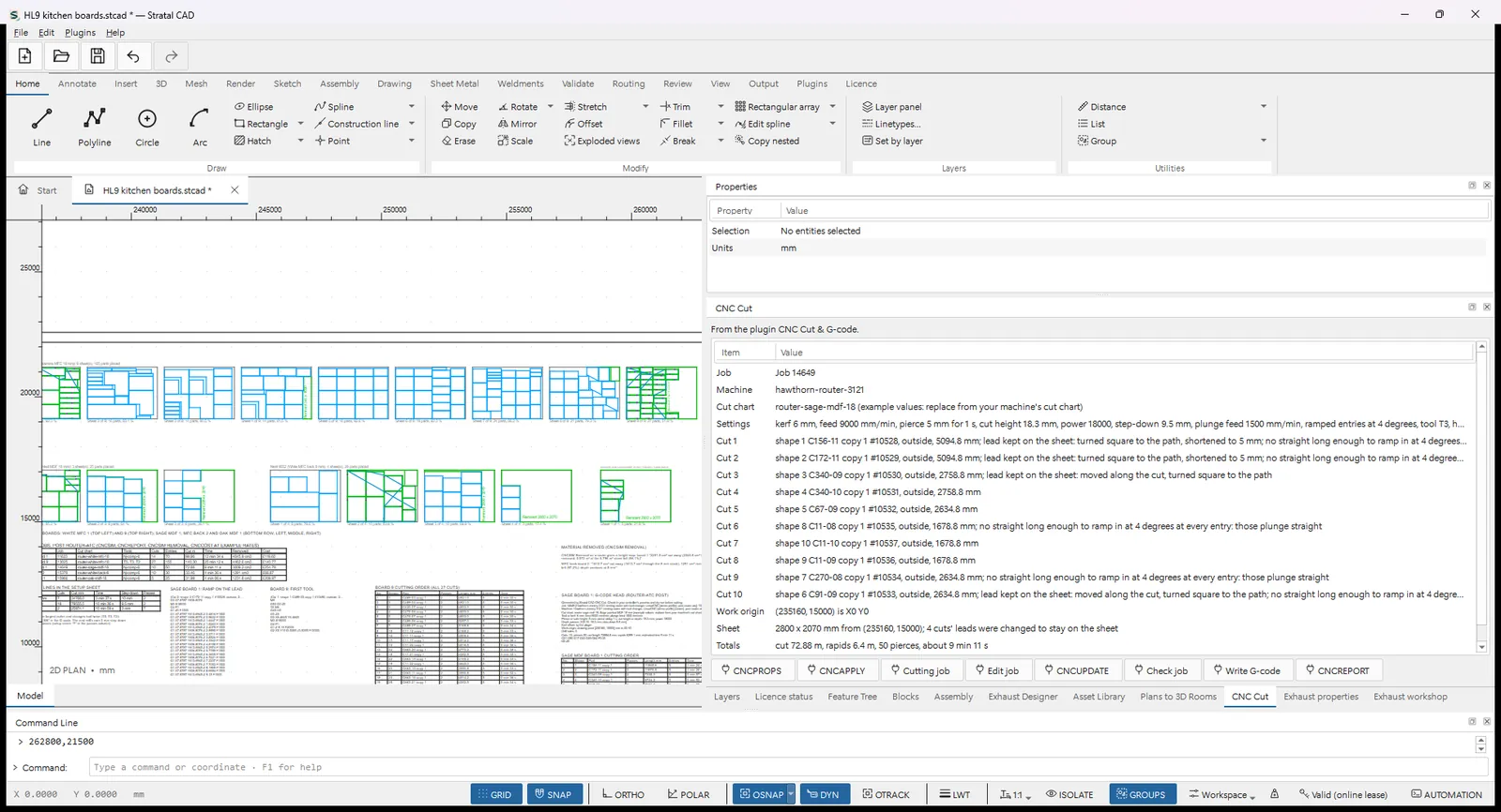
(opens a larger view)Kitchen board 9 on the nesting router, three tools, tabs and ramped entries, CNC Cut dock
The job in numbers
G-code programs written (5 posts)
14
Sheets cut (aluminium program run 3 times)
16
Processes
plasma, fibre laser, waterjet, router
Cuts in the programs, sheets as cut
1126
Pierces and entries, sheets as cut
1398
Metres cut, sheets as cut
722.7 m
Rapid travel, sheets as cut
296.5 m
Estimated machine time, sheets as cut
5 h 34 min
Job cost, all 16 sheets as cut (example rates)
£4394.15
S275 sheet 1: cuts, pierces, time
156 cuts, 164 pierces, 64 min 53 s
S275 sheet 1 cost, 60 parts (example rates)
£588.07
Tabs on the lugs: material left, torch gap
3 mm, 5 mm
Part names read from True-Shape Nesting
all cuts of the 14 programs
Material removed, white MFC board 1 (CNCSIM Removal)
4045.9 cm3
Pictures
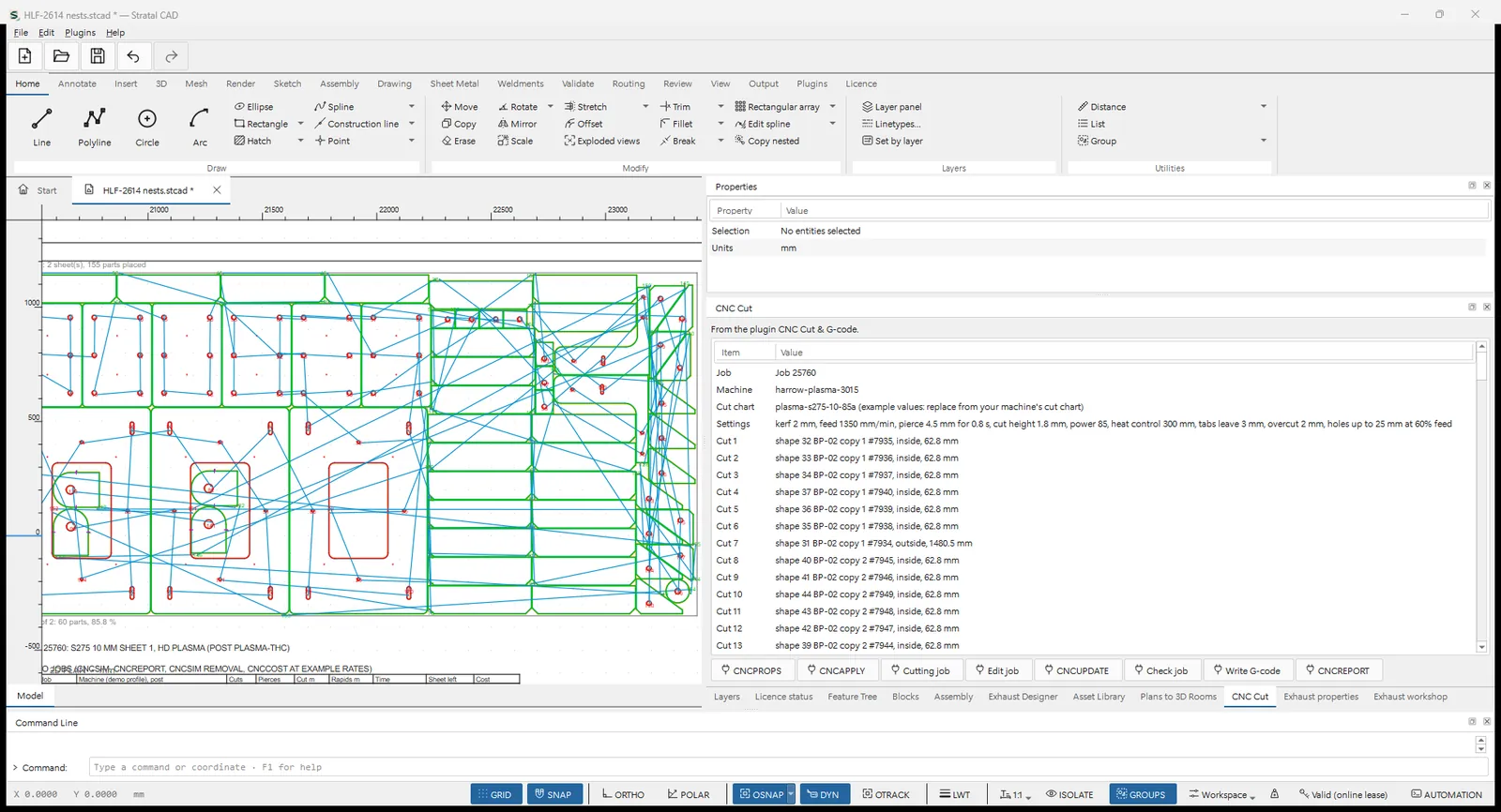
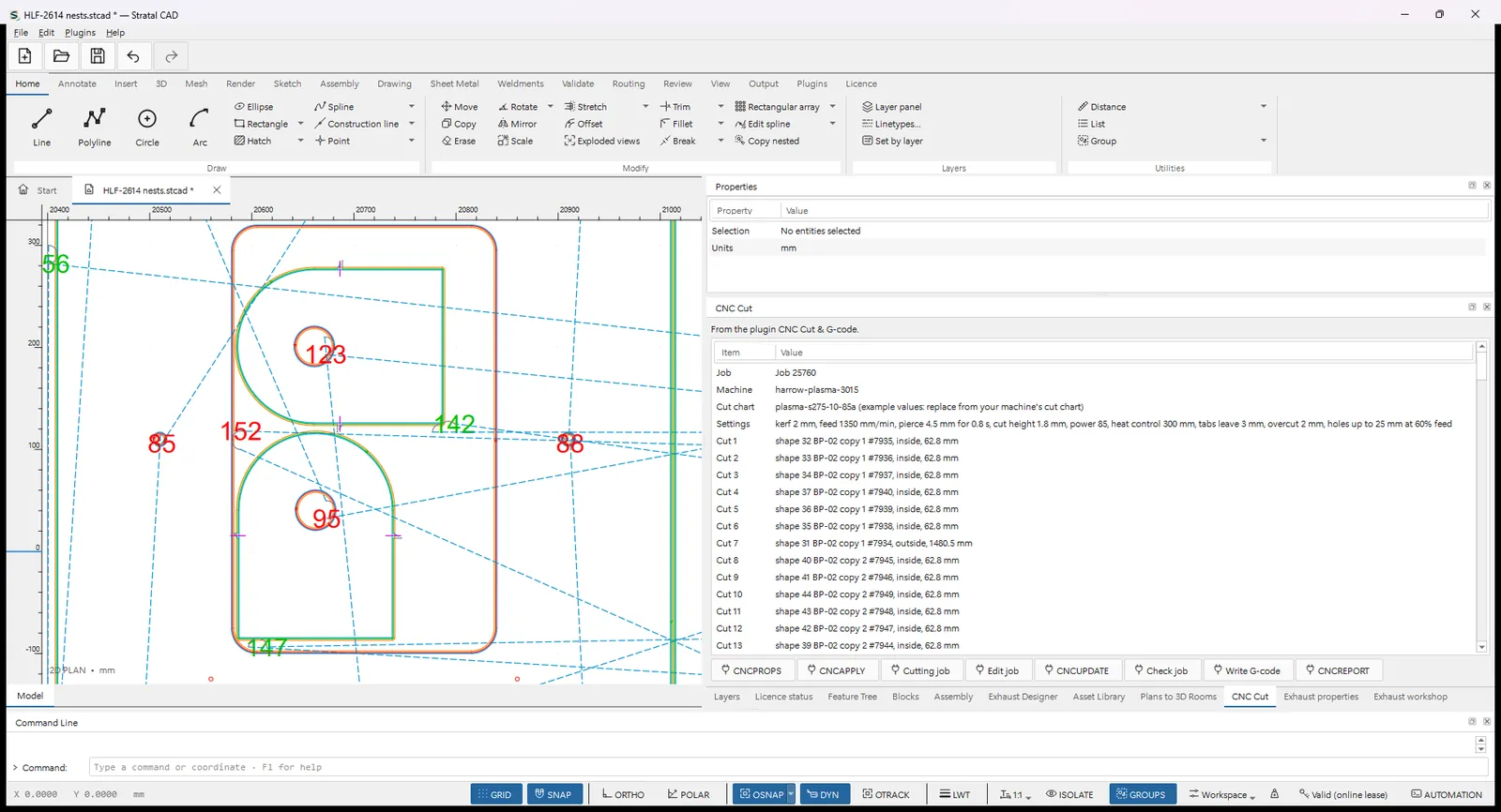
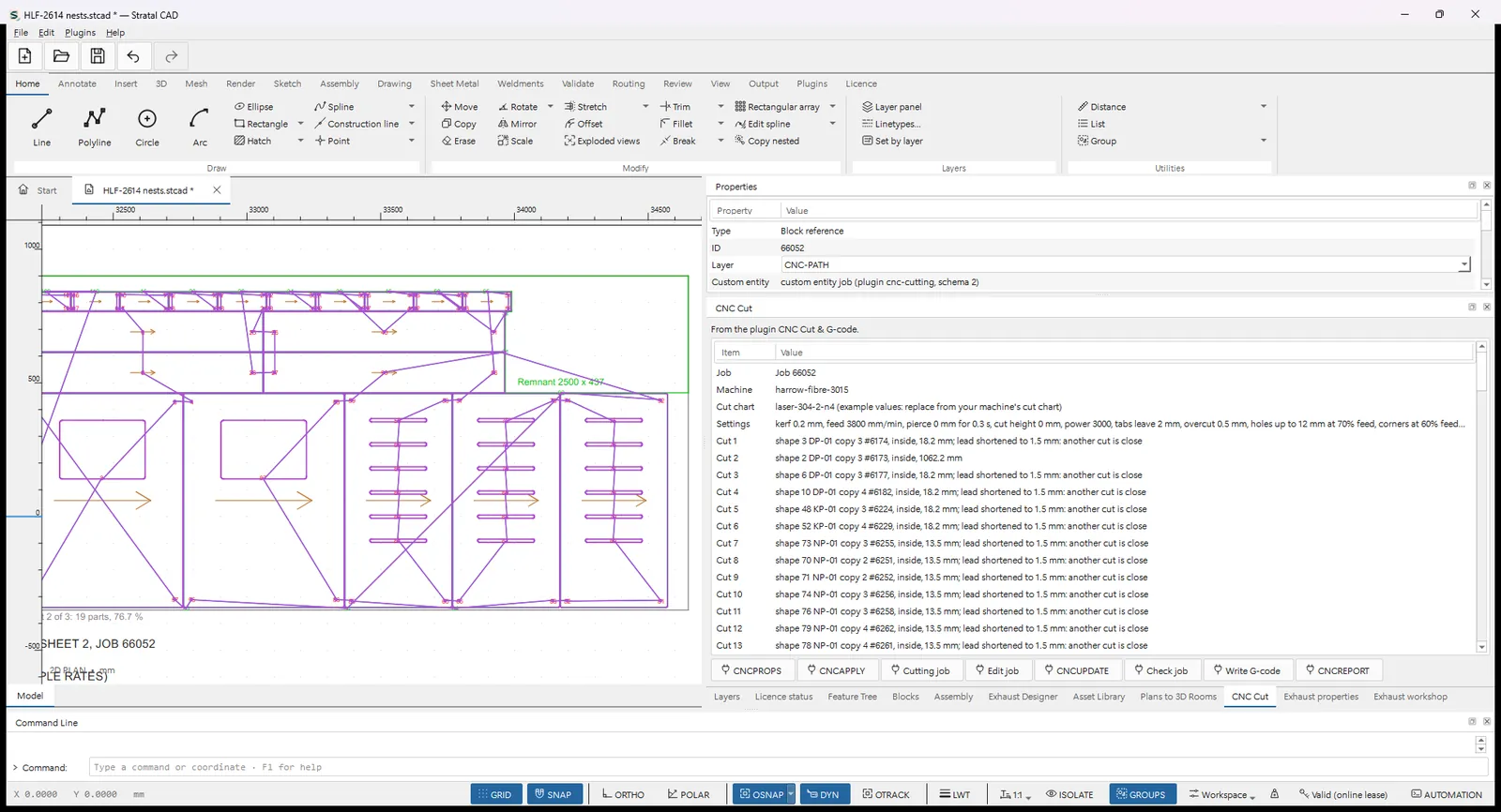
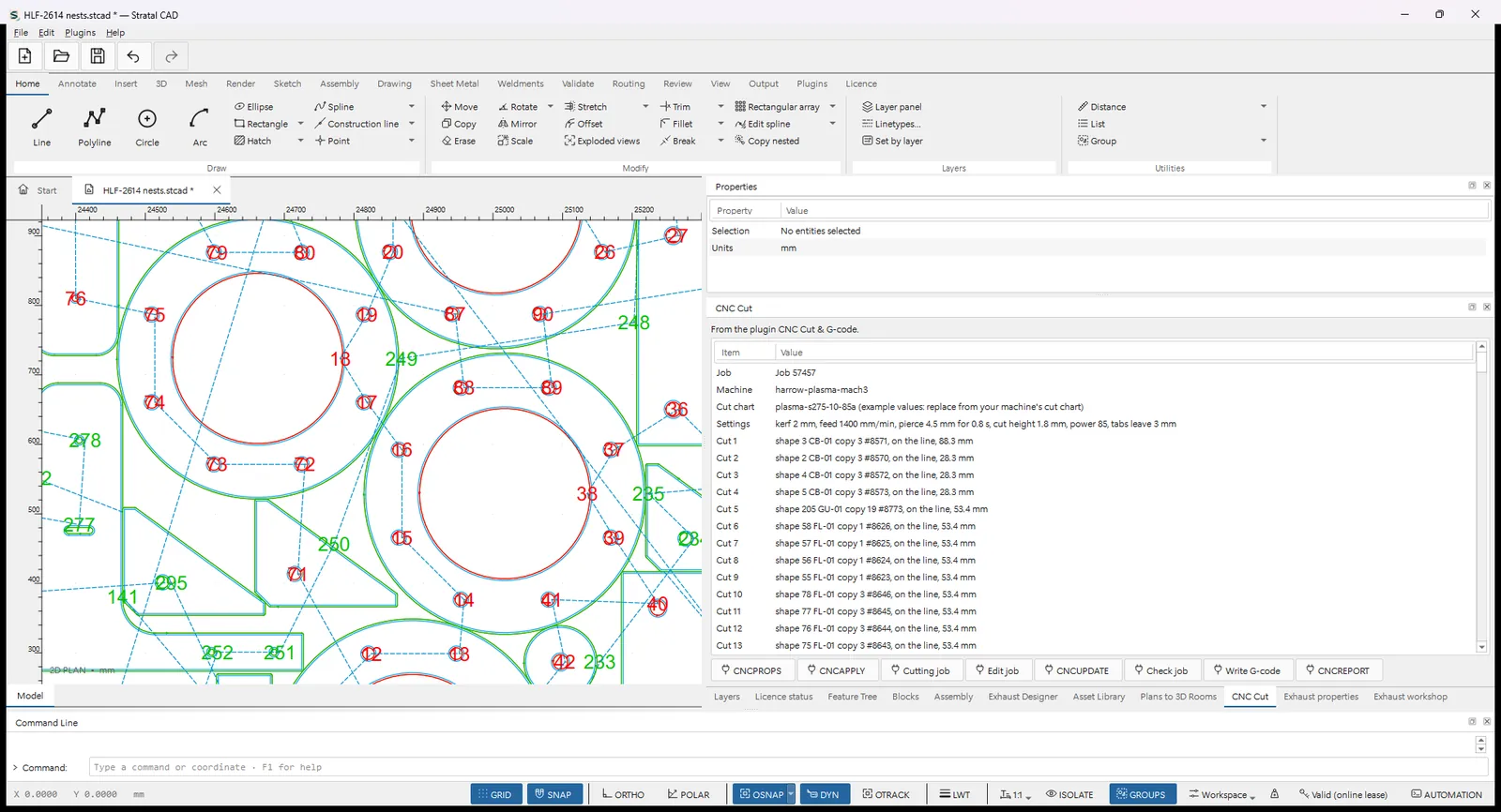
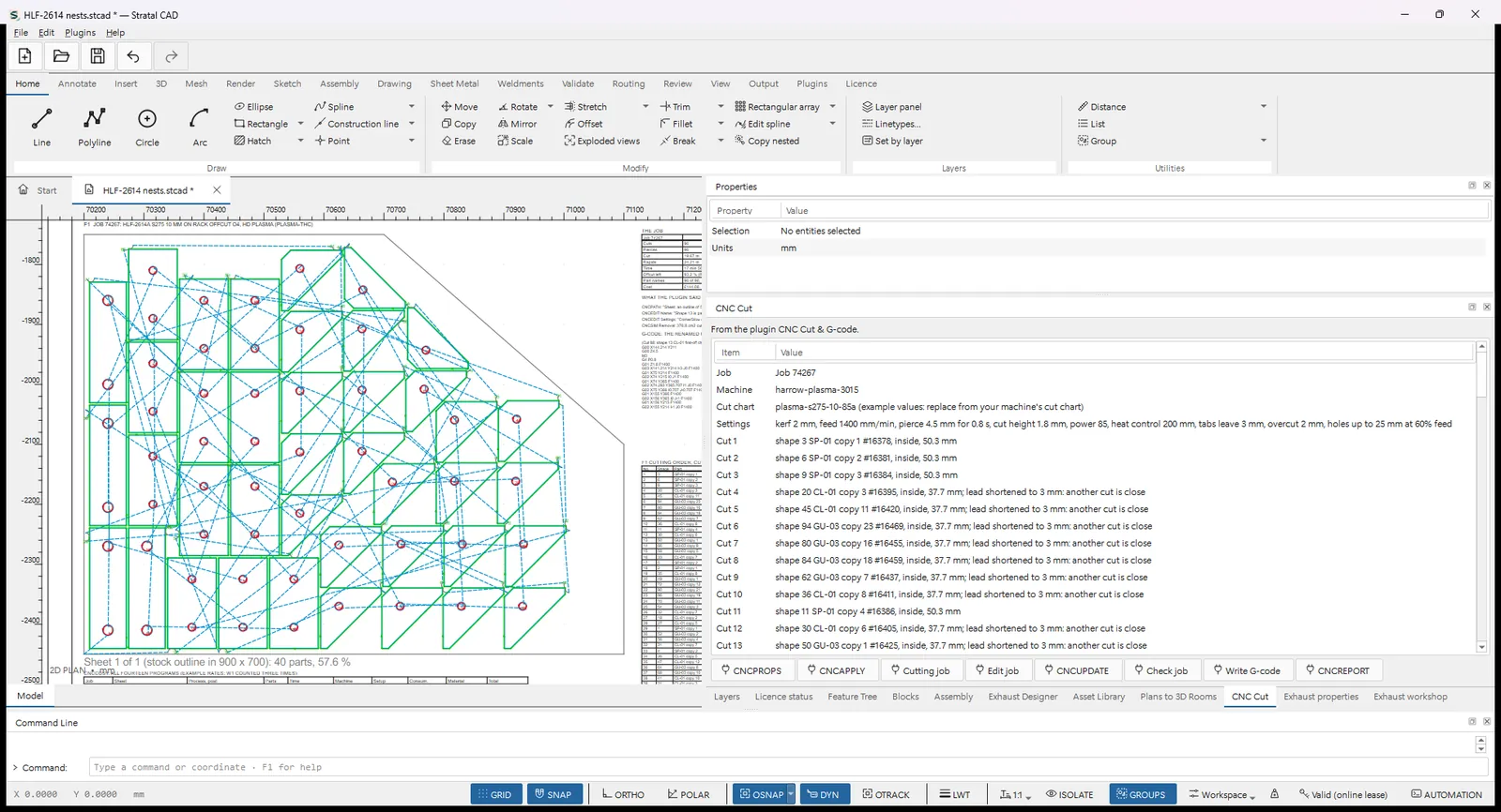
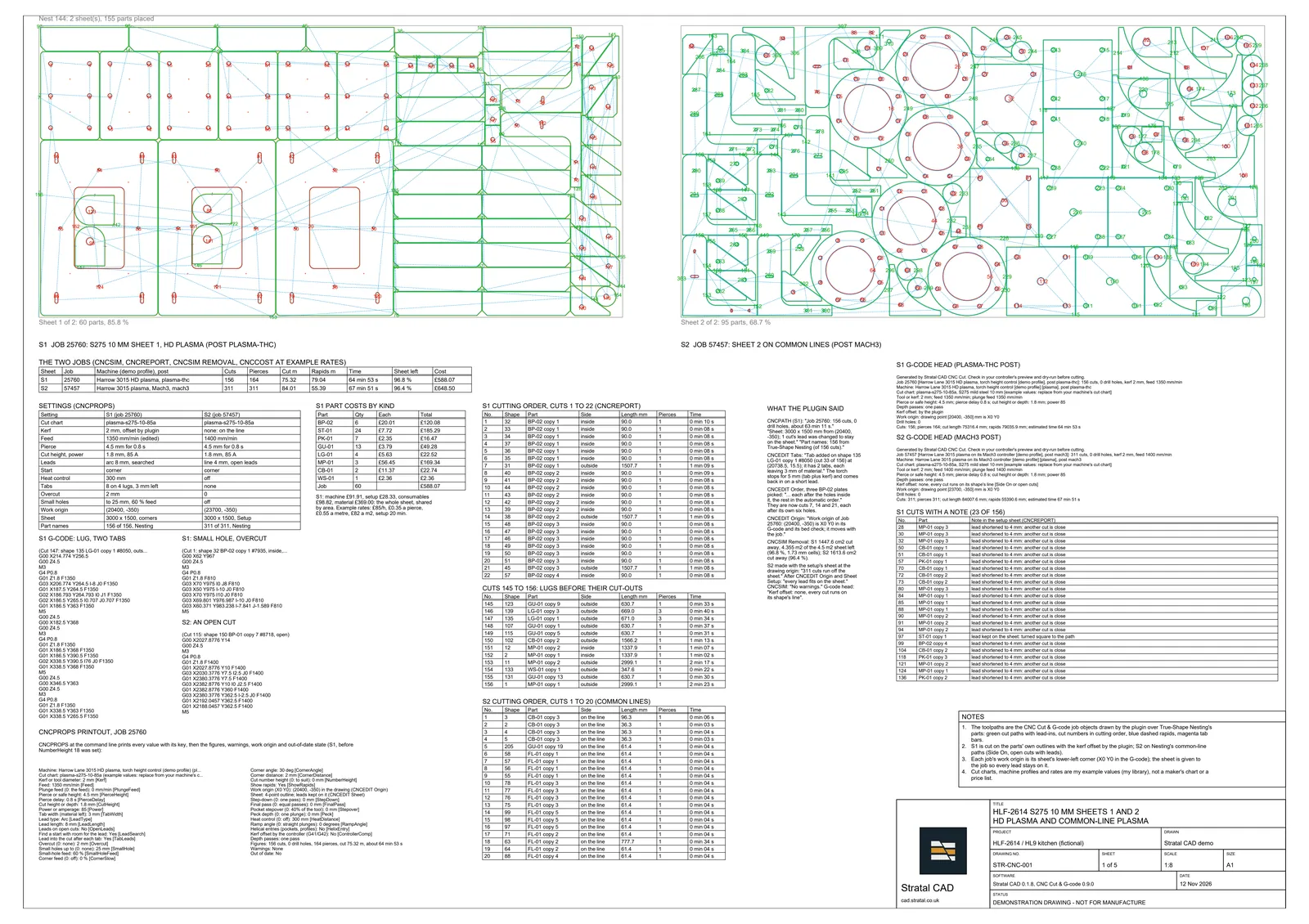
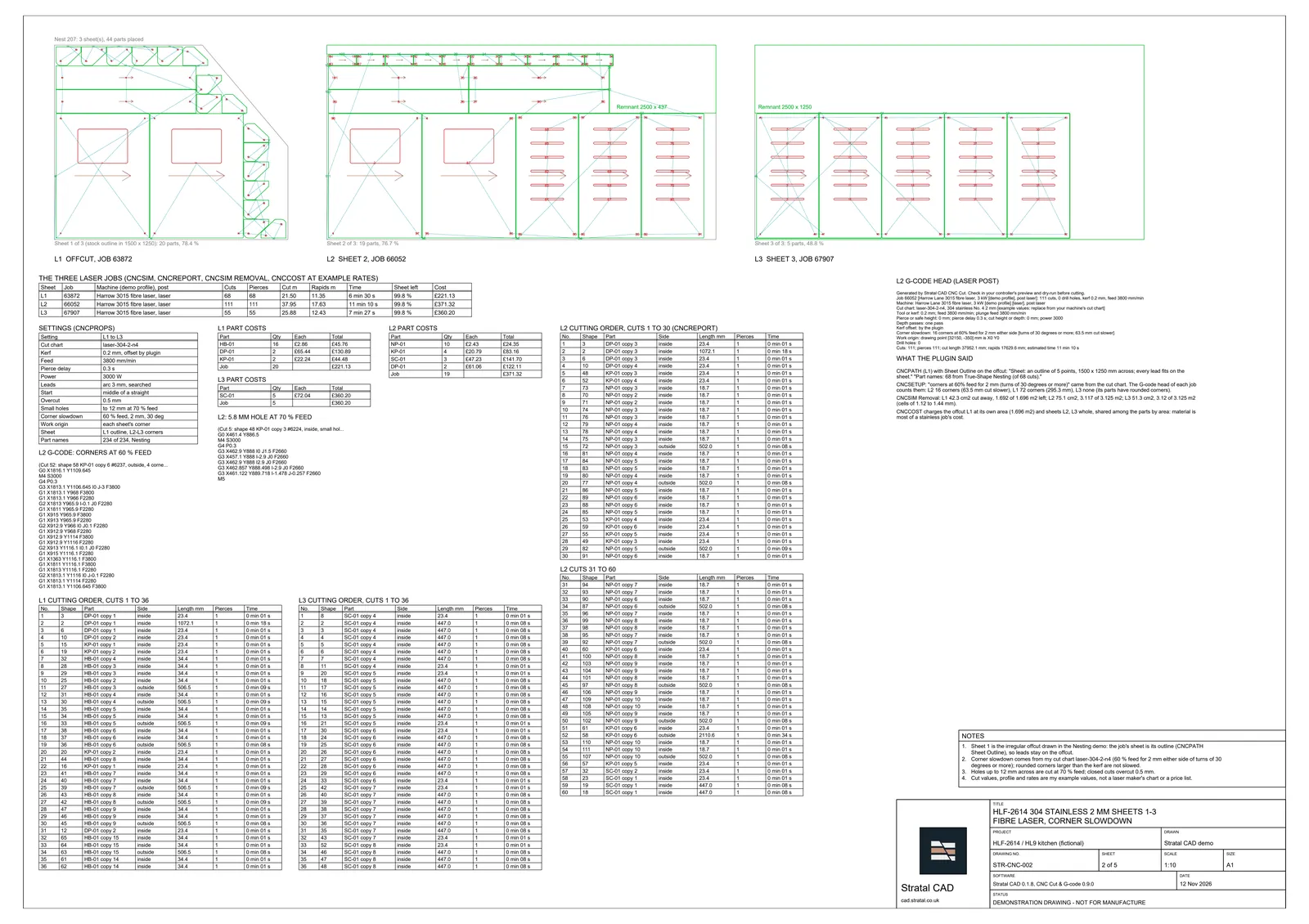
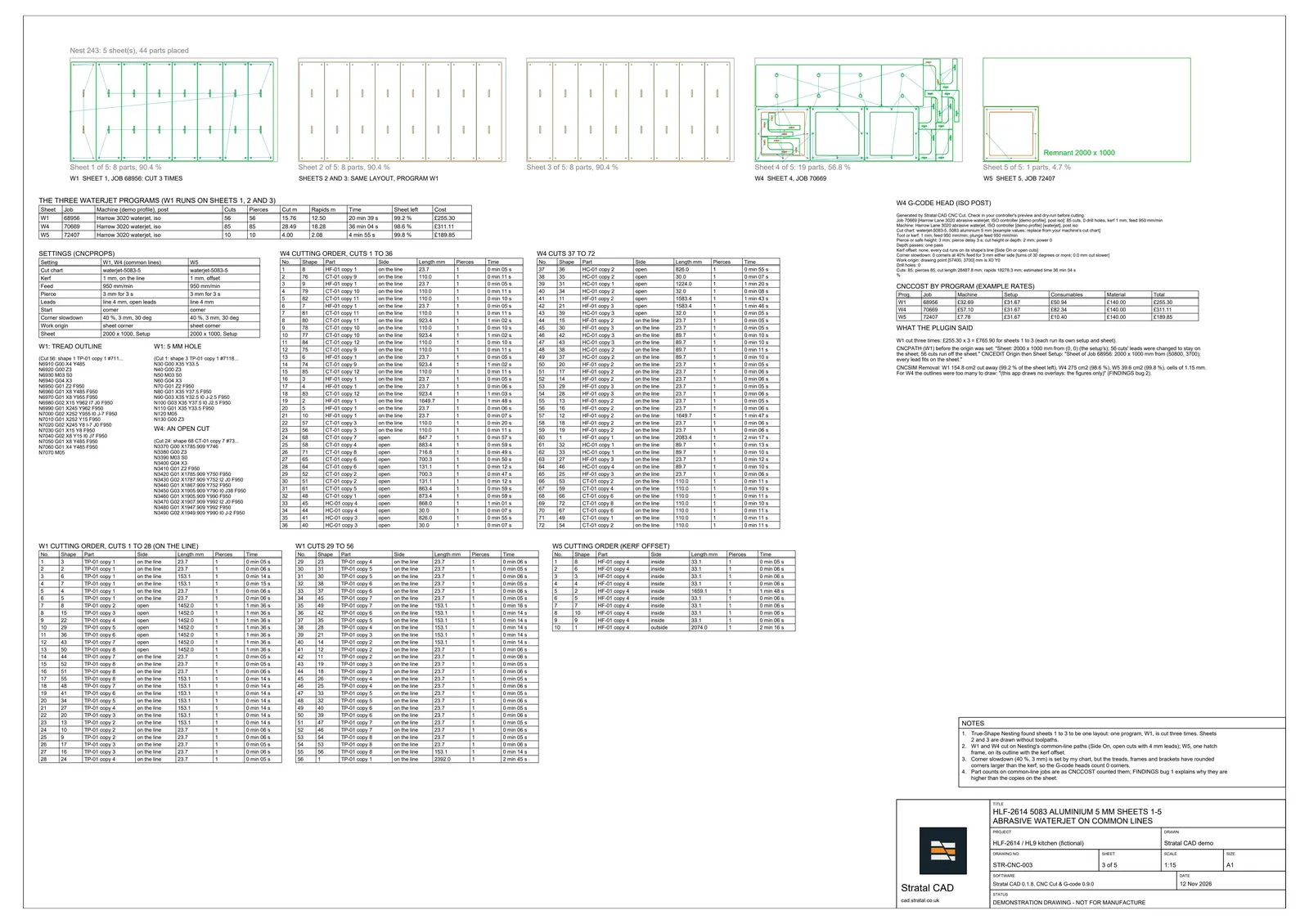
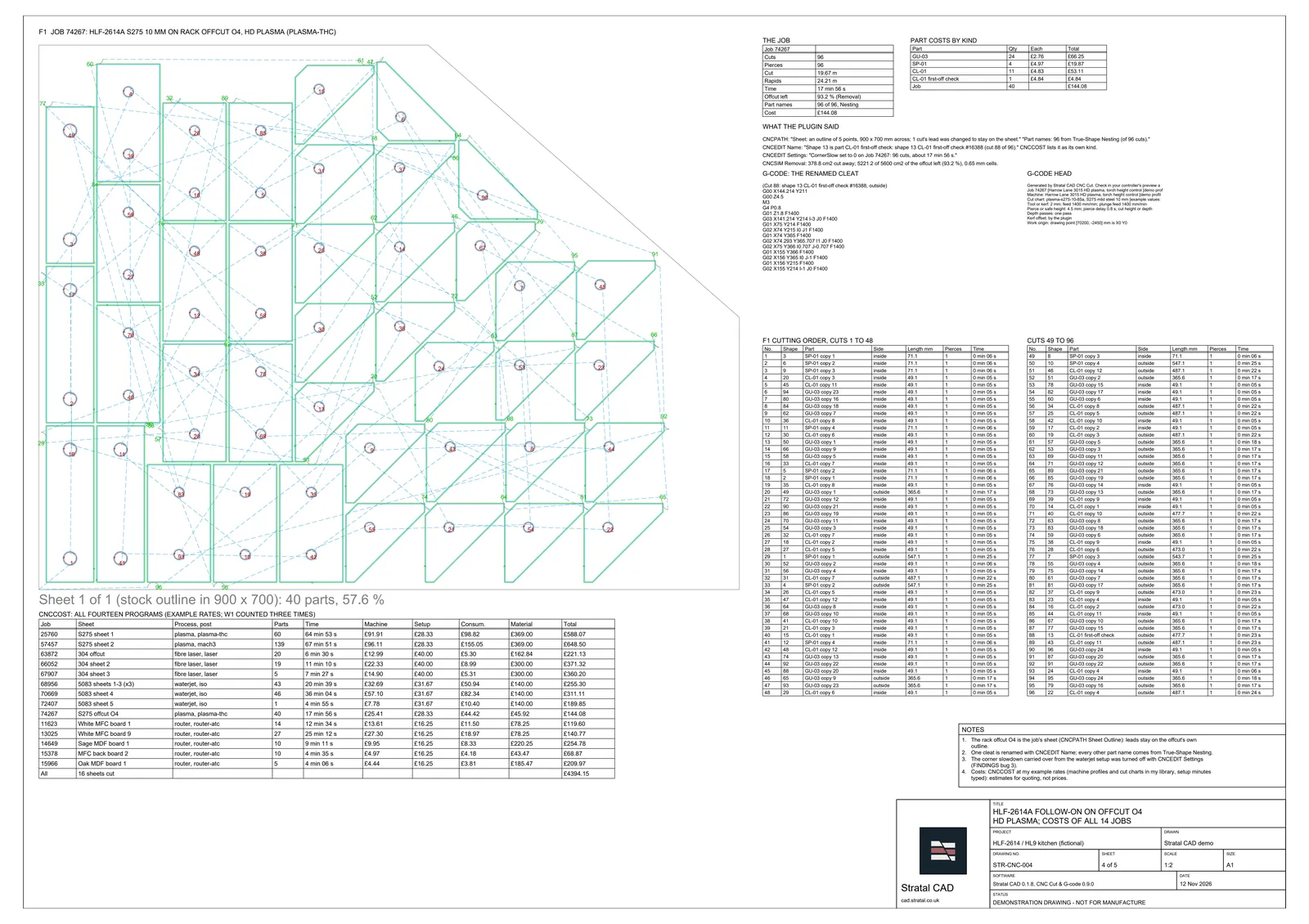
(opens a larger view)S275 sheet 1 on the HD plasma, 156 cuts in order with leads, rapids and the CNC Cut dock (opens a larger view)Close-up of S1, lugs in the drive plates' cut-outs with magenta tab bars and leads after each tab (opens a larger view)CNCSIM Removal on stainless sheet 2, the material cut away drawn over the fibre-laser job (opens a larger view)5083 aluminium sheets 1-5 on the waterjet, common-line cuts and open leads, CNC Cut dock (opens a larger view)Close-up of S275 sheet 2 cut on Nesting's common lines, open cuts with leads, part numbers (opens a larger view)HLF-2614A follow-on on rack offcut O4, leads kept on the offcut's outline (opens a larger view)HL9 kitchen, 17 nested boards, five programmed on the router
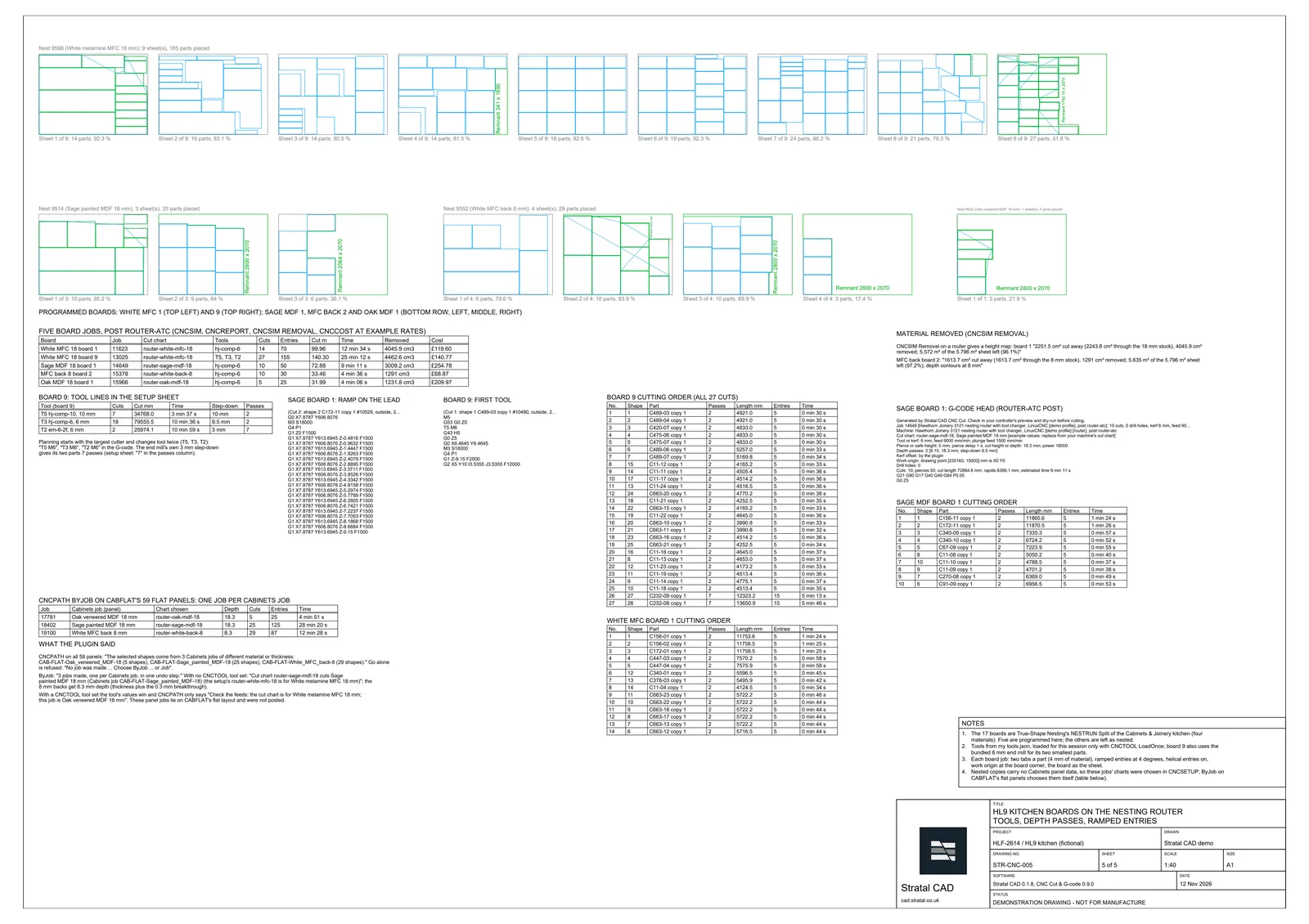
(opens a larger view)A1 sheet STR-CNC-001: two S275 plasma sheets with toolpaths, settings, part costs, cutting order and G-code (opens a larger view)A1 sheet STR-CNC-002: 304 stainless on the fibre laser with corner slowdown (opens a larger view)A1 sheet STR-CNC-003: 5083 aluminium on the waterjet, common-line cuts (opens a larger view)A1 sheet STR-CNC-004: follow-on job on an offcut and the costs of all fourteen programs (opens a larger view)A1 sheet STR-CNC-005: kitchen boards on the nesting router, tools, passes, ramped entries
Shown in this job
Job and part costs from your rates (CNCCOST)
Corner slowdown on the laser
Cut chart chosen by Cabinets & Joinery panel (CNCPATH ByJob)
Tool lines in the setup sheet
Material-removal check (CNCSIM Removal)
Leads kept on the sheet or offcut outline
Ramped router entries (no profile here had room in the scrap for a helical entry)
Part names from True-Shape Nesting
Work origin per job
Tabs that leave real material, leads after tabs, overcut, small-hole feed
Fewer tool changes, each tool's own step-down
Five posts: plasma-thc, Mach3, laser, ISO, router-atc
What it does
New in 0.11.0
Added on 21 November 2026, with Stratal CAD 0.2.5.
CNCVERIFY reads a G-code file back with its own interpreter, draws its path and checks the extents against the bed, length and time, feeds with no rate, arcs off their circle and rapids in the stock.
CNCCHECK checks the jobs' shapes against shop rules: holes too small for the process, narrow webs, small parts that can tip and shapes off the sheet; default hole sizes are typical guidance, not a maker's figure.
CNCPOST writes two or more selected jobs as one program, with a stop between jobs.
CNCSIM can add the time spent speeding up and slowing down when your machine profile gives its acceleration.
Make a job
Pick the shapes, choose the machine, and the plugin plans the cutting.
CNCSETUP: machine profile and cut-chart entry
CNCPATH: closed shapes kerf-offset with true arcs, open lines cut on their line
Holes before parts, and parts inside a cut-out before the cut-out
Arc or line lead-ins and lead-outs, corner starts, and a search for a start with room
Heat control spreads pierces across the sheet; tabs leave the material you set
Edit and keep it current
Change a job without starting again.
CNCEDIT: order, direction, leads, tabs, settings, part names, work origin and sheet
CNCPROPS and CNCAPPLY: the job's values in the CNC panel, written as one undo step
Jobs marked out of date when their shapes change; CNCUPDATE rebuilds them, keeping starts and tabs
Part names from True-Shape Nesting, a shape property or a text inside the part
Router work
Depth passes, pockets, drilling and tool changes.
Depth passes with step-down, final pass and plunge feed
Pockets in offset rings, drilling with pecks
Ramped entries, and helical entries on pockets, and on profiles where the scrap has room for the helix
CNCTOOL: a tool library, a tool per shape and for the drill holes, with tool changes kept few
Check before you cut
CNCSIM shows what the machine will do.
Cut and rapid length, pierces, time and warnings for the job
Step through the order cut by cut or move by move
Removal view: what is cut away, what is left, and router depth contours
G-code and setup sheets
Written to files; nothing is sent to a machine.
CNCPOST: G-code through posts for Grbl, LinuxCNC, Mach3/4, ISO, plasma with pierce and cut heights, laser and a tool-changer router
CNCREPORT: a setup sheet as CSV or text, with each cut's length, pierces and time
CNCLIB: load your own machine profiles, cut charts and posts
Key commands
CNCSETUP
Choose the machine profile and cut-chart entry
CNCPATH
Make a cutting job from the selected shapes, or update one
CNCEDIT
Change a job's order, directions, leads, tabs, settings, part names, work origin or sheet
CNCSIM
Check a job: lengths, pierces, time and warnings; step through it; show the material removed
CNCPOST
Write a job's G-code to a file through its post-processor
CNCREPORT
Write a setup sheet of the jobs as CSV or text
CNCPROPS
Show the selected jobs' values in the CNC panel
CNCAPPLY
Write the values typed in the CNC panel as one undo step
CNCUPDATE
Rebuild the selected or every out-of-date job from its shapes
CNCTOOL
List the router tool library; use a tool for a job, some shapes or the drill holes
CNCLIB
List machine profiles, cut charts and posts; load your own library
CNCVERIFY
Read a G-code file back and check it: its path drawn, extents against the bed, length and time, feeds with no rate, arcs off their circle, rapids in the stock
CNCCHECK
Check the jobs' shapes against the shop's rules: holes too small for the process, narrow webs, small parts that can tip, shapes off the sheet
Specifications
Version
0.11.0 (the job above was made with 0.9.0 and Stratal CAD 0.1.8; later versions have changes since)
Processes
Plasma, laser, waterjet, drag knife and router: 2D profiles, pockets and drilling
Posts
Grbl, LinuxCNC, Mach3/4, ISO, plasma with torch heights, laser, tool-changer router; your own posts through CNCLIB
Output files
G-code files; setup sheets as CSV or text
Works with
True-Shape Nesting: NESTSELECT picks a sheet's parts for CNCPATH, and cuts take Nesting's part names (True-Shape Nesting 0.9.0)
Requires
Stratal CAD 0.1.7 or later on Windows 11 (x64), with a licence that includes CNC Cut & G-code
Delivery
A Stratal-signed plugin, installed from the Plugins menu; runs in Stratal CAD or isolated in its own process
Limitations
2D profile cutting only; no 3D milling.
It writes G-code to a file and never sends it to a machine. The bundled machine profiles, cut charts and tools are examples: use your own values.
The posts have not been tried on every controller; tool numbers must match your controller's tool table.
Controller compensation (G41/G42) is refused with arc leads, tabs, and on posts without it (Grbl, laser).
Pockets with islands or narrow necks are refused.
Heat control is a distance rule between pierces, not a thermal model.
CNCSIM has no timed animation; the removal view shows depth contour lines, not filled colours, and draws nothing (saying the app draws no overlays) when its outlines are cut short.
CNCPROPS can show no warnings for a job that CNCSIM warns about: check jobs with CNCSIM.
CNCCOST counts holes as parts on common-line jobs, and a repeated nest layout is costed and timed for one run only.
CNCPATH Origin cannot take the sheet corner: a nested sheet away from 0,0 needs its leads put back on the sheet with CNCEDIT.
Nested kitchen boards carry no Cabinets panel, so choosing the cut chart by panel works only on the unnested CABFLAT layout.
The jobs in the pictures are fictional; the plasma and router cut charts and two machine profiles were made for the example and are not a maker's values. The G-code is the plugin's real output but has not been run on a machine. Times are the plugin's estimates.
Add it to Stratal CAD
CNC Cut & G-code runs inside Stratal CAD and stays with your licence.
 Stratal CAD